




CouthInk4
Members
-
Joined
-
Last visited
Everything posted by CouthInk4
-
How do you mean when mods are up they get taken down? you click on a link and it brings you to an error page? if so, that is most likely because they creator has given a link to a mod that is waiting approval.. if you click on it a few hours later i will work. However the modder can request for his mod to be removed and it will. so that might have happened also. Any particular mod you're talking about?
-
Quote from another site.. which should fix the problem you're having.
-
From a previous topic i saw with this error.. the replies were to run the game as admin. (which you should always do FYI)
-
You could, however i'm not sure if it'll work since xliveless disables multiplayer and changes the location of your savegames.. so switching them might cause problems.
-
Re-install your GTA game and use dsound instead of xliveless.dll
-
Yes, that's what i meant. If you did.. then that's your problem. you're running two ASI loader, xlive and dsound. you only need one. just remove the 'dsound.dll' file and hopefully it should work =)
-
it's a replacement of that. Did you install the xlive.dll file of was it already in your directory when you installed it?
-
do you have xliveless in your directory?
-
You are running a legitimate copy of GTA IV correct?
-
Can you snap a screenshot of your GTA directory and attach it here? it may give us a better understanding of your problem =) EDIT: ninja'd by ineseri.. Darn you ineseri!
-
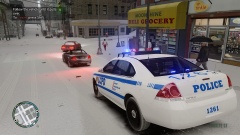
From the album: CouthInk4's LCPDFR Gallery
After being transferred from the Hove Beach precinct in Hove Beach to the North Holland Precinct in Algonquin, i soon found a driver to annoy with a ticket =) -
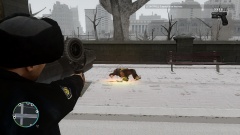
From the album: CouthInk4's LCPDFR Gallery
This is why you should never pull out a gun on a police officer.. especially when you pissed him off in a pursuit. -
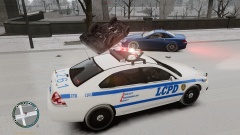
From the album: CouthInk4's LCPDFR Gallery
After chasing a vehicle in Middle Park, the pursuit was ended by the suspect crashing his vehicle in a tree and flipping. -
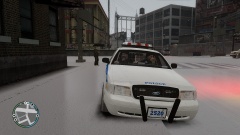
From the album: CouthInk4's LCPDFR Gallery
Enjoying a coffee break while waiting for a callout. -
From the album: CouthInk4's LCPDFR Gallery
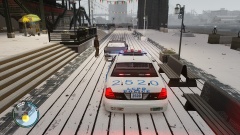
Received a call of a vehicle broke down, this vehicle broke down right behind Poop Deck Restaurant.. His car got repaired, he was also hit with a $100 citation because he had no reason to drive a vehicle down to where it was. -
I wouldn't mind this. Maybe a 50/50 chance of it flipping. if it doesn't flip then it could just spin out of control. If Rockstar Games could pull it off in missions.. Surely LMS or another scripter could make this possible.
-
3 plane to go missing this year... I honestly have no idea how a commercial plane just go missing/vanish.. they still haven't found the Malaysian Airlines plane that went missing a few months ago. both Asia and Malaysia need to get their shit together.. because clearly they have no idea how to operate an airline. This is why i don't fly on planes.. and because planes are messing with gravity, and gravity is a heartless bitch.
-
used to drink tea. But now i drink coffee.. I only drink it if i've pulled an all nighter.. so tea isn't exactly going to do the job i need it for,
-
It's in your GTA 4 directory, It's a text document called LCPD:FR (if you did the Auto install it will be under he LCPD:FR user guides)
-
It's most likely crashing due to the amount of mods you have. Every mod you add to the game, the more unstable it gets.. especially with high poly car mods. You should try limiting the amount of mods you put into your game =) However there might be a problem with the mod or something else that caused the crashing, so could you attach your LCPD:FR log file?
-
The problem is with LCPD:FR itself, not other mods that is conflicting.. by the comment LMS left, it's been fixed so this problem will be gone in the next LCPD:FR version (1.0d) =)
-
for Scripts, have a look in the download section (under "Scripts and Data Modifications") just be careful though as too many scripts can cause GTA to crash more frequently. As for your "graphic lenses" i'm guessing you mean ENB? if so then you'll need to post your PC Specs so people can suggest ENBs that would be right for your specific setup (some ENB are for High End PCs while others are designed for Mid End or Low End PCs)
-
An updated version isn't always better =) Like willpv23 stated, Windows 10 comes with .NET Framework 4.6 (which cannot be removed at all from your computer), 4.6 has most likely changed some files from 4.5 causing LCPD:FR to not work properly. So by the sounds of it, you can't play LCPD:FR with Windows 10.
-
I was just thinking about this last night. This would definitely be needed as there have been a few times where the pursuit has gotten way to dangerous (IRL it would've been abandoned), It seems realistic to have this feature.
-
LMS is the lead developer on LCPD:FR, without him we wouldn't have it.. He is also very techy is problems like this he most likely has a solution too (just beware he is busy, so wait atleast a day or 2 before messaging him about your issue). Yeah, xlive disables the multiplayer feature. although LCPD:FR itself doesn't go well with the multiplayer since it wasn't designed for it


