




CouthInk4
Members
-
Joined
-
Last visited
Everything posted by CouthInk4
-
I think you guys should check out your Diagnostics tool that comes with 1.0d, i don't know about anyone else but when i use it to change some settings it gets really buggy (the boxes just disappear when you hover your cursor over it). advanced settings and account settings are fine.. however both the general settings sections have problems.
-
Oh.. i finally fix an ongoing problem i have been having with 1.0c and now 1.0d gets fixed? go dammit.. i have awful timing! xD Downloading it right now!
-
Yeah, majority of people can only play for 20 mintues (even less) so you should consider yourself lucky that you can go for 2 hours.. before i upgraded my PC and changed my mods i could barely do 15 minutes before a crash.
-
there is a dodge diplomat in this pack (however it's not NYPD and doesn't have the same lightbar) - '?do=embed' frameborder='0' data-embedContent>> I'm sure there is a texture of NYPD around. if not, there should be a template and someone could create it =)
-
Snapshots from various things when i'm playing LCPDFR
-
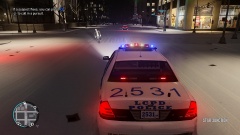 Pursuit
-
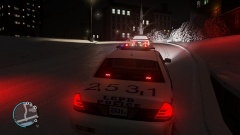 Prostitution bust
-
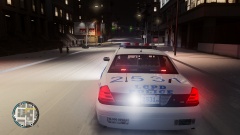 Responding code 3
-
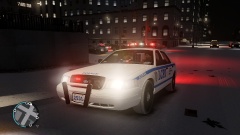 Bright lights!
-
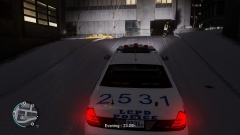 Back on Patrol
-
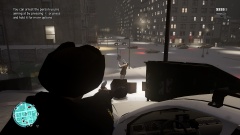 Freeze!
-
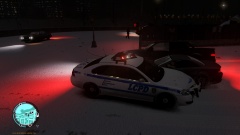 Pursuit on a dark grey Feltzer
-
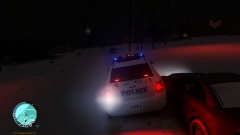 Pursuit in Snow
-
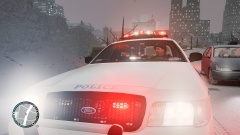 Bright Lights!!
-
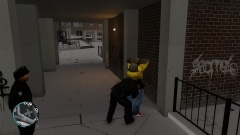 Frisking in North Holland
-
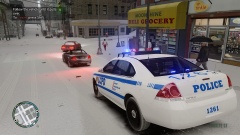 First Traffic Stop!
-
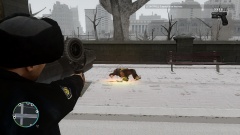 Don't Pull Guns On Cops!
-
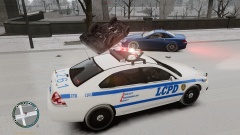 Pursuit Ends With A Flip!
-
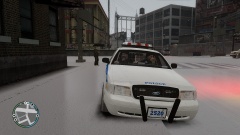 Coffee Break
-
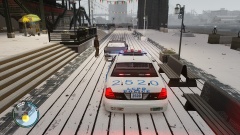 Worst Place To Break Down
-
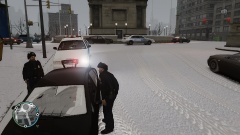 I don't want to be here
-
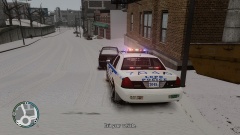 First Traffic Stop in Snow
-
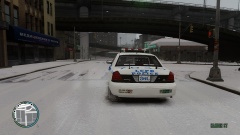 Snow Patrol
-
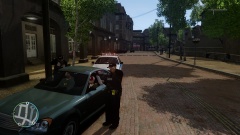 Just an ordinary traffic stop
-
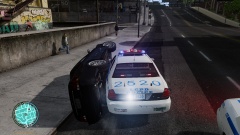 Can we call this pursuit Code 4? He isn't going anywhere!
-
-
From the album: CouthInk4's LCPDFR Gallery
Pursuing a red Blista Compact for failing to yield at a red light. -
From the album: CouthInk4's LCPDFR Gallery
Originally pulled over an Infernus for a random license check, however when i pulled it over, a grey Admiral picked up a hooker.. his ass was grass! -
From the album: CouthInk4's LCPDFR Gallery
Responding Code 3 to a drug deal, the end result was 2 DBs on their way to the morgue. -
From the album: CouthInk4's LCPDFR Gallery
My lighting looks good both during the day.. and during the night =) -
From the album: CouthInk4's LCPDFR Gallery
the start of a late night patrol in Algonquin, Starting to familiarise myself with the area =) -
THe LCPDFR discussion section is only for questions relating to the LCPD:FR mod itself. everything else like cars,peds,weapons etc (regardless of what you're using it for) goes into the GTA IV discussion section =)
-
From the album: CouthInk4's LCPDFR Gallery
After a 10 minute chase eith 2 suspects in a dark grey Feltzer, the pursuit came to an end after the suspects fled on foot.. both suspects were arrested. -
From the album: CouthInk4's LCPDFR Gallery
-
From the album: CouthInk4's LCPDFR Gallery
It's really hard to drive fast in a pursuit when you have snow everywhere.. the Chevy Impala is rubbish for pursuits in the snow. -
From the album: CouthInk4's LCPDFR Gallery
People called 911 fir seeing bright lights in their neighbourhood.. people thought the aliens had come in their mothership. But no, it was just the lighting on my patrol car. -
From the album: CouthInk4's LCPDFR Gallery
After patrolling around the neighbourhood.. spotted this male acting suspicious. decided to frisk him. He was clean. -
From the amount of dust you haven't cleaned it for a while.. you should really take the time out and clean your PC atleast once a month (or once every 2 months if the dust is minimum).
-
The first 3 things i'll do once GTA V is installed on my PC. - Install custom music. - get used to first person - complete the story mission Honestly other than first person and re-doing the story.. there isn't much for me to do since i'm only buying it for the next gen updates and mods.. although i will be doing a full 100% completion like i did with the PS3 version =)
-
VAC bans are mainly for people who cheat online and for online games like CS,Battlefield, COD etc.. it's just Valve's version of the SAM:P Anti Cheat System. Plus majority of LCPD:FR users play LCPD:FR on the Steam version of GTA (including myself) so you won't have problems.
-
I've recently installed VP Callouts into GTA IV, and after messing around with the callout text that is customisable in the .ini file, it got me me thinking and well, here is my suggestion. Since VP Callouts isn't part of LCPDFR but it's own seperate script (just like Bravehearts Policing mod) i don't know if it will work or if this is possible but i don't see why it wouldn't work. My suggestion is, to add at the ened of the LCPD:FR.ini somewhere we can edit the text that shows up on the screen. For example how the original is something like "[CONTROL] Reports of a Shots Fired in Hove Beach" We could change that to it's real life 10 code or something different like "[CONTROL] We have a 10-33 Shots Fired in Hove Beach, Can you respond?" For the people who use VP Callouts will most likely understand what i'm talking about. If you're still a bit lost, i've added an attachment of my VPcallouts INI so you can have a better understanding of what i mean (the INI layout is setup on how my suggestion would work in LCPD:FR)
-
One does not simply rek LCPD:FR's Official Spammer.. ineseri just can't be rekked
-
Has someone given this man a cookie yet?! I honestly don't think anyone has done this before (whether it was for fun or pure boredom).. well done!
-
Happy Birthday Sniper.. even though it's on time, but also late due to it being the 29th here.. But still.. Happy birthday and belated birthday in one! I hate timezones.. they should burn in hell.
-
To start LCPD:FR you have to press ALT P (make sure you're pressing left alt aswell). Ctrl P forces you on duty (it used to in the previous version. not sure if it does in 1.0)
-

