
R4TT94
Members
-
Joined
-
Last visited
Everything posted by R4TT94
-
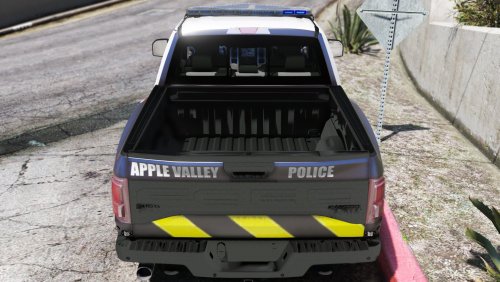 Yeah, i was talking about apple valley the suburb, thats where im from so i thought it was kind of cool. Still somewhat close to it though :)
- 8 comments
- 1 review
-
-
I don't know about you guys but I would love to see another video showing the environmental lighting :D looks so wondeful!
-
Well that's the answer, it has been asked so many times on here. It's released when it's done. that's all.
-
When they decide to release it @Winston1234
-
When it's done
-
Go to graphics setting and hit restore default settings. Then it will restart the game. It worked for me. Might work for you too!
-
Or... We could make this easy and just have them yield when we turn our lights on period. Like it is in real life
-
It's not insulting, they just called you out on something that didnt need to be said. If you dont like the mod, then dont use it. That simple. Also I bet there will be plenty on non els cars that will still come out. Because the vanilla lighting in V is not that bad. But some people like different things. And that is why there is an OPTIONAL download button.
-
I've had one suspect break free while I was in the middle of cuffing them, it happened after a pursuit. It was actually really cool. Haven't seen it since though:/ wish it happened more often because it's a nice twist
-
I didn't know that you could trademark the word soon
-
Also having the same issue. I get a rage hook crash. Hopefully somebody knows why.
-
.jpg.e2a3b40f9e6bff65c33683138f1044cc.jpg.8a9e12057a13a3a639438b9b4e709f39.jpg)
-
.jpg.7205afe0d2501b8070c0afcbe9d8eced.jpg.fcc651349ba2a917c837ef52131da94f.jpg)
-
-
I've noticed if you're on a highway and make a traffic stop, it will close the roads ahead of and behind you. The cars start making u-turns. Some cars will slip through but not many.
-
I hope you made backups. If you didn't, I'm pretty sure the only way would be to reinstall.. that's why most mods say MAKE BACKUPS BEFORE YOU MOD
-
Really nice idea! I think maybe 3-4 minutes into the pursuit, would be better, cause if the time was set too short, they would show up to every pursuit :P but either way I hope someone that can mod see this thread :)
-
Hahahahah literally started laughing at your reaction
-
@FinKone @Albo1125 hey guys. one thing that I thought of while watching the video, was when you said it would be realistic to make sure the suspect doesn't see the witness when you bring them over to ID them. I know you said it would be pretty pointless to code in since it's so small. But imagine if John Perkins saw the witness, then once he is out of jail or wherever, you get another call out about John breaking into the witnesses house, or assaulting the witness because "snitches get stitches." just a cool little thing I thought of while watching the video! Keep up the great work :)
-
True. I myself will use els. But I feel like there will be a very good mix of els, and non els vehicles because of the vanilla lighting. It is loads better than gta iv vanilla police lights
-
I'm out of breath from reading that lol
-
 Click the link that @Mercuri posted. That is the thread for the vehicle. Currently no release date! I'm sure when the author thinks it's done and ready to go, he will let us know.
 -
If I remember right, I heard someone say that we can't change much with traffic light time, although it would be nice, cause I hate sitting at red lights :P
-
Sounds really interesting! I'm excited for the release!


.jpg.e2a3b40f9e6bff65c33683138f1044cc.jpg.8a9e12057a13a3a639438b9b4e709f39.jpg)
.jpg.7205afe0d2501b8070c0afcbe9d8eced.jpg.fcc651349ba2a917c837ef52131da94f.jpg)