




Iconography
Members
-
Joined
-
Last visited
Everything posted by Iconography
-
Traffic Flow and the indicator mod must be placed in the Scripts folder, not the root GTA folder. xlive, scripthook, etc must be in the root gta folder.
-
The problem occurs with both Steam and Disc-version players. Windows defaults to leaving all files under Program Files as read-only, even after being set as not read-only. For some people, it just doesn't seem to work, even after following the videos and doing everything exactly.
-
Are you using the same car, just changing the slot its in? Or are you using different cars in each slot?
-
That's true, I forgot about that.
-
That could definitely be it as well.
-
Sounds like the icenhancer is trying to load a .dll that isn't in your GTA folder. That file comes with many ENB's but it looks as though you're missing it (or you don't need it, but it thinks you do). Did you double check to ensure that the ini file is set properly and that you didn't skip over the file?
-
If my local PD took every single car they owned (assuming they were all functioning perfectly) and then got rid of them all and bought brand new ones, I might be upset. But buying one new car isn't something I'd be upset over in the least. I don't know of any agency nearby that uses all crown vics. All of them either have a tahoe, impala or charger, and I see nothing wrong with it.
-
Anything besides home premium is overpriced and not worth it for the average user. Home Premium suits just about everyone's needs.
-
What do you mean you can't get the tool to run? Do you mean the diagnostic tool? Do you have C++ and .NET framework 4 installed correctly? It sounds like you're missing a prerequisite for ELS (being a scripthook, .NET, etc).
-
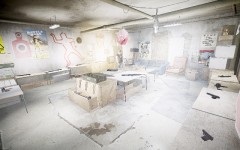 Wait, wait... I thought the sun was supposed to be in the sky?
 -
If one was to make a non-ELS vehicle this way, adding a lightbar with directionals mapped to it would be a cool idea so when stopped you could pop the trunk and then use your parking lights or hazards to make an on-demand traffic advisor. I have no idea if it's possible or not but it sounds cool.
-
-
You should be fine just deleting the SGTA400 file. If it still fails, delete the whole savegame folder.
-
That would be best. Make sure to complete the first mission or two and save before running LCPDFR. It will glitch if you haven't completed the first mission.
-
If you only have 1 savegame, just delete the savegame folder. If you have more than one, remove them all and then add them back one by one so you can find the corrupted one. Then you can delete the corrupted one. If you don't want to hassle with that, just delete the whole Savegames folder.
-
Running on Steam or disc version should make no difference. You will only have one of those folders, not both. Usually, most people use dsound.dll when they install lcpdfr so your savegames should be in appdata, there shouldn't be any other place that I know of. The asi loader you choose when you ran the installer determines where your savegames will be placed. Xlive.dll moves them to documents. If running vista / 7, type %appdata% into the search bar in the start menu and press enter, then go back one level (from Roaming to AppData) and the Rockstar Games folder should be in the Local folder.
-
Yes, your save game is corrupted. You will need to delete it and load a new one. If using dsound.dll, your savegames are in C:UsersUSERNAMEAppDataLocalRockstar GamesGTA IV If using xlive.dll, your savegames are in: C:USERNAMEDocumentsRockstar GamesGTA IV
-
Did you save the game while on duty as a cop?
-
Hmm that could work but I'm worried about the headlights taillights and spotlights on cars. They all use the same corona as the emergency lights so making an led style with numerous small led bursts inside will make the headlight coronas look the same way. I can experiment with it and see how it comes out though.This might be too extreme for you, depending what you're looking for exactly, but there is a mod I remember seeing called Ambient Wars that can basically cause mayhem. Link: http://www.gtagaming.com/downloads/gta-iv/script-mods/6036I would like to add that, unless someone sends a PM and requests a larger texture size, I will not create a public release with a texture larger than 256x256 pixels because the corona for non-ELS lights are shared by headlights, taillights and spotlights so creating a texture that's, say, 1024x1024 will result in GIANT headlight and taillight coronas. Literally, half your screen will be filled with them.The spotlight, ped models, intro removal and less overtake shouldn't cause the problem. LCPDFR should not interfere in this way. Try to remove everything else and see if that makes a difference. You may want to try deleting your .ini file for the trainer and replacing it with a stock file (just make sure to disable key bindings again).you should fine just running the installer for .95 but to be safe, find the scripts folder in your main gta directory and delete firstresponse.net.dll.Is the Hove Beach PD the only station that gives you trouble?

