




Iconography
Members
-
Joined
-
Last visited
Everything posted by Iconography
-
if you use the automatic installer, just run the installer and the game as an admin. If you are manually installing it, make sure you have microsoft C++ redistributable (x86) as well as .net framework, on top of all of the .dll files. You need: 1. LCPDFR in a folder called "scripts" which you create in your EFLC main directory 2. scripthook.dll 3. advancedhook.dll 4. dsound.dll 5. scripthookDOTNET.asi 2-5 should be in your EFLC main directory. The game always must be run as an admin.. Make sure your game is patched, as well. It doesn't work with 1.0.0.0.
-
If you use ELS all you have to do is turn on the emergency lights.....
-
Do you have dsound.dll? It says you don't have an ASI loader. Also make sure you run the LCPDFR installer, and GTA IV, as an admin. Make sure you have a scripthookdotnet as well.
-
Did you run both the installer and GTA IV as an admin?
-
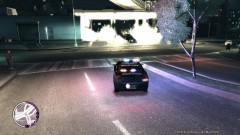
From the album: Psychology of Liberty City
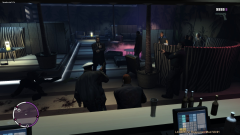
Called in for a bomb threat... Didn't make it in time. -
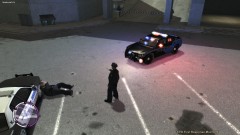
From the album: Psychology of Liberty City
I was called in to the nearby station due to the "possibility of an armed conflict." Well, this was the result. Suspect evaded capture.© Iconography
-
 Haha
Haha -
Download Spark IV or Open IV (I prefer Spark), then click browse, then navigate to PC\Models\CD Images and double click on vehicles.img. Then edit the .WTD file you desire, and extract a skin to edit with your graphics editor of choice. I personally use the G.I.M.P. but photoshop is also popular. Make sure the skins aren't copyrighted by anyone, and gain permission to edit them if they are. I think there's a special section here somewhere about modding.... Not sure.
-
Well, F5 spawns a partner (F8 toggles being 'busy' or not). Try pressing F6, it is supposed to make them "regroup" and go back to you. If you spawn them too fast, though, they will get glitched and won't work properly.
-
-
-
-
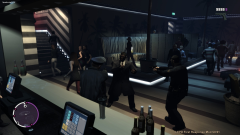
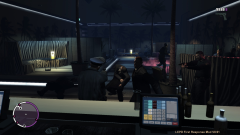
From the album: Psychology of Liberty City
Apparently, the club is not capable of managing itself.© Iconography
-
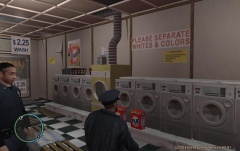 Best part about laundromats when you're a cop is that you can steal from the cash registers and not get in trouble.
 -
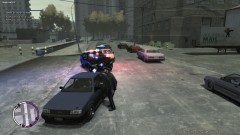
From the album: Psychology of Liberty City
I was in plain sight yet he flew by me anyways. Giving him a good lesson about speeding.© Iconography922
-
Did you run BOTH the LCPDFR installer and the game as an administrator? Crazy stuff happens if you don't. If you use ELS, just be warned that v6 has been known to cause random game crashes in the middle of game play.
-
You not only have to run the game as an admin but you also had to have executed the installer for LCPDFR as an admin as well. When you install an ASI loader you only need to drag the file (I prefer dsound) to your main GTA or EFLC game directory. Also, the screen you are describing (run program as . . .) suggests you attempted to actually execute one of the .ASI or ASI loader files, which isn't possible. Lastly, if you used the automatic installer for LCPDFR it should have already loaded an ASI loader. Make sure you only have ONE ASI LOADER installed! They will interfere with each other.
-
I'm using ELS V5 myself, and I have EFLC. It works fine for me. Make sure that in the els config file (which you should have placed in your EFLC main folder) all the police vehicles you want to use it on (or other emergency vehicles, for that matter) are set to "Active = 1" (without quotes). Then activate the lights in game with J or K, and you should also be able to open the ELS menu in-game with Alt+M. Also make sure that the ELS files are placed in your EFLC main directory. It doesn't matter in what order you install ELS and LCPDFR.
-
They might already be working on that. 0.95 (still in development) completely rewrites the coding for traffic stops, from what I have heard.
-
Seems plausible to do, too. There is already a speech file the in-game cops use that asks for people to clear the area, so the speech aspect is taken care of already, just need a script to use it. Not sure how easy it would be to actually disperse the civilians, but it would definitely be worth the effort I believe. Good idea.
-
I think the point that is trying to be made is that one should be able to choose, specifically, the type of vehicle to send. For example, instead of a 50/50 chance of a cruiser or patrol car ( I believe), a guaranteed chance of one or the other, or the option for a completely different type of backup all together, such as the FBI. I don't see this as being really necessary or worth the effort, though.
-
That would be a cool thing to do. The only problem I see though is for those who use EFLC and not the regular GTA IV. In EFLC, Modo and Perseus are locked up (as well as split sides and some other places). It would be nice if there was a work around for this, but i predict it would be a major pain. It could, however, work for Burger Shot and Cluckin' Bell maybe.
-
I have to agree with Jay on this. Would be it nice to have some variety in vehicles? Yes, of course it would. However, there is already a mod out there that fixes the traffic issues (yes, it can have a slightly detrimental affect on your system performance but adjusting your graphics settings more than compensates).

