




Iconography
Members
-
Joined
-
Last visited
Everything posted by Iconography
-
The G110 is a basic gaming keyboard, and the mouse is a typical mid-grade gaming mouse. I would recommend a G510 gaming keyboard, and possibly a G600 mouse if you can get used to the buttons. If not, the G500 mouse will definitely work just fine for most things. To be honest, the G600 is cool, but maybe it has a few too many buttons on it to be of any use. G600: http://www.logitech.com/en-us/mice-pointers/mice/g600-mmo-gaming-mouse G510: http://www.logitech.com/en-us/keyboards/keyboards/gaming-keyboard-g510
-
The problem, from what I understand, is that folders keep reverting to read-only even after being toggled off, which prevents the installer from installing the taser. One possible fix I've noticed is to completely disable UAC (user account control). For some it works, for some it doesn't. Try disabling it, and then report back.
-
Already been answered... Many times...
-
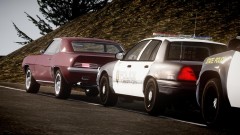 I actually thought this was a real photograph...
 -
You can also press shift+tab in-game (in .95) to bring up a list of commands.
-
So I can tell you tried to initiate a traffic stop, but what else were you doing at the time? We need some background information to go along with the errors. It may be beneficial for you to run the diagnostic tool as well, just in case. Also, did these errors cause the game to crash? They do sometimes show up without crashing the game, you can just type "reloadscripts" into the console if the mod stops functioning properly (press the ~` key, next to the 1 key on your keyboard if using a US style keyboard, to bring up the console).
-
There are two ways to call for air support. When not in a chase, you can press alt+v to have a NOOSE 'copter follow you around and shoot at enemies. If you are in a pursuit, you can press the F10 key to call in a general helicopter team, though it usually is not NOOSE. The alt+v command should still work in a pursuit. There shouldn't be a time when it would say "not available," that's never happened to me and I've called in a lot of helicopter support.
-
If you are using modded cars, set PreloadAllModels = True under [sETTINGS]. That usually reduces crashing caused by modded vehicles. If you don't, however, have modded cars, I'm not sure what else the problem could be. I thought the mod was supposed to unlock the islands for you, but if it does not, you can use SNT to disable the island barricades and move freely throughout the islands, although I don't really see how the game would crash if the islands were locked (but just because I don't see how it could, that doesn't mean it can't happen!).
-
To try and answer your questions, we (we meaning testers, members, etc) don't know when the next release will be, and I can only guess as to what the next release would be. We're testing RC3 internally now but that doesn't mean that it might be the next release. It could theoretically be pushed as final, but no one knows yet, since the developers haven't said anything specific yet. You'll just have to wait to find out, along with everyone else. RC3 has been mostly bug fixing, but it did remove (mostly?) the old method of generating text on the screen. Now there's an eye-pleasing sideways-scroll (not sure how best to describe it) when text is generated, like when there's a callout or when you decide to accept / ignore a callout. Again, I'm sure NB has shown this in his preview videos (here). The reason we can't divulge much is because we really don't know what the developers are planning. No guarantees on the next version being released soon, though. Maybe it will be, and maybe it won't be. Depends on your definition, and the developer's definition, of "soon."
-
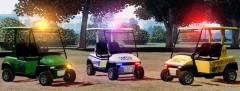 I keep imagining having a massive shootout with people driving these golf carts. Is that wrong?
 -
Disable keybindings in the trainer. You can do that in the .ini file or the in-game trainer menu under options.
-
I'd like to note that is a development shortcut key, and will be "purged" from the final build, unless the developers changed their minds. Just don't go relying on it a lot.
-
Disable key bindings in Simple Native Trainer. You can do it via the .ini file or in the trainer's in-game settings.
-
Is this what you were thinking of? http://gtapolicemods.com/downloads.php?do=file&id=550 (police baton)
-
Servers are having problems. View my post here:
-
That should do it.
-
The servers seem to be down. Nothing you can do except wait for them to be fixed, I guess.
-
The servers seem to be down. testers are also getting kicked from their games because the testing builds can't reach the server to authenticate.
-
The servers seem to be down. Nothing you can do except wait for them to be fixed, I guess.
-
The servers are having problems from what I can tell. Crime stats seem to be offline and those with testing builds are being kicked. You need to wait a little while.
-
-
Did you make sure you edited the correct vehicle? For instance, if your modded car is in the fbi slot, you won't want to modify the section he quoted above.
-
I'll note that, when creating my tutorial that you're referring to, I did not intend for it to be used for camera offsets. I would use Sniper's method for camera changes.
-
You may need to change mouse sensitivity in your GTA settings. This seems to come up often.
-
Not really.... I live in Maine and all the police around here use blue. Same with New Hampshire. We're almost as north as you can get. Never in my life have I seen a police car with red lights (but yes I know they exist).


