
Skip to content
View in the app

A better way to browse. Learn more.

LCPDFR.com

A full-screen app on your home screen with push notifications, badges and more.

To install this app on iOS and iPadOS
  1. Tap the Share icon in Safari
  2. Scroll the menu and tap Add to Home Screen.
  3. Tap Add in the top-right corner.
To install this app on Android
  1. Tap the 3-dot menu (⋮) in the top-right corner of the browser.
  2. Tap Add to Home screen or Install app.
  3. Confirm by tapping Install.

Better EMS 4.1b

(85 reviews)

7 Screenshots

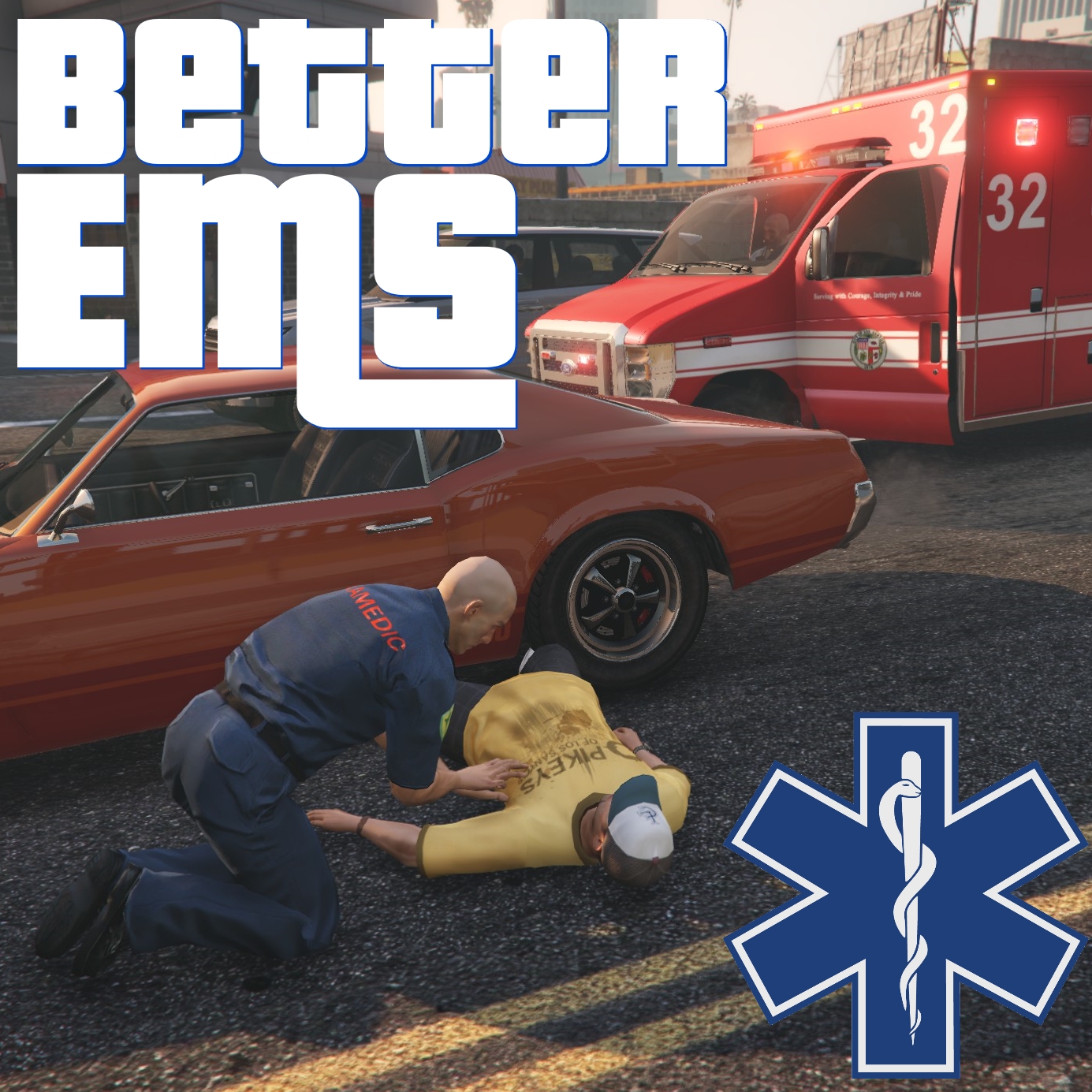
Better EMS brings a whole new level of medical response to LSPDFR. And given how often you crazy officers run people over, shoot them down, beat them up, and otherwise put their lives in danger... it's about time the medics in Los Santos picked up their game. 

Packed with features to give your casualties their best chance of survival, Better EMS has several key benefits:

  • Integration with popular mods including Arrest Manager, Patrol Toolkit, LSPDFR+, Police Smart Radio, PeterU Callouts, and more!
  • Realistic response units: A fire truck will dispatch from the nearest fire station, and an ambulance will dispatch from the nearest hospital.
  • Customize your backup units and spawn points. Life guards respond near the beach, park rangers respond in the mountains. Use any vehicle as a response unit. 
  • Dynamic dispatch audio based on the injuries detected. 
  • Revival probability is dynamically adjusted based on injury type, body part hurt, and how long it took for EMS to arrive. 
  • Custom revival probabilities - edit the survival chances for any combination of injury and body part!
  • Revived patients are taken to the ambulance and driven to the hospital, not just left to wander off!
  • If more people get hurt while EMS is on scene, they will quickly tend to the new casualties. 
  • Detailed incident report tells you the name and status of each patient. 
  • Developer API allows plugin creators to call for EMS, or for an ambulance to transport a single ped. 


Full instructions are included in the README file; please read it carefully! 

This mod requires LSPDFR 0.4.6 or later. There are no other external dependencies besides LSPDFR and the files included with the download. 

If you have crashes, bug reports, etc, please post in the forum thread and upload a copy of your RagePluginHook.log, your EMSUnits.xml file, and your INI file. No support can be provided for problems reported in reviews, or not providing the required files listed above

A big thank you to everybody who helped with the development of this mod! 

  • @fiskey111 for helping figure out CPR animations
  • @Albo1125, @alexguirre, and many others for their help with coding questions
  • @Darkmyre for particularly helpful beta testing and other help
  • @LtFlash and @Fiskey111 for advice on medical realism
  • All beta testers! Original release beta team members included: darkmyre, fireboy6117, bardo2014, requies, alexguirre, frosty19, aler360, vampyre, unison, mazednik, SoUThPHiLLY20, OfficerEight, McAwesome6934, Lawdy, TmBB101TheUniT, DroidRZRLover, ScottehBoyy, IndianaJoe, Steiger4044 , Code5x, luminouscarcass, Quakex64
  • And of course, the whole LSPDFR and RPH teams for the awesome platform this was built on!


SPECIAL THANK YOU to members of the Parks Benefactor Program who have supported my mod development! Their generous donations have helped to make continued updates to my modifications possible. Particular thanks to the Old Faithful donors who have supported me with noteworthy donations: AcePilot2k7, magiobiwan, Gallonman20, saman, Drixize, Neil H, 3-Poseidon, Mr Santos, FutureMedic96, Lestat1995, NickTragic, Swatteam911, Flynn40, h3killa, eboost, apearce91. You can join the Parks Benefactor Program by donating to support my mods, and to get early beta access to new modifications and updates to my existing modifications.


Please do not re-upload, reverse engineer, modify, redistribute, or in any other way violate the copyright of this modification. Additionally, you MAY NOT advertise commercial installation/troubleshooting/support services for Better EMS or other mods by PNWParksFan.

What's New in Version 4.1b

Released

New in 4.1b:

  • Fixed bug which would cause LSPDFR to hang indefinitely when RPH was configured to load LSPDFR immediately at startup


New in 4.1:

  • Added compatibility for new version of ParksTools.dll
  • Added INI option to enable/disable advanced parking task on arrival at scene
  • Fixed bug which caused Visual Studio to crash when using Better EMS API


Previous changelogs:
 

Spoiler

New in 2.1:


  • Now requires RPH 0.45+, compatible with any more recent version. 
  • If the player health is below 80% (configurable in INI), medics come over to the player, give them a health kit, clean their clothes, and armor and health will be set to 100%. 
  • Fixed ped spawning so components and texture selection works. Updated default XML file accordingly so firefighters spawn with helmet but without SCBA gear. 
  • Added responder ambient speech. 
  • Fixed various bugs which were causing responders to get stuck on scene. 
  • Fixed bug causing crash when coroner removes a body that EMS is in the middle of trying to fix. 
  • Some improvements to vehicle spawning and warping code. 
  • Added a ambient actions for responders who are on scene and finished dealing with patients - e.g. walking around, looking at any dead bodies, taking notes, playing with their phone, etc. 
  • Miscellaneous other changes. 


New in 2.0:

  • Ambulance-only mode, where you can dispatch just an ambulance by default. Comes with numerous options to automatically dispatch a firetruck/first responder in certain circumstances like MVAs, multiple injuries, or if the first responder is closer. Includes new keybindings to manually choose whether to dispatch just an ambulance, let the plugin decide based on your options, or dispatch both. If the first responder didn't dispatch but you change your mind, you can press the dispatch key again to manually add them to the response. 
  • Impatient mode, especially for all you YouTubers out there whose viewers apparently can't be bothered to wait a realistic amount of time for EMS to show up. Now, you can configure a maximum driving distance, and if the units spawn further away than that, they'll automatically be warped to a closer distance which you can also configure. 
  • Improved warping, now units will automatically warp on a street facing the correct direction, and they will appear almost exactly the driving distance away that you specify in the INI file. Woohoo!
  • Unbelievably better driving AI. Responders will now drive much faster on the freeway, will slow down on dirt roads, and will slow down near the scene. Their ability to avoid obstacles and drive sanely has been improved. 
  • Automatic speed zone around scene will slow down traffic to a configurable speed when they are near the scene you called EMS to. The speed zone is automatically created when you call EMS, and automatically removed when the last EMS unit departs. 
  • Improved tracking between EMS calls will ensure that if a ped gets checked by EMS and doesn't make it, that if you call EMS again to the same area, they will remain dead and will have their original time and cause of death. 
  • Park rangers added to the EMS response units XML file, by popular request! 
  • Lots of API additions for developers to use, check out the included documentation. 
  • Tons of internal improvements which will make Better EMS run smoother, faster, and more reliably. 
  • Improved dependency checking, to get rid of those annoying pop-ups every time RPH updates. 


New in 3.0:


  • Requires RPH 0.45+, recommended for use with RPH 0.51
  • Added configurable survival rates. Check survivability.csv in GTA V\Plugins\LSPDFR\EMSMod. Make sure to save and close this file before going on duty.
  • Improved detection of nearby dead peds.
  • Various API enhancements for plugin developer integration.
  • Added support for Police Smart Radio integration. You can call or cancel EMS response using Smart Radio, and Smart Radio also integrates with Better EMS to determine ped cause of death for its coroner feature.
  • Fixed bugs that occasionally caused some peds to not be treated or appear in the EMS report twice.
  • Fixed bug that caused medics to wait forever when using hospital pickup feature and player walks far away from the patient. 
  • Other miscellaneous bug fixes and internal improvements.


New in 4.0:

  • Added compatibility with new versions of LSPDFR and ParksTools.dll, and with Coastal Callouts
  • Added Better EMS menu (bound to | key by default)
  • Added option to disable automatic ambient fire/ambulance response
  • Other minor bug fixes


User Feedback

Recommended Comments

Pawss

Members

(edited)

On 7/9/2018 at 2:00 AM, Minimanz said:

How would I change the responding units and/or add add-on cars? Also how could I change the livery? I briefly fiddled with the backup.xml, with no success.


I have the fire + ems pack by the medic dude, and I would like to make it so there's a chance of the engine (firetruk), rescue and/or ladder trucks to come. (aswell as different ambulance liveries) Some also have multiple liveries, so I would need to select the livery for Blaine, Los Santos, etc...


FYI - I have successfully edited the backup.xml for lspdfr, not sure if betterems's backup.xml functions in a similar way.

I am in the process of editing the betterems.xml for medics pack right now. When finished I plan on making it public, however in no way am I a developer/scripter so there may be some problems that I have not found and I am taking my time as I have a busy life outside of this.


So far I have blaine fire units that respond from the SS station/hospital, and PB station/hospital, and Davis units responding from Davis.


I haven't messed around with LSPDFR's backup xml but I can tell you how to edit the betterEMS.xml.

1. First find the station you want to edit of course.

2. If its a fire station and you don't want an "SUV" or whatever you use in the appropriate slot to respond change the VehicleSet chance to 0 above the name of the vehicle. And set the VehicleSet chance above the fireengine to 100.

3. At the very end of one of the lines you should see "firetruk" or whatever vehicle slot its using change this to the appropriate name.

4. To edit liveries add livery="(LIVERY NUMBER)" before "prep"

IF ANYTHING AS MUCH AS AN EXTRA SPACE IS WRONG IT WILL CRASH BETTER EMS MAKE A BACKUP!


For something to go off of heres my sandy shores fire setup it spawns the Yellow Blane fire engine and the Yellow Blaine Fire ambulance at the sandy hospital:

  </Station>
  <Station name="Sandy Shores Hospital" type="hospital">
    <SpawnPoints>
      <Point name="delivery" x="1827.179" y="3694.178" z="33.95454" h="298.6161" delivery="true" />
      <Point name="spawn" x="1837.281" y="3699.688" z="33.84263" h="298.5501" />
    </SpawnPoints>
    <VehicleSet>
      <Vehicles>
        <Vehicle chance="100" livery="1" prep="a" name="ambulance" audio="VEHICLE_AMBULANCE">ambulance</Vehicle>
      </Vehicles>
      <Peds>
        <Ped>s_m_m_paramedic_01</Ped>
      </Peds>
      <NumPeds min="2" max="2" />
    </VehicleSet>
  </Station>
  <Station name="Sandy Shores Fire Station" type="fire">
    <SpawnPoints>
      <Point name="inside" x="1695.222" y="3588.936" z="35.69734" h="208.6499" />
    </SpawnPoints>
    <VehicleSet chance="100">
      <Vehicles>
        <Vehicle chance="100" livery="2" prep="a" name="firetruck" audio="VEHICLE_FIRETRUCK">firetruk2</Vehicle>
      </Vehicles>
      <Peds>
        <Ped comp_accessories="0" prop_head="0" tex_head="2">s_m_y_fireman_01</Ped>
      </Peds>
      <NumPeds min="4" max="4" />
    </VehicleSet>
    <VehicleSet chance="0">
      <Vehicles>
      <Vehicle color="red" extra_1="false" prep="a" name="FDTahoe" audio="VEHICLE_SUV">fdtahoe1</Vehicle>
      </Vehicles>
      <Peds>
        <Ped chance="0" comp_accessories="0" prop_head="0" tex_head="2">s_m_y_fireman_01</Ped>
        <Ped chance="100" RandomizeProps="true">s_m_m_paramedic_01</Ped>
      </Peds>
      <NumPeds min="2" max="2" />
    </VehicleSet>

Edited by Pawss

Miniz

Members

On 7/11/2018 at 9:08 AM, Pawss said:

I am in the process of editing the betterems.xml for medics pack right now. When finished I plan on making it public, however in no way am I a developer/scripter so there may be some problems that I have not found and I am taking my time as I have a busy life outside of this.


So far I have blaine fire units that respond from the SS station/hospital, and PB station/hospital, and Davis units responding from Davis.


I haven't messed around with LSPDFR's backup xml but I can tell you how to edit the betterEMS.xml.

1. First find the station you want to edit of course.

2. If its a fire station and you don't want an "SUV" or whatever you use in the appropriate slot to respond change the VehicleSet chance to 0 above the name of the vehicle. And set the VehicleSet chance above the fireengine to 100.

3. At the very end of one of the lines you should see "firetruk" or whatever vehicle slot its using change this to the appropriate name.

4. To edit liveries add livery="(LIVERY NUMBER)" before "prep"

IF ANYTHING AS MUCH AS AN EXTRA SPACE IS WRONG IT WILL CRASH BETTER EMS MAKE A BACKUP!


For something to go off of heres my sandy shores fire setup it spawns the Yellow Blane fire engine and the Yellow Blaine Fire ambulance at the sandy hospital:

  </Station>
  <Station name="Sandy Shores Hospital" type="hospital">
    <SpawnPoints>
      <Point name="delivery" x="1827.179" y="3694.178" z="33.95454" h="298.6161" delivery="true" />
      <Point name="spawn" x="1837.281" y="3699.688" z="33.84263" h="298.5501" />
    </SpawnPoints>
    <VehicleSet>
      <Vehicles>
        <Vehicle chance="100" livery="1" prep="a" name="ambulance" audio="VEHICLE_AMBULANCE">ambulance</Vehicle>
      </Vehicles>
      <Peds>
        <Ped>s_m_m_paramedic_01</Ped>
      </Peds>
      <NumPeds min="2" max="2" />
    </VehicleSet>
  </Station>
  <Station name="Sandy Shores Fire Station" type="fire">
    <SpawnPoints>
      <Point name="inside" x="1695.222" y="3588.936" z="35.69734" h="208.6499" />
    </SpawnPoints>
    <VehicleSet chance="100">
      <Vehicles>
        <Vehicle chance="100" livery="2" prep="a" name="firetruck" audio="VEHICLE_FIRETRUCK">firetruk2</Vehicle>
      </Vehicles>
      <Peds>
        <Ped comp_accessories="0" prop_head="0" tex_head="2">s_m_y_fireman_01</Ped>
      </Peds>
      <NumPeds min="4" max="4" />
    </VehicleSet>
    <VehicleSet chance="0">
      <Vehicles>
      <Vehicle color="red" extra_1="false" prep="a" name="FDTahoe" audio="VEHICLE_SUV">fdtahoe1</Vehicle>
      </Vehicles>
      <Peds>
        <Ped chance="0" comp_accessories="0" prop_head="0" tex_head="2">s_m_y_fireman_01</Ped>
        <Ped chance="100" RandomizeProps="true">s_m_m_paramedic_01</Ped>
      </Peds>
      <NumPeds min="2" max="2" />
    </VehicleSet>

Thanks for your help. I've figured it out.


Here is an example for rockford hills fire station.

I have managed to get firetruk, ladder1, ladder2 and rescue1 to spawn. You need to make a vehicle set for each vehicle.

I've also fully removed the SUV, not any difference from a spawn chance of 0, but just for neatness.  To do so remove the vehicle set and ped set for the SUV.


<Station name="Fire Station Headquarters" type="fire" audio="STATION_ROCKFORD_HILLS_FD">
    <SpawnPoints>
      <Point name="in front" x="-633.3445" y="-77.22215" z="40.38875" h="357.4784" />
    </SpawnPoints>
    <VehicleSet chance="25">
      <Vehicles>
        <Vehicle livery="1" prep="a" name="firetruck" audio="VEHICLE_FIRETRUCK">firetruk</Vehicle>
      </Vehicles>
      <Peds>
        <Ped comp_accessories="0" prop_head="0" tex_head="2">s_m_y_fireman_01</Ped>
      </Peds>
      <NumPeds min="4" max="4" />
    </VehicleSet>
        <VehicleSet chance="25">
      <Vehicles>
                <Vehicle livery="1" prep="a" name="firetruck" audio="VEHICLE_FIRETRUCK">ladder1</Vehicle>
      </Vehicles>
      <Peds>
        <Ped comp_accessories="0" prop_head="0" tex_head="2">s_m_y_fireman_01</Ped>
      </Peds>
      <NumPeds min="4" max="4" />
    </VehicleSet>
        <VehicleSet chance="25">
      <Vehicles>
                <Vehicle livery="1" prep="a" name="firetruck" audio="VEHICLE_FIRETRUCK">ladder2</Vehicle>
      </Vehicles>
      <Peds>
        <Ped comp_accessories="0" prop_head="0" tex_head="2">s_m_y_fireman_01</Ped>
      </Peds>
      <NumPeds min="4" max="4" />
    </VehicleSet>
        <VehicleSet chance="25">
      <Vehicles>
                <Vehicle livery="2" prep="a" name="firetruck" audio="VEHICLE_FIRETRUCK">rescue1</Vehicle>
      </Vehicles>
      <Peds>
        <Ped comp_accessories="0" prop_head="0" tex_head="2">s_m_y_fireman_01</Ped>
      </Peds>
      <NumPeds min="4" max="4" />
    </VehicleSet>
  </Station>

spectretpg

Members

i set up my fire chief suv to spawn at a 30 percent chance but its not responding code 3 with lights, any ideas?

Pawss

Members

(edited)

4 hours ago, spectretpg said:

i set up my fire chief suv to spawn at a 30 percent chance but its not responding code 3 with lights, any ideas?

Does your vehicle have ELS? If so when its responding try hitting X there is a message that shows up the first time you call for but I don't believe it shows up again. I don't know weather the message has to be present for this to work or not.

If that doesn't work try taking out the els vehicle and reinstalling it again. Then you should get the message.

Edited by Pawss

spectretpg

Members

So i figured out my issue. when i download the fire chief suv vehicle addon (not the fbi replace), it didnt come with a carvariation.meta edit. so when the fire chief suv spawned it, it didnt have the settings to activate the siren and lights. using "modding dlc pack v" i used his car variations template to input a edit for the fire chief vehicle i had and WAM! lights and sirens on code 3 response!

PGRedYT

Members

(edited)

ok so i got the config after that and then it was working fine till well it broke and now installing it is broken, this happened yesterday, heres the log and screenshot, idk if its because i installed new mods or changed the timeout in rph to 60000, but the latest lspdfr mod i installed is custom backup

bandicam 2018-08-11 17-05-09-105.jpg


PackageInstaller-11-08-2018-17-07-36-064.log

Edited by PGRedYT

PNWParksFan

Insiders Author

52 minutes ago, PGRedYT said:

ok so i got the config after that and then it was working fine till well it broke and now installing it is broken, this happened yesterday, heres the log and screenshot, idk if its because i installed new mods or changed the timeout in rph to 60000, but the latest lspdfr mod i installed is custom backup

bandicam 2018-08-11 17-05-09-105.jpg


PackageInstaller-11-08-2018-17-07-36-064.log

Wrong mod. But it looks like there's something wrong with your update.rpf, specifically in the dlclist.xml file. Try copying over the original dlclist.xml from outside your mods folder and then try reinstalling. Your dlclist.xml has something entered incorrectly in it. 


[8/11/2018 5:07:36 PM] [10788] ERROR -> Unable to read XML DOCUMENT with path "common\data\dlclist.xml" in archive "C:\Program Files (x86)\Steam\steamapps\common\Grand Theft Auto V\mods\update\update.rpf"


PGRedYT

Members

thank you so much, apparently some slashes were the wrong slashes

Petroph

Members

Anyone else having the issue where if you call for EMS that they typically just respond with no lights or sirens at all? Both my Fire and EMS vehicles are all ELS enabled. There was a message that popped up when I called in my first EMS call about ELS vehicles but the message popped up and disappeared so fast I couldn't even read it.

PNWParksFan

Insiders Author

30 minutes ago, Petroph said:

Anyone else having the issue where if you call for EMS that they typically just respond with no lights or sirens at all? Both my Fire and EMS vehicles are all ELS enabled. There was a message that popped up when I called in my first EMS call about ELS vehicles but the message popped up and disappeared so fast I couldn't even read it.

ELS breaks sometimes when vehicles are far away from the player. You can increase the ELS distance limit, but any vehicle that goes beyond that distance gets permanently broken. Nothing I can do about it, complain to the makers of ELS (but good luck, they're never gonna update it). I just use non-ELS vehicles. 

Petroph

Members

16 hours ago, PNWParksFan said:

ELS breaks sometimes when vehicles are far away from the player. You can increase the ELS distance limit, but any vehicle that goes beyond that distance gets permanently broken. Nothing I can do about it, complain to the makers of ELS (but good luck, they're never gonna update it). I just use non-ELS vehicles. 

I see. Is this a setting that is edited within the ELS ini, or something I would need to edit in XML settings?

PNWParksFan

Insiders Author

3 hours ago, Petroph said:

I see. Is this a setting that is edited within the ELS ini, or something I would need to edit in XML settings?

In the ELS .ini

ReeceBishop

Members

can somone help me, idk how to edit XML files and i really want to use my addon cars 😞 


xxcoldfirexx

Members

Hi was just wondering what id with xml file sorry im new to modding and wont let me use cause it says missing xml file

Officer Kozeluh

Members

(edited)

Whenever I call EMS the truck spawns but doesn't move from spawned location. I have one ELS SUV and Non ELS Firetruck but reskin/model. And they just never move. Also When I call EMS they only spawn one location.


Edited by Officer Kozeluh

Cythisia

Members

When assigning new keys in the BetterEMS.ini file it's not working. Every time I either restart, or reload the plugins it's still always the default ones. Even when setting the parameter to = None, they're still assigned to (L, ;, ')

FoxTrot999

Members

(edited)

.

Edited by FoxTrot999

carpless

Members

I'm getting conflict message on startup with arrest manager... any update coming?

JustPito

Members

Hello,i've a problem with this mod(Better EMS),when i have a body died in front me i call the ambulance with PoliceSmartRadio and this is what is write on screen "No action has(yet) been assigned to parkstools/ems__request.No plugin has assigned itself to the button(I WAS ON DUTY)

What i have to do?

Captain Peanut

Members

I've set the "MaxArmorOnTreatPlayer" option to false in the .ini file, but the medic still gives me full armor every time he treats me? 

Sam316

Members

Dont know if your still modding these days PNWParksfan, But I was wondering if there was a way to make the EMTs pull up closer to the scene. They stop like a good 3 cars length away from the scene and then run up to the scene to render first aid. Is there any way to make them stop the ambulance closer to the scene?

(edited)

Anyone else have an issue were every ped pronounced dead is still tagged as alive and so a coroner cannot be called?  (It feels like I'm playing the walking dead, having to put a bullet in the brain of every person who dies before calling in the coroner) 

Edited by wakeupyouresleeping

omerga123

Members

On 2/24/2019 at 12:38 AM, wakeupyouresleeping said:

Anyone else have an issue were every ped pronounced dead is still tagged as alive and so a coroner cannot be called?  (It feels like I'm playing the walking dead, having to put a bullet in the brain of every person who dies before calling in the coroner) 

On LSPDFR 0.3.1 or 0.4 ?

Terpz

Members

nice just installed and is working for me even though it says its not compatible lol

Demuth

Members

I can't get it to work, it crashes the same time I get the message it's not compatible.

Create an account or sign in to comment

Latest Mods

Account

Navigation

Search

Search

Configure browser push notifications

Chrome (Android)
  1. Tap the lock icon next to the address bar.
  2. Tap Permissions → Notifications.
  3. Adjust your preference.
Chrome (Desktop)
  1. Click the padlock icon in the address bar.
  2. Select Site settings.
  3. Find Notifications and adjust your preference.





