




ineseri
Friends of LSPDFR
-
Joined
Everything posted by ineseri
-
Yeah, it's the same here but all computers are different I guess.
-
It may be implemented in later versions I believe.
-
Important! Read this: '?do=embed' frameborder='0' data-embedContent>> and this '?do=embed' frameborder='0' data-embedContent>> Legal copy of the game? Running the game as administrator? Latest patch? What other mods are you using? What operating system are you using (Windows XP is NOT supported)? Make sure that LCPDFR 0.95 is removed (http://www.lcpdfr.com/page/tutorials/index.action/_/script-data-file-modification-tutorials/how-to-uninstall-lcpdfr-r19). Also, please install these http://www.microsoft.com/en-us/download/details.aspx?id=30679 http://www.microsoft.com/en-us/download/details.aspx?id=30653 http://www.microsoft.com/en-us/download/details.aspx?id=35 http://www.microsoft.com/en-us/download/details.aspx?id=5549 (If you haven’t updated GFWL, use this). Running the game as administrator: Go to the GTA IV folder, right click on GTAIV.exe, Properties, Compatibility and select 'Run this program as administrator', do the same exact thing to the LaunchGTAIV.exe.
-
Read this guide, please (http://www.lcpdfr.com/page/tutorials/index.action/_/script-data-file-modification-tutorials/how-to-uninstall-lcpdfr-r19).
-
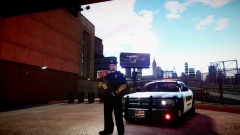 Nice work as always Grant :)
 -
Look in your GTA IV folder for the files (LCPDFR.log and ScriptHookDotNet.log), and attach them to your post.
-
Thanks, to both of you! It means a lot! :)
-
Sure do that. Crashes are sadly normal when using any script, not just LCPDFR. Happy gaming!
-
I am fully aware that it is a daunting task. It is possible to make backups, so if it still wouldn't work, you can just revert back to your old game.
-
I refuse to face defeat! Last thing I can recommend is to reinstall all dependencies and/or reinstall GTA IV. I, myself, cannot see anything wrong in the log files other than the usual errors. I'll take a extra look, just in case.
-
I don't think there's any way to disable the sound, other than using the SNT and muting the player (or if you really hate them, edit the soundfiles themselves). I also don't think there's any way to disable the animations, but I haven't experienced any issues with them. To interact with any ped, you don't have to aim at that ped with a gun, you just have to aim and hold aim, and follow the various onscreen prompts. I seem to have been ninja'd twice while writing this. Well gee :p EDIT: LMS has stated that there is a patch inbound, maybe it will come with some new features.
-
Good. How often does this error occur?
-
It's not your full specs, but they'll do :p Let's see what else we can do. 1. Install LCPDFR again, using the manual installation package. ('?do=embed' frameborder='0' data-embedContent>>) 2. Try LCPDFR without any mods, except LCPDFR itself.
-
Yeah do that :) It all looks good btw, just checking! When you installed LCPDFR, did you use the Automatic installer or the manual installation package?
-
Wait, are you running 0.95 and 1.0? Since you, said, quote in the OP:
-
Does it still crash as frequently if not using modded cars? Did you follow the tip given by Original Light (Disable clip capture)?
-
Could you try using this one (>). When running the game as administrator, what exact steps are you taking btw?
-
Let's see what we can do. First off, it's very important that you read the following two threads. This: ?do=embed#entry204057'' frameborder='0' data-embedContent>> and this '?do=embed' frameborder='0' data-embedContent>> It's also important that you answer all of these questions: Legal copy of the game? Running the game as administrator? Latest patch? What other mods are you using? What operating system are you using (Windows XP is NOT supported)? Make sure that LCPDFR 0.95 is removed (http://www.lcpdfr.com/page/tutorials/index.action/_/script-data-file-modification-tutorials/how-to-uninstall-lcpdfr-r19). Also, please install these http://www.microsoft.com/en-us/download/details.aspx?id=30679 http://www.microsoft.com/en-us/download/details.aspx?id=30653 http://www.microsoft.com/en-us/download/details.aspx?id=35 http://www.microsoft.com/en-us/download/details.aspx?id=5549 (If you haven’t updated GFWL, use this). Running the game as administrator: Go to the GTA IV folder, right click on GTAIV.exe, Properties, Compatibility and select 'Run this program as administrator', do the same exact thing to the LaunchGTAIV.exe.
-
What was the error you received? Could you post a screenshot of your GTA IV folder?
-
What was the error? Important! Read this: ?do=embed#entry204057'' frameborder='0' data-embedContent>> and this '?do=embed' frameborder='0' data-embedContent>> Legal copy of the game? Running the game as administrator? Latest patch? What other mods are you using? What operating system are you using (Windows XP is NOT supported)? Make sure that LCPDFR 0.95 is removed (http://www.lcpdfr.com/page/tutorials/index.action/_/script-data-file-modification-tutorials/how-to-uninstall-lcpdfr-r19). Also, please install these http://www.microsoft.com/en-us/download/details.aspx?id=30679 http://www.microsoft.com/en-us/download/details.aspx?id=30653 http://www.microsoft.com/en-us/download/details.aspx?id=35 http://www.microsoft.com/en-us/download/details.aspx?id=5549 (If you haven’t updated GFWL, use this). Running the game as administrator: Go to the GTA IV folder, right click on GTAIV.exe, Properties, Compatibility and select 'Run this program as administrator', do the same exact thing to the LaunchGTAIV.exe.
-
I'd still try to go whatthefont and look it up there :)
-
I was humbled to wake up and notice something new on my profile, thank you guys! :) Thanks for all the returning kind words, means a whole lot! Me as you; I care about the community and I am glad this has been noticed.
-
I can't see the image, could you try relinking it? Also, I would recommend going to "What the Font".
-
Hey and welcome to the forums! Please read this to start with: ?do=embed#entry204057'' frameborder='0' data-embedContent>> and answer these questions: Legal copy of the game? Running the game as administrator? Latest patch? What other mods are you using? What operating system are you using (Windows XP is NOT supported)? Make sure that LCPDFR 0.95 is removed (http://www.lcpdfr.com/page/tutorials/index.action/_/script-data-file-modification-tutorials/how-to-uninstall-lcpdfr-r19). Also, please install these http://www.microsoft.com/en-us/download/details.aspx?id=30679 http://www.microsoft.com/en-us/download/details.aspx?id=30653 http://www.microsoft.com/en-us/download/details.aspx?id=35 http://www.microsoft.com/en-us/download/details.aspx?id=5549 (If you haven’t updated GFWL, use this). Running the game as administrator: Go to the GTA IV folder, right click on GTAIV.exe, Properties, Compatibility and select 'Run this program as administrator', do the same exact thing to the LaunchGTAIV.exe.
-
Mind telling us how? :)

