




ineseri
Friends of LSPDFR
-
Joined
Everything posted by ineseri
-
When running as administrator, how exactly are you doing that?
-
Yeah I am also a little confused about all this. One directory needs to have 0.95RC2 for MP and SP use The other dir needs to have 1.0 for SP use. As Mustu said, you will have issues running 0.95RC2 and 1.0 from the same directory, but not if the directories are seperate.
-
Are you 100% sure LCPDFR has prompted you to leave your vehicle, and not just park up behind it? Also, make sure that you aren't pressing "shift" when leaving your car. You may feel tempted to do that because of sprint being bound to shift, but you will only end up cancelling the stop.
-
Not to be a smart ass or anything, but I just had a quick look through the guide. Below are the keys you asked for: As mentioned above, the siren modes are currently causing crashes on some vehicles (most likely the one you recieve when going on duty).
-
I may be wrong, but I think this thread is a collection of suggestions for those who want write callouts.
-
You'd have to render the clips first, I recommend reading the GTA IV manual or help menu to find out how to use the video editor.
-
You need to press "Y" to accept the call.
-
Do you own GTA IV? (Legal copy)
-
Yes, several users are reporting the same issuse.
-
Try and disable clip capture and use this commandline: -novblank -norestrictions -percentvidmem 100 -novsync -frameLimit 0 -nomemrestrict
-
No, you have to create a match in-game. Currently GTA IV does not support dedicated servers as far as I know.
-
With the LCPDFR Mod? You'll have to have it installed on each of your legal copies of GTA IV and create a match via the in-game phone, and then invite your friends. That's all.
-
OP, are you reffering to Fort Carson Role Play?
-
I'm still not sure what you mean. Are you sure you are talking about LCPDFR? I ask, because this is posted in the LCPDFR section.
-
What do you mean by "this"? The mod? You'll have to have it installed on your GTA IV installation and play online. That's all.
-
Hey, welcome to the fora! You can use this car (http://www.gta4-mods.com/vehicles/2013-ford-mustang-boss-302-f16316) with this skin (http://www.gta4-mods.com/textures/2013-ford-mustang-boss-302-transformers--poli-f18864). Sadly there won't be any lights on the car, but maybe that is possible to add in at a later date somehow. I'm not really sure.
-
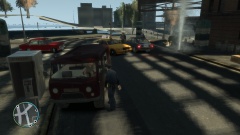 "Excuse me, sir. It would seem like that hydrant is leaking. Oh nvm, the entire world is leaking". Nice cars btw, I like 'em old type cars.
 -
You'd have to kill/arrest all suspects, so make sure you do that. Also, you can hold "E" to leave a pursuit. Second also, it should be alt+e to leave details about your status to dispatch.
-
May I ask how you are running the game as administrator? It requires more than just being the admin account on the computer.
-
Just hang tight for a patch, LMS is working hard!
-
Are you running the game as administrator?
-
Read this: ?do=embed#entry204057'' frameborder='0' data-embedContent>> Legal copy of the game? Running the game as administrator? Latest patch? What other mods are you using? What operating system are you using (Windows XP is NOT supported)? Make sure that LCPDFR 0.95 is removed (http://www.lcpdfr.com/page/tutorials/index.action/_/script-data-file-modification-tutorials/how-to-uninstall-lcpdfr-r19). Also, please install these http://www.microsoft.com/en-us/download/details.aspx?id=30679 http://www.microsoft.com/en-us/download/details.aspx?id=30653 http://www.microsoft.com/en-us/download/details.aspx?id=35 http://www.microsoft.com/en-us/download/details.aspx?id=5549 (If you haven’t updated GFWL, use this). Running the game as administrator: Go to the GTA IV folder, right click on GTAIV.exe, Properties, Compatibility and select 'Run this program as administrator', do the same exact thing to the LaunchGTAIV.exe.
-
Please review this ('?do=embed' frameborder='0' data-embedContent>>).
-
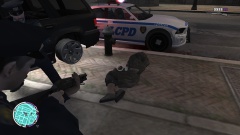 Indeed. That would have caused mass accidents all over LC.
 -
She completely wrecked my poor, poor, vapid cruiser (not pictured). She had it coming.


