




ineseri
Friends of LSPDFR
-
Joined
Everything posted by ineseri
-
I'd say reduce the settings just a tad bit. Not sure though, may be some other solutions.
-
Well, it's much more stable IMO and less prone to cause issues with car models. Give it a go. It's a little daunting at first, but it's easy to use.
-
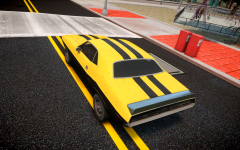 And then turn it into a cop car. Camouflage! Or should I say: Carmouflage
 -
Open your visualsettings file with notepad. It's located in the common/data/ folder for GTA IV but for EFLC you will need to use this file instead: TLaD/common/data for TLaD, and TBoGT/common/data/ for TBoGT. Find this line in your visual settings file: # Other emissive lights car.defaultlight.emissive.on xx and change it to: # Other emissive lights car.defaultlight.emissive.on 141.50 Play around with the settings as you like if it's too bright/too low.
-
Not from me no, I've pretty much exhausted all possible things... I may have overlooked something but I doubt it atm.OpenIV can check that by opening the model in the viewer. The original vehicle poly count is around 20k to 30k polygons, so you don't really want to go too much over that.Just to add to what Iconography said, here are the specs for GTA IV: Minimum System Requirements OS: Windows Vista - Service Pack 1 / XP - Service Pack 3Processor: Intel Core 2 Duo 1.8Ghz, AMD Athlon X2 64 2.4GhzMemory: 1.5GB, 16GB Free Hard Drive SpaceVideo Card: 256MB NVIDIA 7900 / 256MB ATI X1900Recommended System RequirementsOS: Windows Vista - Service Pack 1 / XP - Service Pack 3Processor: Intel Core 2 Quad 2.4Ghz, AMD Phenom X3 2.1GhzMemory: 2 GB (Windows XP) 2.5 GB (Windows Vista)18 GB Free Hard Drive SpaceVideo Card: 512MB NVIDIA 8600 / 512MB ATI 3870Remember when adding scripts, like LCPDFR, you will require more RAM.I agree, it's really weird. My only tip is not to use cars with a high-poly count and decrease the graphic settings in-game.Well, it could be that your vehicles file is damaged. It happens, but I would think the game would crash on launch... Reinstalled the game before?You're not alone, you can search for this issue and several people have the same problem. So, my guess is one of the car models are faulty. You will have to add them one by one and test the game after each model addition to see which one it is.Hm I see. Could you try using OpenIV instead and install that specific model?So... is that a good thing or a bad thing? You said it worked lol.I'm not really sure what you mean with sluggish either, does the game lag.. or are you not just comfortable with the controls?Noises from any PC component is usually not a good sign, just adding to what Mustu said.Could you try downloading this and try again? http://www.hazardx.com/details.php?file=83You will have to give more details than that. What exact steps are you taking? Are you reading the readme's? Also, in OpenIV you need to activate "Edit Mode".Sure, let me know how it goes! :)Have you ever saved while on duty, or after playing LCPDFR?We're all sorry here :pCould you please try that? It should go pretty fast, just re-insert the backups and launch the game. (Make a backup of the modded file when you want to go back).Couldn't you just have posted the contents here? :p Anyway, does it still do this with the vanilla cars (the original cars)?Do that and don't hesitate to ask if you run into any issues!Hm, your computer really should be able to spawn the models... Which car mods are you using? Any links for them?I think this just sometimes happen, do you have a lot of modded cars? I would recommend reinstalling the mod (just apply it again). Which software are you using to install the car mod btw?

