




ineseri
Friends of LSPDFR
-
Joined
Everything posted by ineseri
-
Please read this ('?do=embed' frameborder='0' data-embedContent>>) and come back here. Then we will be able to help you :)
-
You mean going off duty? What exact steps are you taking?
-
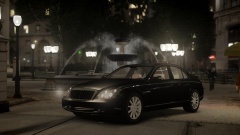 I thought you were going to say he was going to put shades on his car. Oh well :p Nice pic!
 -
Don't hang me if it isn't F8, but I'm pretty sure it was :p
-
Hey, ineseri here or as some people know by now: Martin. I still prefer ineseri when adressed on the fora, but for this topic I felt a real name is more suitable, I try to keep myself active on the forum, helping out where I can in the support forum. Most of you probably know me already. I started out here in late 2010, October to be more exact. Anyway, on to the topic: This community is truly one of the greatest communities out there on the vast interwebs. I stumbled across this mod by accident actually, when just browsing the internet, looking at youtube videos. Then I saw a PCGamer article about it and I was convinced this was a good place to “settle down”. As most of you people know, LCPDFR v 1.0 was just recently released to the public and most people are enjoying it to its fullest. I am aware there are some issues with the mod, but I think we all can agree that what the team has done is nothing short of a miracle and that fixes will be issued as soon as possible. What started as a “small” idea by Sam, has now evolved into something really big with the help of and it has grown into the internet phenomena that is LCPDFR. What they, especially LMS (and I think Lil-rich is worth a mentioning), have done with GTA modding and the ScriptHook is fantastic. I am constantly amazed by how they manage to overcome technical obstacles, especially when we all know that the GTA IV PC port is really, really, really poorly made. Sniper296, you are also developing LCPDFR but your area of expertise is probably the website. While I know that you like to mess around with some threads *cough* *cough*, I am also aware of that you know your codes. You are after all a developer. Sort of. Also, lets not forget the hard work put into the website, development of LCPDFR and the community in general by the entire Community Team, lead by NicolaiB who may, or may not be secretly British. Thank you! Honorable mentions to the Testing Team, for without them, we’d have a mess on our hands. Thank you! So, ineseri, what’s the point of this thread? Let me tell you: You know what all the people above have in common? A passion for GTA modding, GTA policing and last but not least: A passion for the Community as a whole. What most people don’t know, or just do not acknowledge, is that running a community of this size is a fulltime job and a costly one at that. The team provide these various services (TeamSpeak, Forum, Gallery, Downloads, etc) for absolutely no fee at all. It’s free. And on top of all that, the team faces costs for bandwith and other network related costs. You don’t have to pay anything to receive full access to the community. How great is that? Pretty great I’d say. Some people might be aware of that there is a donation button up to the far right in the navigation menu, others may not have known about it until now. I have recently made a donation to the site, the amount is not important and it will not be posted here (if you really want to know, PM me). If all members on this site donated 1 dollar, the team would have about 109015 dollars to spend on the community. Now, I know that such an amount is next to impossible to amount since some accounts are inactive and so on, but it is still possible to raise a pretty sizeable sum. I am not asking you to donate. You can just simply ignore this topic, no one will think less of you. That is completely fine. Maybe you can’t afford it, that’s fine too. Just take some time and think about it, appreciate the hard work by the team. Take a few seconds and say “Thanks”. That is all. A happy new year to everyone. I hope this new year will bring you much joy and fun, learning experiences. Thanks to everyone who is part of LCPDFR. -Martin :)
-
Sure np :)
-
You can press F8 during a pursuit and select passive mode, works for me :)
-
Lookie here: '?do=embed' frameborder='0' data-embedContent>> '?do=embed' frameborder='0' data-embedContent>>
-
It looks like you are browsing the fora :p
-
Indeed, or not play MP. Out of curiosity: What scripts are you using?
-
But it's still not recommended for MP play.
-
Could not have said it better myself. Well done. I don't often give rep, but this deserves all it will get.
-
Yeah, that mod is not recommended in MP. Delete it for MP games.
-
I just wanted to take some time and wish Nick, aka Original Light, a happy birthday. He is truly one of those people I respect immensely on this site. I helped him with quite a bit of things the last months, and through that I have gotten to know a pretty awesome dude. You are one of the funniest people I have met, and also one of the smartest. I love you a ton, so Happy Birthday man, I hope you will have an awesome day :D “Keep your head up” really applies to you, because I am certain whatever life throws in your direction, you will be able to tackle the shit out of that and come out victorious, never beaten. Keep up the good work you do around here and once again, Happy Birthday!
-
Well, it loads a couple of scripts when doing that so it's expected in a unsupported gamemode.
-
I'm not sure, but I think they are attached to that model.
-
Crashes are sadly normal in MP games. Not much to do about it. You could try removing some mods to lessen the crashes.
-
I see no issue with the second reply either, doesn't seem very offensive to me. Anyway, this thread ain't about that :)
-
If you have modded the cars, yes. Generally no, but it's different from computer to computer.
-
It's probably because of multiplayer, it's very unstable. Does it happen every time?
-
He wasn't rude. The official answer for a release date is always "When it's done" :)
-
Yep, you can use this mod ('?do=embed' frameborder='0' data-embedContent>>) by cp702.
-
The ALPR is not a bug, it's a feature of the LCPDFR mod. My recommendation is to hang tight for a patch, which should come along shortly. In the meantime, make sure you run the game as administrator.
-
Is it a legal copy of the game? Steam/Retail? Are you running the game as administrator? Using the latest patch? What mods are you using? List them please. Could you run the diag tool ('?do=embed' frameborder='0' data-embedContent>>) and post the generated log here? What operating system are you using (Windows XP is NOT supported)? Make sure that LCPDFR 0.95 is removed (http://www.lcpdfr.com/page/tutorials/index.action/_/script-data-file-modification-tutorials/how-to-uninstall-lcpdfr-r19). Also, please install these http://www.microsoft.com/en-us/download/details.aspx?id=30679 http://www.microsoft.com/en-us/download/details.aspx?id=30653 http://www.microsoft.com/en-us/download/details.aspx?id=35 http://www.microsoft.com/en-us/download/details.aspx?id=5549 (If you haven’t updated GFWL, use this). Running the game as administrator: Go to the GTA IV folder, right click on GTAIV.exe, Properties, Compatibility and select 'Run this program as administrator', do the same exact thing to the LaunchGTAIV.exe.
-
If you aim is to make the ELS lights brighter, you can edit the file called visualsettings.dat :)

