




ineseri
Friends of LSPDFR
-
Joined
Everything posted by ineseri
-
Why are you using the outdated and unsupported version? Also, you can just press the print screen button on your keyboard and upload the image to imgur by saving the image in paint first.
-
Hello and welcome to the forum. Can you post a screenshot of your GTA IV directory? Also, please note that the G17 Media Diag tool does not work for LCPDFR 1.0.
-
If you mean how to accept a callout, you press "y" when you see the next on-screen.
-
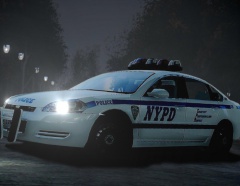 Just saying. Less polys = Less crashes :P
 -
... and I said the only update is just that.
-
Because low-poly ones won't crash your game into the Oblivion that is SMPA60.
-
It'd be better if you attached the files to the post :)
-
Nope. Nothing more than "Done when it's done". Which I think is more than fine haha.
-
Well, that is a little wrong. This is what has been released as of yet. ('?do=embed' frameborder='0' data-embedContent>>). I'd call that a update.
-
It's done when it's done :)
-
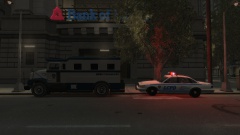 It's a LCPDFR transport, not inmate :P
 -
Find out what happened to the LCPDFR Transport
-
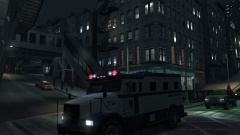
From the album: New LCPDFR? I think not
with the correct driver, wait what? -
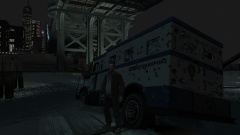
From the album: New LCPDFR? I think not
... and shot to pieces. How could it be, just a couple of minutes ago.... -
From the album: New LCPDFR? I think not
LCPD awaiting to escort the LCPDFR transport -
I think it was established here (>) that you'll have to upgrade.
-
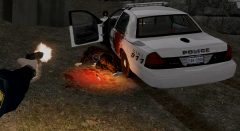 Good thing you have ELS so it'll auto-clean itself!
 -
Thanks :) Running the game as administrator? What other mods are you using? Make sure that LCPDFR 0.95 is removed (http://www.lcpdfr.com/page/tutorials/index.action/_/script-data-file-modification-tutorials/how-to-uninstall-lcpdfr-r19). Also, please install these http://www.microsoft.com/en-us/download/details.aspx?id=30679 http://www.microsoft.com/en-us/download/details.aspx?id=30653 http://www.microsoft.com/en-us/download/details.aspx?id=35 http://www.microsoft.com/en-us/download/details.aspx?id=5549 (If you haven’t updated GFWL, use this). Also, the logs from LCPDFR/Scripthook/ASI would be nice. You can attatch them to the post. Troubleshooter should tell you how. You can also read these for more information: ?do=embed#entry204057'' frameborder='0' data-embedContent>> and this '?do=embed' frameborder='0' data-embedContent>>
-
Hello, and welcome to the forums. Can you post a screenshot of your GTA IV directory?
-
Iconography wrote a great guide about the SMPA60 error here (>). Short version: It's most likely your car mods. Make sure you install mods one by one and test the game.
-
If everything but your graphics meet the recommendations, then it won't work since the graphics cards is arguably the most important thing here.
-
No, only the GTA IV folder. I'm actually off to bed now, so expect replies when I wake up again :)
-
Yes, you can use the backups you made previous to installing the mods.
-
When it's done.
-
Yes, the save files should be there. Try to remove them to start a new game in case they are corrupted. Also, you need to delete the files manually after uninstall since the game is modded.

