




ineseri
Friends of LSPDFR
-
Joined
Everything posted by ineseri
-
Does your game work without any mods except LCPDFR? Have you tried moving your save files? The save files are located in 2 different places. X:Users%username%AppDataLocalRockstar GamesGTA IVsavegames X:Users%username%DocumentsRockstar GamesGTA IVsavegamesNote: The AppData-folder is usually hidden, make sure that you can see hidden files.Note 2: “X” is the drive where you have installed GTA IV, and %username% is replaced by your username
-
Hello. Root directory = Your main GTA IV directory where the GTAIV.exe file is located. To start with, can you post a screenshot of that folder?
-
There currently is no way that I know of. Maybe suggest that to the developers :)
-
Hello, the whole thing that it changes walking style is not a bug, it's a feature to make sure that all LCPDFR animations run as smoothly as possible, I guess.
-
I can understand you just fine :) It always helps to reinstall, rather than to use backups as replacing files is sometimes tricky. I'm not sure I have more advice really.
-
I'm not having any crashes that often with LCPDFR 1.0a, just with GTA IV. I can play for several hours, or for as long as I want to with LCPDFR. If your PC cannot run LCPDFR, it's not the LCPDFR mod crashing your computer, it's most likely GTA IV. You'd have to upgrade it. As for the controls, you can read the INI file. They're also in a forum post by Sam here ('?do=embed' frameborder='0' data-embedContent>>), or as a PDF document by gtapolicewinthrop here: ('?do=embed' frameborder='0' data-embedContent>>). Also, with that title it's almost like you're demanding a update. I can tell you that the devs are working hard to make LCPDFR playable for everyone, but the truth is that only a small percentage, less than 1% are having issues with the mod.
-
There are several good points to play with stock vehicles... They won't cause the game to crash for example. Maybe you could try reinstalling the game? Modding the game and changing mods often leave the game unstable and laggy.
-
I'm going to be really nice and copy the part of the readme that you need to read, strangely enough:
-
I'm gonna go and say it's your modded cars causing the FPS drop actually. Does it work without them? It's easy to try. Just copy your vehicles file, and reinsert the backup file you made previous to installing the car mods.
-
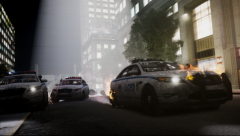 Um, sir. Your car is on fire. Nice screenshot! :D
 -
Hello, and welcome to the forums. Let's have a little look at your commandline to start with. -availablevidmem 4 -norestrictions -nomemrestrict -noprecash -novblank -novsync First, you are telling the game to use 4 gb of videomemory with this line: -availablevidmem 4All is well there.But then, you are telling the game to have no restriction on memory usage, with this line: -nomemrestrictThat really doesn't make any sense.The rest of the code is fine, I have no further comments on that. I'd suggest you replacing your commandline with this one: -novblank -norestrictions -percentvidmem 100 -novsync -frameLimit 0Let me know if that works better. I'd also recommend you to lower your view-distance settings and maybe disable shadows. Also, make sure you have a legal copy of the game and running the game as administrator. Running the game as administrator: Go to the GTA IV folder, right click on GTAIV.exe, Properties, Compatibility and select 'Run this program as administrator', do the same exact thing to the LaunchGTAIV.exe.
-
The keys for LCPDFR 1.0 are listed as said above in the INI file. They're also in a forum post by Sam here ('?do=embed' frameborder='0' data-embedContent>>), or as a PDF document by gtapolicewinthrop here: ('?do=embed' frameborder='0' data-embedContent>>). As to why they are removed, I have no idea. I'm not bothered by it really, they're not that hard to remember. Atleast not the important ones. I always have the control list in the SteamOverlay if I am unsure.
-
The save files in SP aren't connected to MP.
-
Hello, can you post a screenshot of your GTA IV directory?
-
Why did you put them into the scripts folder? Did you even read the readme?
-
It's not released yet as far as I know.
-
But the OP cannot open the file for editing?
-
Then you probably can't play LCPDFR either.
-
Just get rid of Norton honestly. More trouble than its worth.
-
Avast or AVG are good, free alternatives to the crapware that is Norton antivirus :) Read the Norton manual to find out how you can. It's not easy, let me say that. Because Norton has a tendency to take over your computer. Like a virus, funny eh?
-
Something that isn't Norton. Avast or AVG.
-
Great :) Let me know if that's the one you were looking for.
-
Then disable your anti-virus. That's obviously the issue here. What anti-virus do you use?
-
This maybe? (http://www.gtagarage.com/mods/show.php?id=9129)
-
Use XLIVE instead then.


