


Ridgerunner
Members
-
Joined
-
Last visited
Everything posted by Ridgerunner
-
Just out of curiosity what's your final poly count looking like for this project?
-
It's good to start with the basics, and creating for example an antenna is very basic stuff that takes no time at all to learn and yet it's something you made. If you're able to start assembling a complete vehicle using these basic modeled components and getting to know the program then it allows you some "victories" which are great for morale. You can spend so many hours modeling vehicles and misc components and hit various road blocks and not have a finished product and it can get discouraging at times. So I'm a big advocate for taking modeling in steps and learning little by little.
-
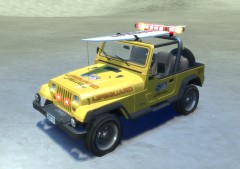 I like it! Would look good in GTA IV SA....
 -
For those of you experiencing crashes like I did, I found a possible fix (it worked in my case). You will need to find your save games, which are in a hidden folder and move them. To do this you'll need to go into the control panel and pull up folder options, select "show hidden files folders and drives " and click apply. Then you'll be able to navigate to users/*****/AppData/Local/Rockstar Games/GTA IV/savegames. Just move these save game files to another location and you should be good to go. It worked for me so I hope it helps one of you guys!!
-
Very strange since he was offering the vehicle on GPM awhile back but your alternate I think is finding someone with a copy of Driver and 3dripper to rip the model and textures :D Once you learn a few modeling techniques and can work with the tools then you can build anything. Modeling a complete vehicle is very time consuming and the toughest thing is trying to optimize the model (keeping the quality high but poly count down) which that Studio did an awesome job of doing imo. So I think its a no brainer that you should use that model and then you can work on modeling the specific equipment
-
I think this is Kinksta's channel on Youtube http://www.youtube.com/user/kinksta100 @slimory did you ask policefanatic for the model? That's the biggest obstacle to overcome with this project imo. The Driver models are fantastic models to use. I wouldn't recommend trying to learn Intermediate/advanced modeling techniques/skills it's best to stick with simple stuff like making simple equipment, etc (not an entire vehicle).
-
Amazing stuff......
-
Try pm'ing Policefanatic, he had a thread on GPM where he had ripped some of the Driver SF models. I think most people use Turbosquid when buying 3d models.
-
LOL I know I know I need to put the finishing touches on this project... I will get back to this, a short delay wrapping up some other projects. I ran into some issues with my LIDAR models but they are 97% so it's taking a bit more time as I try to work through the issues. I also wanted to finish my NYSP hat which is all modeled, but ran into some issues with that as well. On top of this I have some ongoing joint vehicle modeling projects that I'm focused on. I'm so close to finishing those projects that I wanted to knock those out and I can get back to wrapping up this project promise :D. The problem with GTA IV is that there are always small/large issues to work though which are incredibly frustrating and time consuming. It may seem at times that I'm not working on these projects but in reality I'm troubleshooting and testing different ideas which consumes too many hours of my time and generally ends in failure (and nothing positive to post here). So please bear with me as I have limited time and real world life to balance. I appreciate all the support thanks!
-
I don't think Chasez generally gives permission to his models. You can find him on gtaforums. Also as mentioned since the model is from Driver you should be able to find it ripped from the game somewhere or maybe someone kind enough to do it for you idk.
-
Around $35-$40. It can be a pita at times, but when you can actually start making progress it's really awesome! Because there are so many videos and support threads I think it's a no brainer, but to each their own....
-
You can model with Zmodeler although most modelers use 3ds Max because there are tons and tons of tutorials and it is far more easier to use. Whether you're doing simple parts like an antenna or more advanced modeling like the entire vehicle, 3ds Max is the way to go imo. You can buy a license for 3ds Max on Ebay for less then the cost of Zmodeler actually just something to keep in mind.
-
www.2shared.com/file/tpcpym-f/Radarnet.html @chucksta If you use the police tools a radar hud is built into it no need for rushlinks script. If you are however, one of the unlucky people that the script doesn't work some poeple have renamed it with say the taser or MP5 or whatever (basically any model that you can spawn without that script). It's not going to look right though if you replace weapons like the rpg. The whole spawning issue is out of my expertise and was one of the reasons I held of releasing any of the radar/lidar models since spawning them in game was an issue.
-
![City of Johannesburg E-One Hurricane ladder truck [WIP]](//s3-gallery.int-cdn.lcpdfrusercontent.com/gallery/album_657/sml_gallery_8683_657_160875.jpg) Nice work!
Nice work! -
@echo04 I'm sure you know without the script the radar model added to "twoninersix" isn't going to work. The crash is normal Sniper is looking into it. The problem isn't so much of adding it as something other then a gun, but it's spawning in game. I have 0 script knowledge so I rely on guys like Sniper296 and Sam to come up with a way to spawn the model in game.
-
This game is going to be ridiculous! If it doesn't break every video game record I'd be shocked. The scale of the world is incredible and the graphics are amazing. To think about the changes from VC to SA, SA to IV and now IV to V, I can't help but wonder about all of the game improvements/adjustments that they've made. Optimized for the pc? *fingers crossed* Now I'm wondering what else they're releasing this week!
-
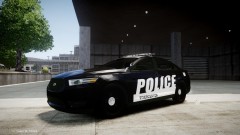 Really nice work!!
 -
FYI Ubisoft shop is advertising a daily $1 deal and on Sunday you can get Driver for $1. Great deal I thought I'd pass along! http://shop.ubi.com/store/ubina/en_US/home
-
As far as I know there is no fix for this, but I'd be very happy to hear from someone else that has a fix!
-
http://gtapolicemods.com/downloads.php?do=cat&id=107 Also F5544 has been releasing a bunch of the Driver models unlocked http://www.lcpdfr.com/index.php?app=core&module=search&do=user_activity&search_app=downloads&mid=15429 Also Sam has released stuff unlocked in the downloads section
-
-
For some reason some people are experiencing crashes with Sniper's script. I haven't had any crashing except when exiting the game so I don't know why, might have something to do with UAC settings during installation since mine are off but thats just a random guess. I've seen other users rename the radar model to a weapon and spawn it, but it may look odd since I haven't optimized it for any other animation yet. From there you can use Rushlinks radar script like Kpdofficer did in the video posted.
-
It's a tool for Photoshop, think there's another for GIMP link: http://developer.nvidia.com/content/nvidia-texture-tools-adobe-photoshop
-
I think they're under pc/data/maps
-
Guys when do you get the crashes when you spawn the radar (alt+r) or when you aim (RMB)?


![City of Johannesburg E-One Hurricane ladder truck [WIP]](http://s3-gallery.int-cdn.lcpdfrusercontent.com/gallery/album_657/sml_gallery_8683_657_160875.jpg)
