


Ridgerunner
Members
-
Joined
-
Last visited
Everything posted by Ridgerunner
-
Anyone get the lighting to work with added vehicles (ie; blue/white/yellow)? Kind of a fail without it.....
-
+1 to Custo since it checks out. I'm not going to try to understand why this works. No extra vehicle names are added to ini and els is turned off for all vehicles so it bugs and works on all vehicles?? I shouldn't bet surprised Custo finds this. So strange....
-
ELS doesn't work with added vehicles, hopefully Illumination 2.0 will support added vehicles to remedy that
-
Here you go (just copy the police3 information and duplicate it in the files to add a police4 and/or policeb): http://gtapolicemods.com/downloads.php?do=file&id=686
-
Just d/l one of his files and it lists this as his email pumbars@list.ru
-
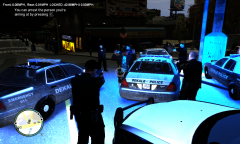 ....just as long as the officers don't have to shoot (got some serious crossfire going on there :o !!)
 -
My advice is to make backups of ALL original content before revising. We've all been there where we screw something up and have to install everything again (which is a tediously slow process). But to answer your question yes, you can add other vehicles by changing the name and replacing. Bear in mind that the handling will need to be edited as well or else you'll have a very unstable vehicle.
-
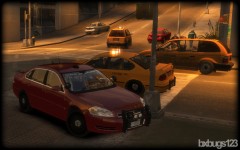 Looks sick!
 -
These are the versions of SparkIV. Link: http://code.google.com/p/gtaivtools/downloads/list Also OpenIV is a great alternative and is constantly being improved: Link: http://openiv.com/
-
-
The author of ELS stopped doing GTA IV quite awhile ago, rumor has it that he will be back for V but that doesn't help us now. Illumination 2.0 is being worked on by Sam and some of the other LCPDFR dev's and if done correctly will fix a lot of the issues we experience with ELS. Thread here:
-
-
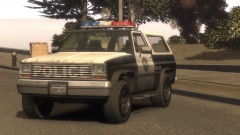 Looks great! Would go great with the Ghost Peak Mountain theme, wish it had vehicle/ped paths
 -
There are a few WIP's with lighting so be patient and we'll proably have a more advanced/refined alternative. I would not run PPM and LCPDFR together. Not sure the details of your crashes, but ELS is prone to causing a lot of crashes generated.
-
And just to let you know the mod from the video is the paramedic mod by Team-NeO, the police version is police pursuit mod (PPM). Link: http://www.policemod.com/ I also recommend the strobe mod, just wish we could get something for AI also
-
You can spawn with Simple Native Trainer. To enable els open your els.ini file and change active=0 to active=1 for the respective model (ie; police3, policeb, etc)
-
http://www.youtube.com/watch?v=-CIMSm0PC1A
-
The answer is yes, locked vehicles are not completely protected from everything, but I'm not posting how for obvious reasons. I don't know about the texture thing try deleting the lightbar texture for that model (emerglights). Not being a vehicle modeler I would think ELS (if enabled) would still be an issue.
-
**Backup files before replacing anything** In GTA IV folder place files as follows: In Common/Data folder newhandling.dat newveh.ide gta.dat default.dat carcols.dat cargrp.dat images.txt In pc/models/cdimages folder newveh.img
-
**Please Make Sure You Backup Your Files Before Editing Anyting** You will need to download OpenIV here: http://openiv.com/ Open and go to models/cdimages/componentpeds.img and click "file" then select "edit mode" click "yes". From here select m_y_fireman.wtd, "import images" it's important that your imported files be named correctly. Off the top of my head I think they need to be something like (for the upper torso textures) uppr_diff_000_b_uni, uppr_diff_000_c_uni, etc. Some meshes do have limits to the amount of textures that can be assigned, an example being the head.
-
Alright, just to clear up you do not need eflc to install police3, police4 and policeb. The way I initially did it was download the extra police car mod by ivanh here: http://gtapolicemods.com/downloads.php?do=file&id=686 Then copy the correct info to add police4 and policeb. BTW you can replace other cars to add to your emergency fleet (in case you didn't know).
-
Custo posted a file to get the police motorcycle slot (policeb) on GPM, shame on him for not also uploading it here :P http://gtapolicemods...?do=file&id=488
-
Just to clear up some things on this subject. The radar model in the above video is mine, not a retextured nailgun (retexturing can only do so much) lol. It's kpdofficer's video (beta tested it). The script used is by rushlink. It works very well when positioned outside the vehicle. It works off vehicle orientation when the user is inside the vehicle. Just to test in game I replaced the nailgun, which is used as the taser in LCPDFR. So currently I'm trying to work out a suitable alternate before releasing. I asked Sam to look at writing a "speeders" script, but he's been tied up with other projects so it's unknown whether we'll get one. I'll release the 3 models when I find a suitable way to spawn in game. Just FYI to date I've modeled the following commonly used units; Stalker II MDR/ Ultralyte LR B/ Kustom Signal Pro Laser III
-
Try changing the keys. Initially I believe I set mine to . and , where it didn't work, then tried m and n which worked.
-
The thing I would do for any vehicle without a template is export the current texture that it uses and use that as a template. OpenIV has a great viewer where you can view the model with the current texture in the police_sign_1 slot without the hassle of loading the game every time to check your work. A lot of vehicles I'm seeing have a locked license plate, but you could always try to see if editable.


