


Ridgerunner
Members
-
Joined
-
Last visited
Everything posted by Ridgerunner
-
I'm not sure if the Dashcam script works with it or not. I do know that Rushlink's radar script does work link: http://www.2shared.com/complete/tpcpym-f/Radarnet.html
-
I'm assuming you're talking about sniper296's script, when you ran the installer it default installs to EFLC. All you need to do is change it to your GTA IV directory and install the files which will be added with all the .img files (vehicle, weapons, componentpeds, etc). For me the beta installed the radar but the released version did not. So you may need to use OpenIV since it allows you to easily add files to the archive. Some people have also renamed my files to replace weapons (example the micro uzi). Fom there you could use Rushlink's radar script on GPM. Just bear in mind the game is still going to use it as a gun (so you may get suspects that pull out a radar gun and shoot you dead).
-
Unmarked State Police Mustang, I see them from time to time. Sick ride!!
-
Best bet is to pm Custo, thought he had told me once that it was modifying the line in the pedsvariations file, but I don't want to give out bad info :P
-
We'll probably have to wait until NFS Most Wanted releases end of October for the model. There are a few versions out there for other games but I don't think they're quite up to par, but I'm not a vehicle modeler. I just found this model and took a screenshot the other day! http://img59.imageshack.us/img59/5080/fordpoliceutilitynfs.jpg
-
This would probably be needed to be modeled from scratch and there are very few people who work with vehicles and even fewer that can model an entire vehicle model. EVI was working on a command center model. So wasn't gtapolicetrucker. http://imageshack.us/f/831/commandcenterw.jpg/ I know Bxbugs123 has been working on some trailer stuff, mostly civilian, but I wouldn't be surprised to see a few LE trailers also get released. Any way you look at it, it's a lot of work!
-
Funny thing is I was thinking along the same lines! I love the look of the International ambulances (2 door or whatever). Luxarts ambulance is just the original models merged, which I think they modeled after the Kenworth ambulances (at least thats the way it looks to me). Even something smaller like this would be sick!! I'll talk to some people I know and see if they might be interested....
-
Not sure if this is exactly what they did, but this is one way of doing it.
-
Textures can be installed with SparkIV or OpenIV. Generally models are released with 4 textures for the outside of a specific vehicle and are labeled police_sign_1, police_sign_2, police_sign_3 and police_sign_4. If you have +livery added to your models data line located in the vehicles.ide (Grand Theft Auto IV/Common/Data) file then it will spawn all 4 textures randomly. If you just want one specific texture to spawn the easiest way to do it is to replace all 4 textures with the one you want displayed. Now if you use the excellent Area Livery Mod by Sam installed then you can have say a city police patrolling one area (say police_sign_1), a Sheriff's Department texture spawning in another (police_sign_3), maybe state police in another (police_sign_3) you get the idea.
-
I'll send him a pm and see what I can do. CVPI and Charger should both be fine with most modelers vehicles.
- 18 comments
- 7 reviews
-
Most models are not released unlocked, however here are a few links GPM: http://gtapolicemods.com/downloads.php?do=cat&id=107 F5544 has been releasing a bunch of the Driver models here's his stuff: http://www.lcpdfr.com/index.php?app=core&module=search&do=user_activity&search_app=downloads&mid=15429
-
If the GTA Policing Tools installer didn't install gpt_radar1.wdr/wtd in the twoninersix.img file you need to add it using OpenIV following the Readme instructions
- 25 comments
- 6 reviews
-
Depending on where the GTA Policing Tools mod was installed (default was under EFLC) you'll find "twoninersix" files with the games other componenetpeds.img, pedprops.img, vehicles.img, etc. files. For me the gpt_radar1 wdr/wtd files were not installed, but you can add the files with OpenIV and then use ALT+R to spawn in game.
- 25 comments
- 6 reviews
-
This is an extra added model to be used and take advantage of the GTA Policng Tools mod. A portion of that mod is a Radar script and this adds/replaces a Radar or Lidar (will be released soon) model to the game.
- 25 comments
- 6 reviews
-
It'll probably be under ELFC if you didn't change it during the installation. Also it appears that Sniper296 will be updating to fix some issues with the current version, so please understand that you'll more then likely need to wait for the update for this to work correctly.
- 25 comments
- 6 reviews
-
***THIS MODEL IS A LCPDFR EXCLUSIVE*** PLEASE NOTE: This model is best used with Sniper296's GTA Policing Tools mod which can be found here on LCPDFR.COM. Special thanks to kpdofficer, Sam, JAM-Justin35 for all of their help on this project and a big thanks to Sniper296 for an awesome script that allows use of this model. ADDITIONAL NOTES This was modeled after the Stalker II MDR. My reasearch turned up multiple variations of this unit, and I settled on this specific version. Default key for spawning radar model via GTA Policing Tools (by Sniper296) scipt : ALT+R INSTALLATION Please refer to readme file for installation instructions ***MANY HOURS WERE SPENT RESEARCHING, CREATING AND TESTING THIS MODEL. PLEASE DO NOT EDIT/ALTER OR POST THESE FILES ANYWHERE ELSE WITHOUT PERMISSION FROM THE AUTHOR (RIDGERUNNER DESIGNS)*** If you have any questions, complaints, or general feedback feel free to contact me via lcpdfr.com my username is: Ridgerunner
- 25 comments
- 6 reviews
-
@Lakewoodchief I'm a novice modeler with no scripting experience, so I'm not exactly sure of the limitations with that. You'd have to ask someone with scripting experience. You'll be able to use my Radar and Lidar models with Sniper296's GTA Policing Tools mod, which now has an interesting overlay for outside the vehicle.
-
Bxbugs123 released a police vehicle pack for Gostown Paradise and the graphics were quite similar. Hopefully he doesn't mind me relinking it, since the page on GPM has since been messed up (or I'd send you there). http://www.mediafire.com/?b0songjc0t98ynq
-
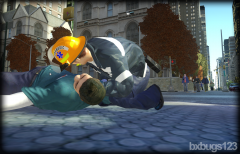 The helmet came out great! Looks really nice in game!
 -
To any of the dev's working on this, Will this be released in stages like ELS? ELS started quite simple and with each version added more and more capabilities, but I think most wouldn't mind a simple script to start that gives us a good base for most vehicles. Also in light of the recent release of Corleone's boat, and I know other modelers have wanted to pursue similar projects (if ELS was compatible), will your script work on boats?
-
I thought there is an option in SNT to do this, could be wrong.
-
"Breath analyzers do not directly measure blood alcohol content or concentration, which requires the analysis of a blood sample. Instead, they estimate BAC indirectly by measuring the amount of alcohol in one's breath." http://en.wikipedia.org/wiki/Breathalyzer Would you be able to use a PBT with this script?
-
So you have a police5 or lcpd01 or some other added vehicle (not police3 police4 policeb) that works with ELS and you can change the reflections to blue? You'll have to explain
-
It was a great find but without reflections its not as wonderful for me..... :(
-
I'm talking about color reflections which are normally set in the ini file but I'm guessing that it's defaulted to red for everything since everything is set to active 0


