


Ridgerunner
Members
-
Joined
-
Last visited
Everything posted by Ridgerunner
-
If you can't find it here in the tutorial section. Try using Youtube and/or the Zmodeler2 website, both carry many helpful tutorials to help you learn vehicle modeling for GTA IV.
-
That's definitely a animgrp, weaponinfo or default.ide issue. Something you've modified for a past mod? I encountered the same issue working out some bugs on upcoming RADAR/LIDAR models. In that case it was a default.ide issue that I hadn't modified correctly
-
I use to do this before I started making my own textures. What you want to do if you come across any texture(s) that you like but its not for the correct vehicle is; First load the template of the correct vehicle model (that you want to use the texture for). Then load the incorrectly sized texture so that they're 2 different layers but the template is the bottom layer (in the same project). What I do next is cutout any specific decals (rectangular marquee tool and right click choose "layer via cut" and then you can drop the opacity of that new decal layer so that you can see the template background and position it correctly on the vehicle (use the transform>scale/rotate/skew, etc. if needed). When you're happy with the position go ahead and bring up the opacity back to 100%. Do this for all of the other decals/font and license plates. Depending on the font and the template used it might become distorted. In these cases your only option would be to redo those parts (ie; font), but you shouldn't encounter too many issues. Now to clean up the base color of the texture, all you need to do is add a layer above the template (but under the decals) and color fill it with the correct color (you can match the color using the eyedropper tool). This should give you a pretty accurate texture for the model you desire to use it for. Hope this helps!
-
Bxbugs123 made some models in the CPD style you may have to search a little to find the best textures to replace the liberty police ones though
-
Wrong section moving You could try Bxbugs123's unmarked Tahoe model http://gtapolicemods.com/downloads.php?do=file&id=1581
-
wrong section moving link though here: http://gtapolicemods.com/downloads.php?do=file&id=214
-
Just a warning it is a large texture. The author had added noise to the background color which always substantially increases the size of the textures. Try this: http://www.mediafire.com/?n3mhrynt01kwrrg
-
I think it would be far easier to model these in Zmodeler or 3ds Max. If you need help with that send me a pm
-
My hope is that V is such a better platform to mod for that LCPDFR will be much better suited for that instead of IV.
-
World leaders corrupt? *GASP* You could write pages and pages on this topic. I think its sad how we were lead to believe (like sheep if you will) that this administration would do good things with our tax dollars and be completely transparent, etc. etc. The only guy I'd vote for is Ron Paul, but yes the next 4 years are gonna suck.... :( @Nutt Just curious what was your feeling on Biden's demeanor at the VP debate?
-
How big is the team for DayZ? Is someone helping fund their game? I love LCPDFR and the replay value it has added to IV, but I'm not a huge fan of the limitations IV has. I'm wondering how much better the AI will act and move and even drive in GTA V. So maybe V will be much better, and maybe it will have it's own shortcomings It would be amazing if this was something that was pitched to Rockstar Games (even if it was just in an interview). I'd love to hear their thoughts on a spinoff/standalone or even expansion/dlc that focused on emergency first responders rather then criminals but utilized GTA V's engine and possibly other elements from the game.
-
-
Sometimes help can be slow, so whenever I ask a question online I always try to continue searching for answers. Your question is a very common issue with GTA IV since IV was poorly optimized for the pc. Chances are you added 1 to many mods to the game. http://gtapolicemods.com/showthread.php?6182-MISSING-ROADS-AND-TEXTURES
-
Just a few links to help you out. CVPI model (If you don't like the model export the textures and place on the CVPI that you prefer): http://gtapolicemods.com/downloads.php?do=file&id=430 Charger Texture:
-
The direct link for Custo's mod can be found here on lcpdfr:
-
You should be able to select them in the character selection when you go on duty in LCPDFR. Otherwise you can switch to them using Simple Native Trainer 6.4 link: http://www.gtagaming.com/downloads/gta-iv/script-mods/2115
-
From what I've read (from guys that do this professionally) the best way to optimize a model is by hand. It's slow and tedious work, but it ensures that things are done properly. There are tools that can be used and if you're happy with the results then use them. Ultimately you have to decide whether you want to spend the hours optimizing a high poly model, but hey look on the bright side at least there are plenty of tutorials on how to do this.
-
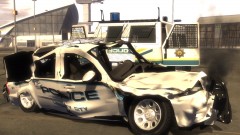 Haters gonna steal....
 -
Sniper296's GTA Policing Tools mod is in full beta phase right now, with some excellent content that's been added since his last release. It's difficult to put an ETA on any new mod since GTA IV seems to always make everything a chore.....
-
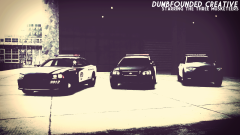 Excelente......
 -
@CG Blaze The issue any modeler has when making models based off real vehicles is in real life most agencies use many different configurations that often times are similar but not the same. So when you look at photographs you see that NYSP Tahoe's come in basically 3 different configurations (2 were represented here). Lights will be very similar but will vary slightly I suspect model to model. These lights are based off a youtube video so they are accurate to a real NYSP Tahoe, but I know other Tahoe's are setup a little differently as seen in your link. You should be able to change any light colors you don't prefer by modifying the related texture. Generally speaking, the author has to make some decisions on what configuration they want to depict and run with it. It's not really realistic for an author to depict every version (I know that's not exactly what you meant by your comment), but you may just see a K-9 version in the near future!
- 26 comments
- 24 reviews
-
Very easy mod to do, not that I have time for such a project, but easy nonetheless. Might even be able to use the OpenIV quickie way of assembling it, but not sure on that.......
-
For references pics Flickr and http://policecarwebsite.net/main.html are your friends. With that being said I would hold off on doing the Texas DPS textures as CJ24 is working on the complete models.
-
I suspected that was your reasoning for posting there. Since, your topic covers modifying GTA IV content (in this case ped models), not LCPDFR content, it should be posted here. If you have something directly LCPDFR related it would go under those forums, otherwise it should be posted in the related GTA IV section.
-
Here you go http://gtapolicemods.com/showthread.php?4023-How-to-Change-Lightbar-Colors


