


Ridgerunner
Members
-
Joined
-
Last visited
Everything posted by Ridgerunner
-
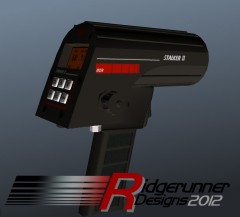 I'm currently working with the developers of LCPDFR to figure that out and also to see if we can get a script to allow traffic to give this mod a purpose.
 -
I'm still a noob when it comes too 3ds Max. So many good vehicle modelers now (no need). No ones focused on PED modeling. Plus, PED editing took me too long to learn to walk away from that and I know vehicle modeling would take all the more time too pickup.
-
From the album: Ridgerunner Designs
Needed a break from my normal WIP, so I spent a weekend modeling this. It was nice to do something new and for a noob modeler it came out better then I expected. All we need now is a speeding script! Model will be released soon. Model and Textures by Ridgerunner Designs -
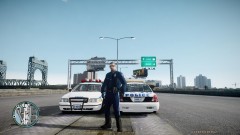 Not bad for a texture modification. I do want to see police motorcycle unit peds it's on my "to do list". Guess I know who to contact when I need a beta tester!
 -
First off this should be in the support section. What you need to do is find the file you want to modify. Lets say it's a vehicle. Vehicles are located under pc/models/cdimages/vehicles.img. Click "edit" and you'll see a list of the models. Next find the vehicle you want to edit. Lets say it the fbi. Click on fbi.wtd (.wtd files are where the textures are located) and click "edit". You'll see a bunch of textures on the left. The textures/livery's are usually labeled police_sign_1 - police_sign_4. So most models have 4 textures. Select which textures you want to replace lets say for example police_sign_2 select it and click "import". Select the texture you want to replace it with then click "save and close" and then "save" close that window and "save" again. If you've set your model to display livery's by editing vehicles.ide (adding +livery to the models line) then your vehicle will randomly display the 4 textures. If you download the area livery mod then you can choose where specific vehicles spawn. Hopefully that answers your question.
-
![[WIP] Alderney City Police cop for strooper](//s3-gallery.int-cdn.lcpdfrusercontent.com/gallery/album_301/sml_gallery_3085_301_23465.png) LOL he does have the New York/New Jersey look! Nice work!
LOL he does have the New York/New Jersey look! Nice work! -
If you give yourself security permission it doesn't work? I believe Sam posted the Taser model on here, but I couldn't find it. If you can't find the model send me a pm I have a copy.
-
Nice work! I've been looking forward to this since you released the first pictures and it came out awesome! Looking forward to all of your future work!
-
Kentucky State Police testing the new Ford Taurus
-
Yakadafi released has a few Impalas with the vista lightbar. @EVI, let me know if you want any of these links taken down. Model in the video here: http://www.4shared.com/rar/Px8upOrW/9C1_MPDC_V10.html Alternate model Impala/Vista model here: http://www.4shared.com/rar/ub8tCDHd/9C1_PCSO_V20.html
-
This is one of the many frustrations and short comings of ELS, lack of added vehicle support. Police3, Police4 and Policeb are part of the expansions but work for the regular game as well. ELS is a great mod but if Illumination 2.0 works as well as I hope there will be no need for ELS to be converted for V because Illumination 2.0 will be a far better mod (don't let us down Sam! You can thank me later for setting everyone's expectations high). @Sam To go along with the theme of this thread, will Illumination 2.0 support added vehicles?
-
http://www.gta4-mods.com/script/first-person-driver-f2284
-
I stumbled across this article and I know there's been discussion about the vehicles replacing the Crown Vics. It'll be interesting to keep an eye on law enforcement agencies like Seattle that are testing a wide variety of vehicles to find a suitable replacement. Also interesting to know that they're ditching their ugly light blue colors and going to black/white (no offense to any who likes their old graphics) and going to LED lightbars. http://www.q13fox.com/news/kcpq-new-spd-cars-20120322,0,1190894.story
-
Just FYI, aznairsoftdude was working on a Wisconsin State Police CVPI model and a charger texture could be made from that one quite easily.
-
Handguns are unique in that what works for me doesn't for someone else. I've shot a lot of different makes/models and really don't like the DA/SA handguns, probably why I prefer the Glocks. If you have large hands I guess the Mark 23 SOCOM would work, but I've seen a lot of specops guys not even using them. To each their own....
-
http://gtapolicemods.com/showthread.php?5349-Pasco-County-FL-Sheriff%27s-Office&highlight=
-
What error does GTA IV give you?
-
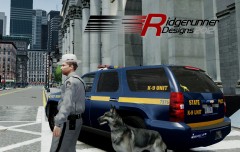 http://www.gtainside.com/en/download.php?do=comments&main_cat=333&start=0&id=41164&orderBy=
 -
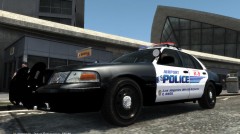
From the album: Ridgerunner Designs
Model is aznairsoftdude's Redondo Beach PD/ Liberty City PS CVPI v2.3 ELS link: Los Angeles Airport (LAX) Police K-9 CVPI Texture by Ridgerunner Designs Still need to add a few details. Should I release this as a texture pack? -
+1 Lonestrangers helpful font guide has always been a godsend for me. Great fonts to start with, I've downloaded all of those and they can be extremely helpful whether I'm doing fictional or matching font from a specific law enforcement agency.
-
-
These are textures not a model. Blue lights are set by modifying the ELS.INI settings and by modifying the emerglights file included in the models WTD file
- 2 comments
- 1 review
-
-
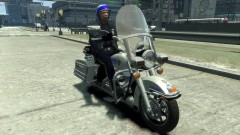 Actually guys that's a common misconception. You can add police3, police4 and policeb to GTA IV. Many of us have done it. I used lvanh's file on GPM and then added the necessary lines to his modified files. http://gtapolicemods.com/downloads.php?do=file&id=686
 -
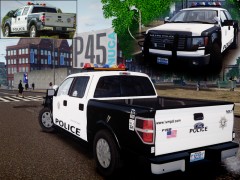 Always love seeing what new creations you're coming up with! Looks awesome!


![[WIP] Alderney City Police cop for strooper](http://s3-gallery.int-cdn.lcpdfrusercontent.com/gallery/album_301/sml_gallery_3085_301_23465.png)
