


NickieB
Members
-
Joined
-
Last visited
Everything posted by NickieB
-
I have a couple x2100 releases in my files, check them out I have a couple x2100 releases in my files, check them out
-
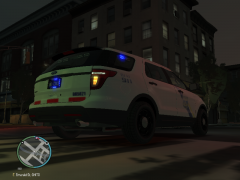 Its mine, well its Kevin Explorer with my HG2 Demo Vehicle setup I did a long time ago. It was never released and now with GMC being offline I don't know if it ever will see a public release. I've been promising him a slicktop Explorer and I haven't had time to complete the one I'm currently working on so I let him use this in the time being to satisfy his slicktop fever.
 -
No problem
-
Yup, looks much better there.
-
Some of that interior stuff needs to be re-sized, a lot of stuff is just modeled and isn't necessarily the right size. And that box for the ALPRs that you have in the middle of the dash would usually go in the trunk. If you want it on the dash thats fine of course but thats just my suggestion to move it. 4.7MB is a little on the high side but not unusual for Bugs CVPI with a lot of parts. Yes some people won't be able to use it and they will complain but you can't please everyone. If you start making lower quality cars then the people who prefer the higher poly better quality cars wont use it so its really a matter of what you want to do. Otherwise you'll end up making 5 different versions of one car just to try and please everyone which isn't worth it. I usually just make the cars how I want them for myself and my game and if people can use them then thats great but I can't help it if someones system isn't powerful enough to run it. Is it possible to optimize Bugs CVPI and lower the poyl count? Yes, I did it, but its a lot of tedious work and the size difference really isn't that huge. You can maybe shave 1MB off with a lot of work done to the L1's because the default L1s are basically just copies of the L0s and you don't need all that detail in the L1's. So you can remove certain parts of the L1s at your discretion.
-
This is just my speculation but I'm assuming he's gone, possibly until GTA V PC or maybe for good. He hasn't uploaded anything here in ages and all of his recent posts/uploads have been to GTA Modding Chest which is no longer online due to DDoS attacks. There is more but its not necessary to get into because talking about it will only stir up the pot again. Like the post above me said, you would have a better chance of getting a answer by PMing him but even that may be a long shot
-
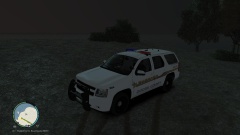 Can easily just be done with a texture change. Or do u mean a different rim altogether?
 -
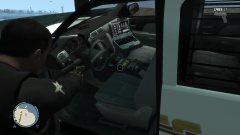 Thanks man!
 -
 awesome buddy!
 -
-
Code 3 21TR Plus Tahoe
-
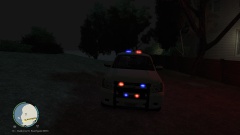 Code 3 21TR Plus Tahoe
-
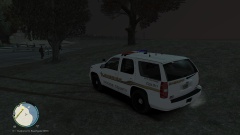 Code 3 21TR Plus Tahoe
-
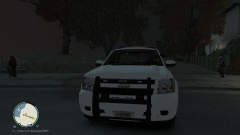 Code 3 21TR Plus Tahoe
-
Code 3 21TR Plus Tahoe
-
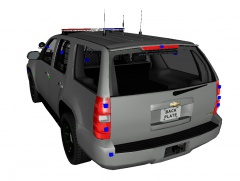 Tahoe - Code 3 21TR
-
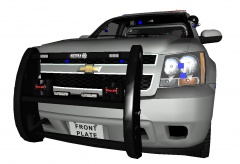 Tahoe - Code 3 21TR
-
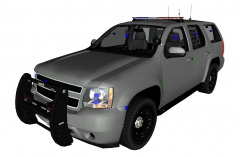 Tahoe - Code 3 21TR
-
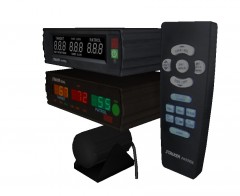 Stalker Patrol/Dual Radar
-
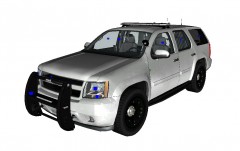 [WIP] Tahoe - Code 3 Defender
-
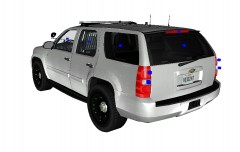 [WIP] Tahoe - Code 3 Defender
-
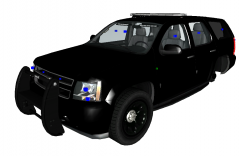 WIP Tahoe
-
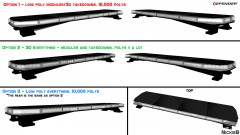 Need your help/opinion
-
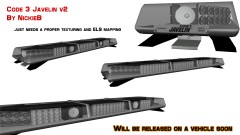 Code 3 Javelin v2 (FINAL)
-
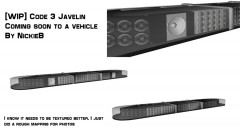 Code 3 Javelin Preview
-
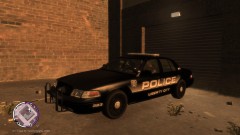 CVPI Tomar Blade
-
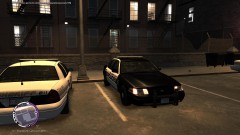 Officer 229 getting ready for a patrol
-
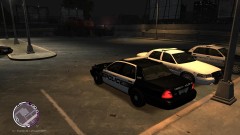 Officer 229 getting ready for a patrol
-
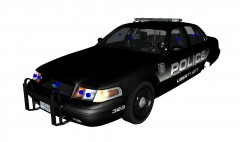 CVPI - Tomar Scorpian
-
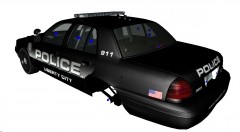 CVPI - Tomar Scorpian
-
-
From the album: WIP
-
-
-
-
From the album: WIP
-
Or you can open up the Trainer.ini, hit CRTL+F and search KeyBindingsDisabled you may have to hit find next until you get it. Then it will have a = after it and should say 0, change this to a 1 and save it then your good to go! No more spawning or activating random things
-
Oh wow.... well your member title suits you well... This isn't something that can just be done by one or two people. Think of the team of people who made GTA IV and the resources that Rockstar has that were used to develop this game. Not to mention the fact that you can't just access the code to rewrite it, its just not that simple and even if you could and had the know how your talking about hundreds of hours of work. Now I don't know much of anything about coding or what it takes to develop a game and I'm just speaking hypothetically but I'm assuming if you rewrote the entire game the current mods would no longer work meaning the community would be starting at square one again. Not to mention the legal issues. Take GTA V for example, it took them 5 years to develop and thats a large team of highly skilled people
-
I don't think it is, I don't think there is anything in there. It does look like there might be something small in there towards the top/middle but its hard to tell and I highly doubt its a message board. The area is to small for any kind of message. It does appear to have like small vent holes but idk why they would leave it open for water/dirt to get inside of that area. I don't like the shape of the bar, hate how it goes up in the middle like that. The other bar by FedSig is awesome, sort of reminds me of a variation of the Defender Soundoff also has a new lightbar that was released recently. The nFORCE LED Lightbar Inboard LED module options: any combination of single color 6 or 9 LED, dual color 12 LED or tri-color 18 LED counts Corner LED module options: any combination of single color 12 or 18 LED, dual color 24 LED or tri-color 30 LED counts "All white" forward facing modules option for intense scene lighting 6 LED Take Downs, 3 LED Alley Lights standard Manual dimming capability for nighttime use Cruise mode Ability to shut down complete front or rear inboard and select corner modules Rear arrow option Nearly 25% lighter than industry leading metal lightbars, allowing for increased fuel economy, handling performance, and top-end speed Available in 24", 36", 42", 48", 54", 60" and 72" lengths Windows PC App software for ease of programming
-
I stand behind the decision of my manager. The guidelines for the group were in plain english as to what I was expecting from my members and he provided me with the post/download stats and I gave him the green light. A comments section on a photo isn't the place to discuss this. Especially since you've never said anything about it prior to this. I don't know if my manager contacted you (I don't think he did but he didn't have to) about the removal but if you wanted to discuss this, a PM to myself or him would have been a better move. I won't discuss it further in the comments of this or any other photo since it isn't anything that needs to be discussed publicly
-
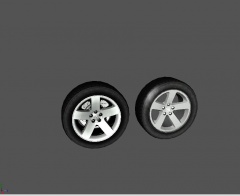 Well arent you lucky
 -
From the album: WIP
-
From the album: WIP
-
From the album: WIP
-
Could be a texture issue or a material name issue. Just create a new material, call it black mesh containing a black texture and apply it to the pushbar
-
That's a good idea, I just acquired my first garage last night so ill have to put some in there


