


NickieB
Members
-
Joined
-
Last visited
Everything posted by NickieB
-
at first I was going to say your textures on the front windshield lights were messed up but thats just the way you set them up. Took me a second to figure out there was like takedowns on both sides in the middle. Not bad for a first release
- 17 comments
- 3 reviews
-
A lot of people are complaining about the release of those tapes. I listened to them and in my opinion there is nothing in there thats violent or graphic in nature. I mean yea the incident is horrible and violent itself but the calls are calm. Plus people aren't being forced to listen to them. I'm not taking one side or the other and maybe I'd have a different opinion if my family was affected by the incident.
-
You can increase the resolution of the texture of the uniform, the entire texture that contains the arm patch. I did it with the FBI vest ped from EFLC to make the POLICE/SHERIFF writing higher quality in my game. It increases the file size of course and it has to be done in OpenIV but its possible. It will crash spark so don't even try.
-
Christmas tree cars are a matter of personal preference. Some like the tons of lights all over the car, I like it but it has to be done properly and not just throwing lights everywhere for the hell of it. On the other hand I do like simple cars as well, I've built some and I've used them in my game but I still prefer a car with moderate lighting on it, something more than just a lightbar and some strobes. Its the same thing in real life, it comes down to the preferences of the agency as to how they outfit their cars and the number of lights they choose to equip the cars with. Around where I live the cars are pretty basic, some of the CVPI's just have a lightbar wig-wags and a traffic advisor and some of the newer cars like the Taurus have the addition of rambar lights but thats it. I have rode in a unmarked car that has quite a few lights in it so it really just depends. They seem to use more lights down south for whatever reason
-
I release a unlocked pushbar for the Tahoe and you still use the CVPI one on a Tahoe. I'm sorry but thats just something I'm anal about, putting the wrong pushbars on cars. Looks good otherwise though
- 15 comments
- 6 reviews
-
-

- 1
-
-
Wow, I'm shocked, I thought this was going to be a joke thread. Very sad, RIP Paul and your Carrera GT
-
Not a good idea to wear it in public, I could see you getting in very big trouble for that. Plus you'll have a hard time finding any modern badges for sale, there are some older ones floating around though. I've looked before just out of curiosity and its rare chance or no chance at all you'll find a real badge. Let alone trying to find one from each state. Its not illegal to collect them though, nothing wrong with that. Its much easier to find badge patches, I've got a few of those stuck on my wall. They are usually only $4-$10 depending on the patch. Here is a good site, Federal Badges: http://www.fredspatchcorner.com/page29.html you can also sort by state and find state specific ones here http://www.fredspatchcorner.com/page21.html There are more scattered throughout that site so have a look around. There was another site that had a ton of good ones on it but its been shut down for quite some time now
-
Thats not what hes asking... You didn't read his question properly, he's talking about the emission of color on the buildings and roads, not the actual emerglights_emis colors So it would go: Step 1 - open GTA IV directory which is located at C:>program files (x86)>Rockstar Games> Grand Theft Auto IV and find the ELS.ini (see red arrow/text below) Step 2 - Open the ELS.ini and find the slot that you have the car installed in (ie FBI) Your looking for this: [ FBI ] Status = on File = default_config Step 3 - It will say "File= default_config" underneath it unless you've already created a custom config. Rename "default_config" to "fbi" and save. So it looks like this: [ FBI ] Status = on File = fbi Step 4 - Go back to main GTA IV directory and find the ELS folder (see green arrow/text below) Open it and inside will be a file called "default_config" (Unless you've already made a custom file for the car slot in question and if you have then open the config for that car) Otherwise if you haven't already made a custom config then make a copy of "default_config" and rename it to "fbi" Step 5 - Open the "fbi" config and look for [ ENV_LIGHT_COLORS ] Step 6 - Change extra_1 - extra_4 to "blue", extra_5 - extra_6 to white and extra_7 - extra_9 to amber. So it looks like this: [ ENV_LIGHT_COLORS ] Extra_1 = blue Extra_2 = blue Extra_3 = blue Extra_4 = blue Extra_5 = white Extra_6 = white Extra_7 = amber Extra_8 = amber Extra_9 = amber *** If you tell me what car your using I can give you a more accurate color setup. If you want to try and figure it out yourself, extra_1-4 are the main primaries and would be set to blue. extra_5-6 are the takedowns/wig-wags and extra_7-9 is the traffic advisor/other LEDs. If the car is setup with the secondaries being LEDs and not a T.A. I would say change those from amber to blue *** Step 7 - Save it, launch the game and test it out. Like I said above, extra 5-6 and 7-9's color depends on the setup of the car but you can change them to blue if you need to If you have the car in a different slot than FBI the process is still the same but instead of looking for FBI your looking for NOOSE or POLICE2. Then instead of renaming "default_config" to fbi you'd rename it noose or police2, whatever the car name is HOPE THIS HELPS!
-
Minor typo, second column, first paragraph, last sentence (you said) diseased - having or affected with disease (should be) deceased - no longer living, dead
-
because if he's like me he kept them thinking he might go back to them one day. I also have tons of cars from the day i started downloading them they went into a dedicated folder. Most of the time you don't go back to them, I know I never did. He probably just doesn't want or need them anymore but he's giving people the chance to ask for a certain file they may want that was only uploaded for a short while or a file that is not available anymore publicly.
-
haha yeah the differences are subtle but if you know what to look for its easy to tell
-
Very nice, nicest one out there right now I think. It makes it 100x better because you actually modeled the individual LEDs and the detail work of the grooves on the sides. Every other one I know of is just a texture over a very simple model
- 11 comments
- 3 reviews
-
Very nicely said. Plus not every officer, in fact probably more than less don't know what they have on their cars for lighting or just don't care. I'm sure some do care and know what they use but not all of them EDIT: Also some have said the last one is a 21TR, thats not true, its a x2100. As someone stated above me you can tell by the 6 LEDs/Module and the round takedowns
-
Happens to me quite often. Its really bad when you pull over a bike with 2 occupants and they both pull them out on initial contact lol. I like the feature though, I think its cool cuz if you do survive they usually start to run
-
My thoughts exactly and your right but now he figured out it isn't worth the effort
-
As soon as you said this I knew exactly what "unlocked" model you were talking about. Good luck
-
Thats exactly what I was thinking unless like you said its a older version. If it is a older version you should specify so people know, not that your misleading them that you have the '13.
-
-
It is GTA V lol and the occasional day of FR but for the most part my free time for gaming goes to V. And your welcome guys
- 11 comments
- 7 reviews
-
-
[DEV] Soundoff Predator 2 CVPI brake light surround This part has been exported unlocked to further support the community, you may use and edit it as you wish but fair credit is expected. It is ELS mapped If you move around a few vertices or re-scale it you didn't "Heavily modify it" so please be fair in your crediting. Saying that only take away from the original author and make it seem like you did all the work You may not re-upload this unlocked, as a development resource, or convert it to another game without my written permission
- 9 comments
- 7 reviews
-
-
- 1
-
-
[DEV] Tahoe Setina Pushbar This part has been exported unlocked to further help the community, you may use and edit it as you wish but fair credit is expected If you move around a few vertices or re-scaled it, you didn't "heavily modify" it, so please be fair in your credits. Saying that only takes away the hard work from the author and make it look like you did all the work You may not upload this unlocked as a development resource anywhere else or convert it to another game without my written permission
- 11 comments
- 7 reviews
-
I'll PM you so we don't spoil anything
-
Once you complete the game or get close to the end and if you use Trevor he has the ablilty to store 8 cars, 4 at his garage and 4 at his new safehouse in the city. (I won't say where just in case it would spoil it for someone). Plus his garage is very close to his new safehouse so its a close drive to get from the safehouse to garage. That is one thing I don't like about Franklin is its so far of a drive to get from his mansion to the garage.
-
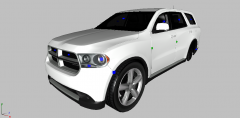 Very nice! Not sure if your planning on handing this out to the group or not but if you aren't let me know and we can try and work out a trade or something

