Illusionyary
Members
-
Joined
-
Last visited
Everything posted by Illusionyary
-
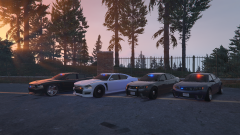 Can it really be called a "Fugitive" if the police are operating it? :^)
 -
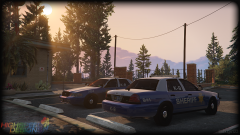 It will be if you, nor anyone else, choose not to release anything.
 -
Yet people still ripped your models and did what they will with them even when they were "locked".
-
Working fine for me on Firefox.
-
Now that you've mentioned it, that's completely correct. The first proper police vehicle for IV was the Buffalo. How curious.
-
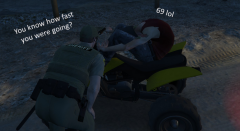 "Sir, please stop pleasuring yourself in public..."
 -
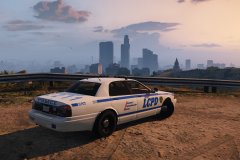 You're way outta your precinct!
 -
-
Use the video editor.
-
Whenever modding my game or creating textures/assembling models, I'd always use real cars based on real departments but I'd edit the department name to fit into the game's lore. Some examples of this would be (regarding GTA IV) "Liberty County Police", "Liberty County Sheriff", "Liberty City Police", etc. I've only put out textures for real departments when someone has requested that I do so. ...A little late but better than never, right?
-
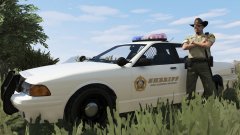 Huh. For me it was just AA.
 -
Yeah, I don't think turning down/turning off trees and grass in games actually improves performance significantly. Frame rate is mainly affected by anti-aliasing and such.
-
Why does the grass look like it's from a PS1 game?
-

From the album: War Thunder
-
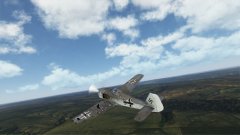
From the album: War Thunder
YOUR LEFT WING! -
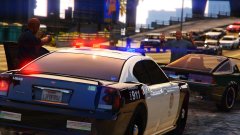 I think that's what he was pointing to. The stickers are completely fucked.
 -
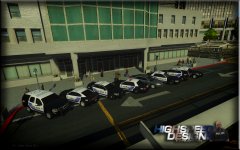 No need to sound so hostile, I know who you are, sheesh. I was just asking as they look similar to mine which I put out a year ago.
 -
This is absolutely ridiculous and prejudiced. Not only does it bear significant resemblance to segregation, it'll make simple police interactions take way longer than they should.
-
Whelen Edge 9M. Also, moved to GTA IV Discussion. This has nothing to do with LCPDFR.
-
Moved to GTA IV Support Requests, this has nothing to do with GTA V yet alone LSPDFR. ELS doesn't work with the default cars. You have to use ELS enabled car mods. This topic has been moved to the appropriate forum. Please post in the correct location in the future.
-
...are those my skins?
-
-
Someone commented asking for support within this topic, Couth replied telling him to create his own, and I hid the post. Just ignore it. :)
-
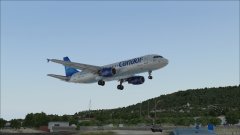 Ah. I seriously miss FSX. I may have to buy it on Steam.
 -
Is this FSX or P3D?