




Illusionyary
Members
-
Joined
-
Last visited
Everything posted by Illusionyary
-
.thumb.png.3e9a0d5e0f5e8fb13b045c79a8597a8f.png) The speaker and lightbar are far too big.
The speaker and lightbar are far too big. -
 Beautiful image.
 -
I'm sure if you go to a cosplay event or whatever it'll be fine... but wandering around in public flashing your badge and gun at people is a really bad idea.
-
 An unmarked version like the GMC in US Marshals would be really cool.
 -
-
Don't launch the game via Ragehook. Due to the way LSPDFR works, launching the game with Ragehook (and thus automatically loading LSPDFR) will make the cops think you're one of them and not target you.
-
Can you specify what this error message says? I run Windows 10 and GTA V works fine for me, however I haven't modded it.
-
Please post here instead: http://www.lcpdfr.com/forums/topic/5287-want-to-play-mp-right-now/ If you feel this topic has been closed in error, please report this post.
-
Yes it is. Xlive blocks GFWL. If you want to play online you'll have to use dsound.
-
Nice, can't wait!
-
 Lol. Yes. Lund got his Tiger tank today so he's rather excited. I happened to crank up my graphics to maximum, so I decided to share some images too. ^^ Regarding your image though, LVMPD stuff seems quite popular now, do you happen to know why? I'm not a big fan of their design to be honest, but the skin looks good.
 -
Certainly will be keeping a close eye on this. I had a blast just messing about with Mafia II so I can't wait to play Mafia III, especially if it's set in the 60s/70s. We've got lots of potentially great games coming out at the end of this year/early next year!
-
From the album: War Thunder
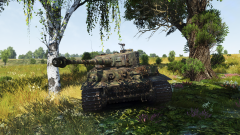
The crew of a Tiger wait patiently to ambush American forces. -
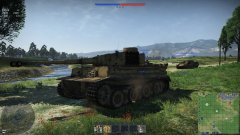 inb4 derped by Russians
 -
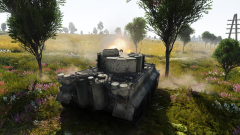
From the album: War Thunder
-
It's likely that Buggs just converted the texture over to that model, which is why the version you have isn't working with it.
-
After several patches and driver updates, I finally managed to get my second monitor to work. Windows 10 is really slick and quick, but it's a tad confusing for someone who's upgrading from 7. I'm liking it a lot so far, though.
-
As Lund said, vehicle modding is not currently possible. Also, moved to GTA V Suggestions and Requests as this has nothing to do with LSPDFR. This topic has been moved to the appropriate forum. Please post in the correct location in the future.
-
Definitely waiting then. The last thing I want is Windows telling me "colour" is spelt wrong.
-
Really excited to upgrade actually, just have to wait when until my wave is rolled out.
-
Tally-bally-ho! Those Jerry's won't know what hit them! ib4 decimated by OP Russian tanks...
-
Nope. Somewhat off topic but I recall reading somewhere that only those fresh out of the academy actually wear the long sleeved shirts and ties within the LAPD, meaning that (as the LSPD are based on the LAPD) the patches should be on the short sleeved variation of the uniform, not the long sleeved variant.
-
Please don't bump your own topic. Someone will most likely reply if they know the answer, just be patient.
-
Provided you have LSPDFR installed, just drag the folders into your main directory. Also, moved to GTA V Support Requests as this is not an issue with LSPDFR itself.
-
These are unlikely to happen as; 1. Unlike in GTA IV, specific voice lines for the officers simply don't exist. 2. Simply not possible without modifying the original game files with new models, clothes, etc 3. GTA Online does not support mods. This being said however, unofficial multiplayer platforms, much like SAMP for GTA SA, are being developed for V and LSPDFR may support them in future. 4. Yet again, this is not possible without modifying the game files as computers aren't present inside the police vehicles.

.thumb.png.3e9a0d5e0f5e8fb13b045c79a8597a8f.png)


