




Illusionyary
Members
-
Joined
-
Last visited
Everything posted by Illusionyary
-
A model is the car itself whereas a texture is just the paint scheme on that said car.
-
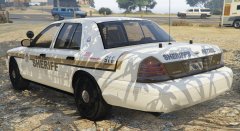
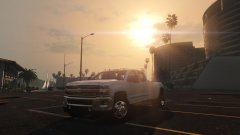
From the album: GTA V Illusions
I decided to convert one of my favourite textures over to V, it looks perfect in the environment that San Andreas provides. The dark patches on the skin are simply the shadow of the tree I was parked under. -
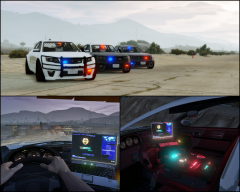 The laptop and console are positioned way too high.
 -
At the moment, yes, the current one for V is not very good. Cj24's for IV was perfect however.
-
GTA V doesn't have a vehicles.ide file.
-
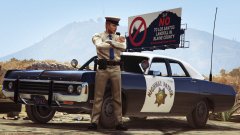 We've had enough of your city trash!
 -
These words don't belong in the same sentence together. The Schaefft model is extremely in-accurate in comparison to the Driver: San Fransisco model. Why do you think that even Bxbugs123, the long time user of that model, went to the D:SF model too?
-
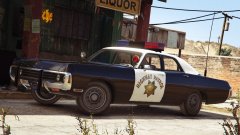 It's the default lightbar from the North Yankton Police Roadcruiser, just scaled up, so it'll flash like that.
 -
Can we not use Caps Lock all the time?
-
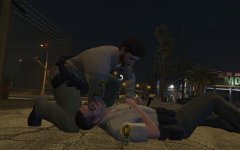 You scare me.
 -
I'm sorry but all I can think of when I see this image is this:
-
-
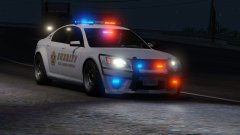 Do want.
 -
What program did you use to make these? You should never free-hand straight decals.
-
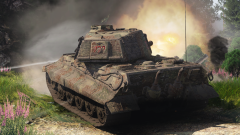 Arcade can definitely be fun, but I think I prefer RB simply because there's no giant red markers over enemy tanks. It's much more intense when you've actually got to look out for enemy tanks and then shit yourself when you mistake a rock for a tank. XD They definitely need to fix some stuff with the Russian tanks though. The T34 1942, 1941 and the 1940? too (maybe) are really overpowered. The guns one shot everything and the armour just deflects like nobody's business. It's literally a slaughter of the enemy team. I just can't play the T34 1942 anymore because it's too easy.
 -
I despise the planes in arcade (back when I started in the Ground Forces CBT there were no planes and everything was wonderful), so I mostly stick to realistic as it at-least takes skill to spot and kill a ground target. They probably won't. Russian bias an' all. ;)
-
I agree, although being one shotted by them 90% of the time really pisses me off. According to the forums the shells are actually broken and have the equivalent damage factor as the 152mm shells, which would explain the one shots.
-
Oh I know, it's just that the gun on it is troll.
-
The IS2s and T54s are annoying enough, I doubt I'll get any stuff higher than 6.7 anytime soon anyway, lol. Yeah sure, it'll be fun.
-
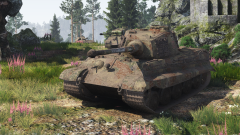
From the album: War Thunder
After holding my own against four enemy tanks, backup finally arrives. -
I'm working on the Panther G at the moment, one day I'll get the Panther II, lol. I do too. They're monsters of machines.
-
I literally unlocked this thing a day ago. I don't have anything for it, but I love it already. It's by far my favourite tank. Over rigs?
-
From the album: War Thunder
-
 Yeah it's a pain in the ass. Hopefully management can get it sorted out soon.
 -
This is a known issue. I've fixed it, but please report it next time.


