




Illusionyary
Members
-
Joined
-
Last visited
Everything posted by Illusionyary
-
 Now now, there's no need for the hostility. OfficerFive0 was only trying to help.
 -
It's the same all over Australia. The cops just knock on your door a day or so later and arrest you there instead.
-
 That's MORE than enough. There is absolutely no need for the amount of profanity that you have been using on our forum. You need to calm down.
 -
It's an interesting idea but I can't see it working because there is no-way that an officer is only going to fire a single shot at a suspect who's charging them.
-
 SUV textures aren't really my forte, but as I did make these in much higher resolution than normal I should be able to convert the liveries over to those models without much hassle.
- 11 comments
- 9 reviews
-
-

- 1
-
-
Are you using any graphic enhancing modifications? Moved to GTA V Support, the LSPDFR Support section is for support regarding the LSPDFR modification and plugins only. This topic has been moved to the appropriate forum. Please post in the correct location in the future.
-
 Thanks, I'm using this one:
 -
I'm really not sure then. You should just be able to open the vehicles texture file (.ytd), replace the liveries with these, save and you're good to go.
- 11 comments
- 9 reviews
-
True, however due to the department it's based on I felt "city" looked better. Granger itself only has about 1500 residents so it's not exactly a city either yet their patrol vehicles still say city on them. Are you sure you installed it correctly? Keep in mind the instructions I provided were example only as the slots vary from file to file.
- 11 comments
- 9 reviews
-
From the album: GTA V Illusions
No weathered versions as of yet as I'm still experimenting but the core liveries are out! -
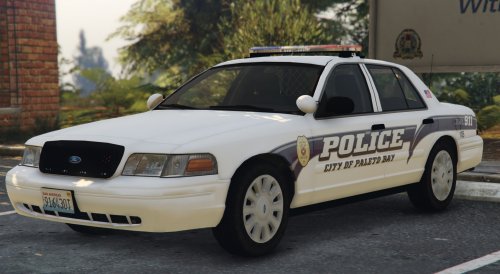
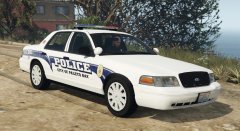
A series of Paleto Bay Police Department textures based on the Granger Police Department for any Driver San Francisco Ford Crown Victoria Police Interceptor model. These liveries come in both 2048 (standard) and 4096 (double) resolutions. If you are experiencing issues with the 4096 versions, please use the 2048 versions instead. Features: Scratch made decals, logos and license plates Ultra High Quality Versions Supervisor Unit Photoshop Document (this is somewhat messy, sorry) These textures are free to edit provided I am credited for my work. Be sure to leave feedback below! Thanks for downloading!
- 11 comments
- 9 reviews
-
-
- 4
-
-
Well that's because GTA IV has been out for 7 years now and GTA V is barely a year old on PC. I've personally always liked the Touchmaster Delta so I run it in both IV and V.
-
 Considering this is a Dorner meme, no.
 -
 Easier said than done lol.
 -
From the album: GTA V Illusions
My second attempt at weathering liveries using Photoshop brushes. Thoughts? -
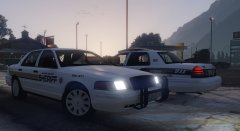
From the album: GTA V Illusions
The Blaine County Sheriff's Office works closely with the Paleto Bay Police Department to minimize crime in and around Paleto Bay. -
 That's what I figured since it's a "beachy/wavy" design. The only problem is that Paleto Bay is such an insignificant area in the game I can't see many people using it, lol.
 -
Oh. We don't exactly have deer over here (there are some but I've never seen one ever) so it made no sense to me, lol.
-
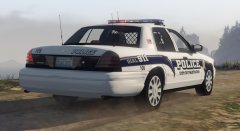
From the album: GTA V Illusions
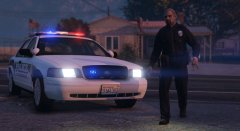
Unit 105 of the Paleto Bay Police Department responding to a call on the beach. Should I make a Los Santos version too? -
What purpose does the deer serve?
-
'MERICA! Seriously though, you don't hear about this shit happening in other countries. I'm a massive nerd who gets mad when people insult my beloved anime characters but you don't see me whipping out an assault rifle and making death threats because of it.
-
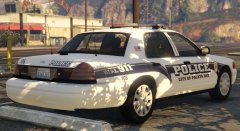 Thanks! I'll be releasing this texture set in the coming days. :)
 -
From the album: GTA V Illusions
A Paleto Bay Police cruiser spotted at the local Sheriff department building. One of my favourite livery designs re-created in glorious 8K (scaled down to 4K) for Grand Theft Auto V. More pictures below. -
Moved to Grand Theft Auto V Modding Discussion & Information. The LSPDFR Discussion & Suggestions section is for discussions pertaining to the LSPDFR modification itself. This topic has been moved to the appropriate forum. Please post in the correct location in the future.
-
I'm not exactly sure what you're asking but as general rule of thumb check if the file has a readme or installation instructions and go from there.

