




Illusionyary
Members
-
Joined
-
Last visited
Everything posted by Illusionyary
-
That's it! Thanks, that helped me too. I completely forgot about that.
-
I updated my last post, try doing what I said again. I can't remember how to scale them properly either, it's been at-least 3 weeks since I've used Zmod.
-
Did you try selecting it and scaling it down in Polygon mode using the Z axis? You're also missing a few textures there.
-
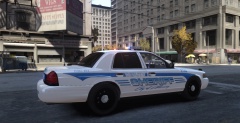 Very nice.
 -
What are your computer specs? Type "DxDiag" into the Windows Search Box and copy out your computer information from there.
-
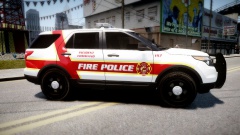 It's the fire cops! D:
 -
Whenever I had that glitch I would just spawn a new car and ELS would work fine.
-
MODERATOR NOTICE Moving to GTA IV Support.
-
It's not too bad for a first, I've definitely seen worse. But it's still very bland. Add some badges, more stripes, colours and change up your fonts and it'll look much better.
-
It's a multiplayer bug, the only way I know to get rid of it is to spawn a new car. I'm sure there's another way though.
-
I'm fairly sure that lightbar is supposed to be for high visibility traffic enforcement, not stealth units.
-
 Like a baws.
 -
It's your graphics chip. It doesn't stand a chance of running any modern games, especially GTA IV. If you have the money, ditch the laptop and buy a custom gaming computer, or make one yourself. They don't come cheap though.
-
Judging by that result, no not a chance. You'll be lucky if it even lets you install it.
-
What's your graphics card? Since you have a touch pad, I'm guessing you're on a laptop?
-
In no particular order. 5. The Disappearance of Haruhi Suzumiya 4. We Were Soldiers 3. Dirty Harry 2. Saving Private Ryan 1. Super Troopers Those are the ones I can think of off the top of my head, I like many others, perhaps even more than those listed.
-
MODERATOR NOTICE Wrong section. Moving to GTA IV Support Requests. Try editing the display size in the enbseries.ini.
-
I've removed your phone number from your post for your own safety. LCPDFR is an auto installer, which means it installs itself. The only thing you need is GTA IV on the PC and the game to be patched to 1.0.7.0. If you're having issues, please create your own topic in the appropriate forum section.
-
As of right now, there are 120015 members. Probably only half of those are active accounts though, still, it's a lot of work for a staff team consisting of 12 people.
-
I like what you've done with the license plates, I know ineseri will disagree, but they look much better that the default ones. Nice work!
- 9 comments
- 8 reviews
-
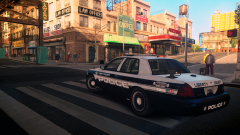 It is, yes. We're just relaunching after some months of closure. That unfortunately means this livery will not be released to the public, at-least not until we have a redesign. No it's not, this car was made long before you started releasing parts. :)
 -
Spring and Autumn are my favourites. In summer, it's too hot here (gets up to about 47oC - 116oF on some days) and in winter (after getting used to an average temperature of about 28oC - 82oF during autumn and spring) it's too cold, despite never dropping below 5oC (41oF). Around about 25oC to 30oC are my favourite temperatures.
-
-
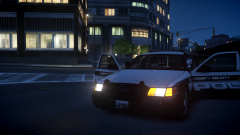
From the album: LCPSR 2.0
LCPSR 2.0 relaunch livery. Vehicle pictured is for demonstration purposes only. -
The troopers reaction when the Corvette zoomed past was priceless.

