




Illusionyary
Members
-
Joined
-
Last visited
Everything posted by Illusionyary
-
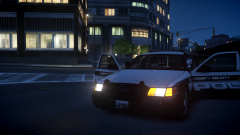
From the album: LCPSR 2.0
-
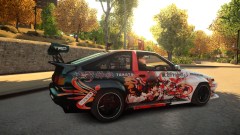
From the album: Illusions
...there's a car just like this. <3 -
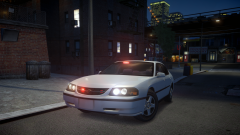
From the album: Illusions
I'm not usually a fan of Impala's but damn this one is nice. -
Seriously though, you'll just have to wait. My Origin wouldn't work for at-least 48 hours the other day, I tried everything and not one thing worked. It eventually fixed itself.
-
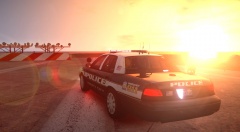 Dat flare
 -
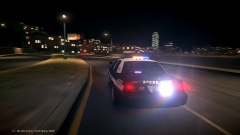 The lightbar look good but the wig wags in the taillights are way too bright. I love the motion blur though.
 -
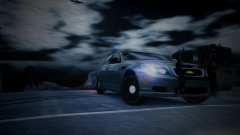 It's that damn Australian heat... melting our cars!
 -
MODERATOR NOTICE Moving to GTA IV Discussion. The Vehicle Modifications section is only for WIPs and RELs: '?do=embed' frameborder='0' data-embedContent>> Try going through Sgt.Kanyo's lines, I'm not sure if he's made any for those cars though: '?do=embed' frameborder='0' data-embedContent>>
-
MODERATOR NOTICE Moved to GTA IV Suggestions & Requests. The Vehicle Modifications section is only for WIPs and RELs: '?do=embed' frameborder='0' data-embedContent>>
-
MODERATOR NOTICE Moved to GTA IV Suggestions & Requests. The Vehicle Modifications section is only for WIPs and RELs: '?do=embed' frameborder='0' data-embedContent>>
-
MODERATOR NOTICE Moved to GTA IV Suggestions & Requests. The Vehicle Modifications section is only for WIPs and RELs: '?do=embed' frameborder='0' data-embedContent>>
-
Hi, please create your own topic regarding this issue instead of hijacking another as not all problems are caused by the same thing.
-
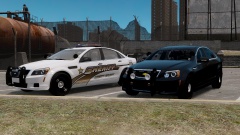 That marked Caprice looks super sexy.
 -
 '?do=embed' frameborder='0' data-embedContent>>
 -
From the album: Illusions
You bet. -
Glad you resolved your issue. Closing. Nothing to see here! This topic has been closed by LCPDFR.com staff. If you feel that this topic has been closed in error, please report this post.
-
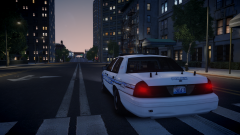
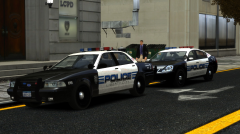 Haha, you're welcome. Have you considered changing the license plate to something more unique? I always found the standard license plate a bit tacky.
 -
Let's not let that happen. We don't need another thread full of complete retardation. Please stay on topic, otherwise your post(s) will be removed.
-
Who the hell let you out of the water cooler? Get back in there, you!
-
Since when was April Fools a celebration? Oh who cares, you're all banned either way. Nothing to see here! This topic has been closed by LCPDFR.com staff. If you feel that this topic has been closed in error, please report this post.
-
Just click continue and save the file like you normally would. It's a model specific issue, just ignore it. I'd recommend using OpenIV, it's a lot better than SparkIV.
-
That looks much better. Nice work.
-
Yeah, your graphics card would be what's causing the issue. It can't keep up with Real Traffic.
-
Try removing Real Traffic, my old computer really struggled with anything other than Traffic Control System. What are your computer specs? As for the ELS lights, try using a Time Cycle. It won't look as good as an ENB, but it'll get pretty close: '?do=embed' frameborder='0' data-embedContent>>
-
Try using ELS Express Mode (Alt+Backspace), this will disable all of ELS's keybindings and place them on a single button, the default GTA IV horn/siren button.


