




Illusionyary
Members
-
Joined
-
Last visited
Everything posted by Illusionyary
-
Starting off it's confusing as hell. Once you've learnt the tools and what they do, it gets a bit easier but it's certainly not a walk in the park. Just keep trying and trying and eventually you'll get the hang of everything, don't expect to learn everything in a few hours though. Zmodeler 2 isn't a very good program, it's riddled with bugs and constantly crashes, however it's the only program that can export in GTA's format so you will need it for conversions. Go for the latest one, Zmodeler v2.2.6.
-
These two are my favourites, I often switch between them. Perhaps you'll like them too. Click on the spoiler button to see how they look in my game, keep in mind I have everything maxed out. '?do=embed' frameborder='0' data-embedContent>> '?do=embed' frameborder='0' data-embedContent>>
-
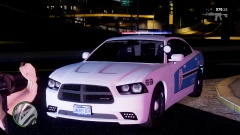 Knock it off, both of you. We don't need another pointless flamewar, chevyboy never claimed the model as being his, so I don't see what the problem is.
 -
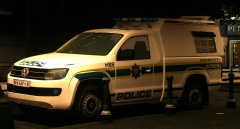 Brilliant looking truck. You've done an awesome job on it!
 -
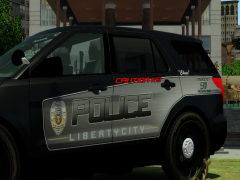 Chase is a little generic, how about "Razor"? I'm terrible with names. Dat skin tho
 -
 Nope, all seems in order.
 -
It's this one: '?do=embed' frameborder='0' data-embedContent>>
-
That's true, I forgot about that. You can edit the settings a little bit with Movie Maker though, if you scroll all the way down to the bottom of the save movie option you'll see "Create Custom Setting". If you want to lower your file size even further I'd drop it down to 720p but it's really up to you if you're happy with one hour upload times. I know I would be, it's take me around 10 hours to upload a 1GB file to YouTube, lol.
-
Although not likely, it's possible. You could always try removing the car mods and installing LCPDFR to see if it makes any difference. The cars are probably what are causing the SMPA60 error though, follow the guide ineseri linked to troubleshoot that.
-
3GB? That's pretty large, how long is the video and what format are you using to render? Glad I could help though!
-
"Sup?" "The new, Mini Compact Edition!"
-
That's pretty hypocritical coming from someone who hasn't released, yet alone posted, anything on LCPDFR before. You didn't even bother to offer suggestions, instead you just call it a "shit heap" and go on to talk about how we're degrading the modding community. There are plenty of "good" models being released on a regular basis and nobody is forcing you to download this particular model, either offer constructive criticism or don't post at all. That green banner is there for a reason, follow it or face serious repercussions.
- 13 comments
- 3 reviews
-
-

- 8
-
-
This would of been done through an advanced video editing program, such as Sony Vegas or Adobe After Effects.
-
I'm not exactly a car savvy person, but from what I've read it's never a good idea to buy a retired police vehicle for a number of reasons, the most prominent being that the car has been pushed to the limit over the years by the department. Yet again, I'm not car savvy so I wouldn't cancel/proceed with your purchase simply based on my opinion.
-
MODERATOR NOTICE This section is for suggestions and support with the LCPDFR.com website only. Moving to GTA IV Suggestions & Requests.
-
There aren't many decent freeware editing software out there, your best bet is Google. I did a quick search but it looks as if they're all mostly the same as Windows Live Movie Maker (in terms of tools). In regards to your large file size, use a compressor, such as HandBrake, to compress videos to a lower file size without a loss of quality.
-
MODERATOR NOTICE Wrong section. Moving to GTA IV Suggestions & Requests. Hi, what exactly are you after? Textures, models? Also, provide some pictures of what you want, this way if someone likes what they see they will more likely take on your request.
-
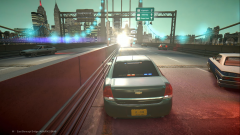 I would not want to drive towards that. You'd go blind... lol
 -
I used to play it a lot but now I hardly ever play it. Your picture is awesome, are you using any graphical mods? I don't remember the game looking that good. Here's a screenshot I managed to dig up on my imageshack account. It's the CaptainSim Boeing 727 with some Hong Kong scenery, I can't remember what company the scenery was made by though.
-
-
-
Delete all your games folders and uninstall the game. Now reinstall the game and once it's finished installing copy the GTA IV folder. You should now have 2 game folders (for example, one folder is called Grand Theft Auto IV 1.0.4.0 and the other is called Grand Theft Auto IV 1.0.7.0). As long as the folders are not called "Grand Theft Auto IV" the patches won't install. So just rename one of the folders at a time to "Grand Theft Auto IV", install the patch and then rename it to something else before installing the other patch, now repeat with the second folder.
-
-
It was certainly entertaining but I didn't find it particularly funny. Nice find anyway though.
-
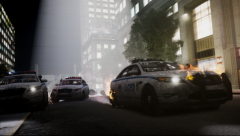 Awesome screenshot! I assume this is patch 1040 or lower?

