




Illusionyary
Members
-
Joined
-
Last visited
Everything posted by Illusionyary
-
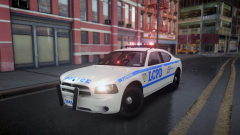 I wish. The best I can do is RC20 my game, lol. It's made by Bxbugs123.
 -
<3
-
Did you modify the VCF config so it's correctly set-up for ELS V8?
-
From the album: Illusions
ELS V8! -
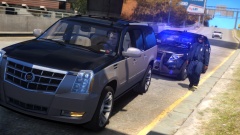 I would of waited until he exited the highway, or just rammed him onto the median since LC's drivers have a tendency to rear-end you.
 -
Read the documentation included with the download. There's a section for fixing this.
-
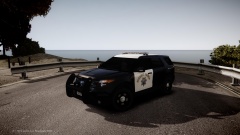 Sex on wheels.
 -
ELS V8/V7 will work on any ELS enabled car. I was running ELS V4 cars on V7 at one point, the staging didn't work correctly, but everything else did.
-
Pulled over on the left-hand side of the road, on a highway... what could go wrong?
-
You're welcome. I know what you mean, finding songs for this sort of stuff isn't easy and unfortunately I don't have any suggestions as to what would fit either.
-
I believe the correct term would be a slideshow, regardless of that, you've got some lovely pictures here. The Land Rover Defenders are really cool. I'd suggest adding some music though, as I lost interest half-way through.
-
You are aware Olanov is a retired staff member, right? He's not officially part of the Community Team anymore. Threads like these are bound to start a debate, but I agree with you, this one is starting to get a little out of hand. Any further provoking/insulting/flaming/off-topic posts will be removed from now-on, so please refrain from posting them.
-
Yes that has been implemented. You can see it in action in the first few seconds of the embedded video, ELS is enabled and the vehicles door is open - something that was only possible with V7's "Cruise" lights function.
-
This a huge step-up from V7, the new and improved features look amazing! I can't wait to see more.
-
Late Afternoon to Dusk because it looks beautiful with CryENB V1.
-
YouTube is derping. Something similar happened to me (this was a few months back though), I uploaded a 1440p video (2560x1440), only for YouTube to downsize it to 1080p (1920x1080). All my other 1440p videos before that one worked fine. Needless to say, I haven't tried 1440p after that.
-
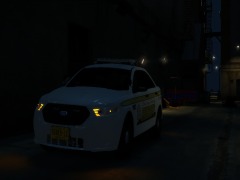 So it does. I'd definitely try making it a little thicker, it could be your ENB, but it's hard to notice the glass in-game.
 -
It's a little hard to tell from the pictures, but they look as if they are missing the glass.
-
Looks good! Headlights could still do with some work though.
-
I wouldn't say they were "bad" songs (definitely not my style of music though), it's just that they didn't fit the video in my opinion. You've got some great footage though.
-
ELS (Emergency Lighting System) is a separate mod which will only work on ELS enabled vehicles. If you have no ELS enabled vehicles, you don't need it.
-
Why do you feel the need to create a new topic for every question you have? A web search will get you plenty of answers. A law enforcement officer is a respectable job in any country, it's just dependent on whether that officer deserves that respect or not. You'll always see the bad things officers do as it gets plastered all throughout the media and social networking, it's a rarity that you'll actually see an officer being applauded for doing the right thing.
-
MODERATOR NOTICE Moved to LCPDFR Discussion. Hi, welcome to the forums. You can find a wide variety of vehicle modifications, scripts, textures and other awesome stuff in our downloads section, here http://www.lcpdfr.com/files/. Be sure to backup your original game before modifying it in-case anything goes wrong!
-
MODERATOR NOTICE Please create your own topic in the LCPDFR Support Requests section rather than hijacking another.
-
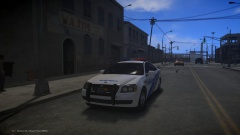 Scale it down to 1:18 size and we'll have a cool RC car to play around with!


