




Will
Management Team
-
Joined
-
Last visited
Everything posted by Will
-
We don't support cracked versions of the game, buy it if you want support from the community. If you feel this topic has been closed in error, please report this post.
-
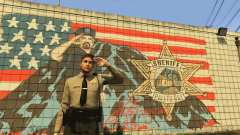 There is no Blaine County Sheriff. There's only the Los Santos County Sheriff's Office, which has a building in Paleto Bay.
 -
Your topic has been moved to LCPDFR Support Requests. Please post in the correct location in the future.
-
Install this, choose x86: http://www.microsoft.com/en-us/download/details.aspx?id=30679
-
We, the staff team, say cracked versions are not supported. Buy the game if you want support from the community. If you feel this topic has been closed in error, please report this post.
-
Install this: http://www.microsoft.com/en-us/download/details.aspx?id=5555
-
If you have a folder called "LCPD First Response" move everything out of it and into the main GTA IV folder (where GTAIV.exe is located).
-
This topic has been moved to the appropriate forum. Please post in the correct location in the future.This topic has been moved to the appropriate forum. Please post in the correct location in the future.I'm pretty sure the strobe lights already stay on when you exit a vehicle, but this mod lets you leave the engine running: https://www.gta5-mods.com/scripts/realistic-vehicle-controlsThe log check error is redundant. It just means there is an error in one of the logs, which there will be if you don't have the correct dependencies installed.You can try uninstalling them from the "Uninstall a program" menu in the control panel, then installing them again.Moving to GTA V Discussion since I believe you are asking if a gang mod for GTA V is possible. This topic has been moved to the appropriate forum. Please post in the correct location in the future.Install this, choose x86: http://www.microsoft.com/en-us/download/details.aspx?id=30679Pause the game first and alt-tabbing should work fine. Also, LCPDFR (well, advancedhook) has a built-in feature that lets you switch the game to windowed mode. Just press alt-enter while in game and you should be able to alt-tab without any problems.Yes, there's a problem showing in the diagnostic tool because that script was causing crashes. The error says that the log file shows a problem. The log file will always show a problem because it isn't overwritten when you start the game. Does LCPDFR work in game?Install this, choose x86: http://www.microsoft.com/en-us/download/details.aspx?id=30679There's a problem with another script you have - Fuel Script - LCPDFR should work in game.Your thread has been moved to GTA IV Discussion & Media. The Suggestions & Requests forum is only for requesting or suggesting mods that have not yet been created, and is not the place to look for existing mods.Moving to the LCPDFR API Development support section. This topic has been moved to the appropriate forum. Please post in the correct location in the future.Or you could just use that script along with LSPDFR...It's the little things that count...like in San Andreas there were trucking side missions and the train thing if you stole a train. It would have been nice if Rockstar brought those back.Install these: http://www.microsoft.com/en-us/download/details.aspx?id=30679 (choose x86) http://www.microsoft.com/en-us/download/details.aspx?id=5555Remove the mods and install them one-by-one to make sure each works properly.

