




Will
Management Team
-
Joined
-
Last visited
Everything posted by Will
-
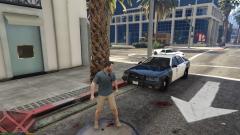 Yeah, sometimes it might spawn with 2 lightbars on top of each other. Surprised they never fixed it.
 -
RIP Rockstar servers.
-
Tried running the launcher through Steam...stopped responding. Ran it outside of Steam, now it's downloading more stuff.
-
Well I see a couple of problems in the log. The first says that you have "LCPDFR Loader.net.dll" in the main GTA IV directory, when it needs to be in the "scripts" folder only. The next is explained here: '?do=embed' frameborder='0' data-embedContent>>
-
The default GTA IV police cars are already in the game...LCPDFR doesn't add them, it just uses whatever cars are present. You are not modding LCPDFR when you change the police cars, you are modding GTA IV. Having LCPDFR install car mods would create the same problems as when you install car mods. It crashes because of GTA IV, not LCPDFR.
-
If you are having issues, post in this section and follow all of the instructions: http://www.lcpdfr.com/forum/20-support-requests/ Welcome to the forum!
-
MODERATOR NOTICE Your thread has been moved to the GTA IV Support Requests forum, as it is not an LCPDFR support request.
-
No...you can use a controller on PC... I don't know what it would be then.
-
MODERATOR NOTICE Moving to GTA IV Discussion & Media as this is not a LCPDFR support request.
-
Are you talking about the headlights and taillights? If so, you need to enable the coronas in the car's VCF. See the ELS user documentation for more info (edit: or the post below mine).
-
MODERATOR NOTICE Moving to GTA IV Discussion & Media since this is not a LCPDFR Support Request.
-
I don't know for sure since I can't find it documented anywhere, but you could try LeftTrigger and RightTrigger (since it was intended to work for Xbox controllers). LCPDFR has controller support.
-
MODERATOR NOTICE Your thread has been moved to the GTA IV Support Requests forum, as it is not an LCPDFR support request.
-
In LCPDFR.ini: Under [Main] DisableRandomPoliceChatter=True DisableSuspectTransportCutscene=True Under [Callouts]: DisableBoatCallouts=True
-
What the hell is 1O.D? Trojan - Stop using McAfee...one of the worst anit-virus programs. Spawning as Niko - obviously something wrong with your game since no one else has ever had this problem, plus you have a trainer...use it to change peds. Don't like the restoring - disable it in the .ini or diagnostic tool. Game lagging - don't play on a toaster. wig-wags on car - enable in the .ini or diagnostic tool. partner car healing, ELS, whatever else - all outside functions that LCPDFR does not control. backup didn't "secure the scene" - Yeah, they did. "Securing the scene" doesn't mean they talk to each other and do whatever else in the mod, they just deal with any criminal peds in the area, and that's all they are meant to do.
-
The corona takedowns use the dummies for extra_5 and 6 to find the location. You can have the actual extra_5 and 6 in one place (they still function as WRNL, just without takedown functionality), and the dummy (little blue box) somewhere else.
-
These might help explain the problem (from >this topic):
-
Make sure _SLOTCONTROL.ini is set up properly.
-
'?do=embed' frameborder='0' data-embedContent>>
-
No, those coordinates are for the environment effects. They have nothing to do with the placement of the lights -- that's a model issue that can only be fixed in zmodeler. You would have to have access to an unlocked version of the model to fix it.
-
When you use xlive, the savegames go in your documents. When you use dsound or no asi loader (so with the GFWL stuff running), they go in C:Users[username]AppDataLocalRockstar GamesGTA IVsavegamesuser_[random string of numbers and letters] Just copy the savegames into both directories and you will always have them.
-
Pretty much, yes. The "default_config" that comes with each ELS installation can be used as an example of what it should look like.
-
Make sure you have LCPDFR 1.1 installed, and open the one in the LCPDFR folder named "LCPDFR Diagnostics Tool.exe."
-
Reinstall using the manual installation.
-
If there is a folder called "LCPD First Response," open it and drag all of its contents to your main GTA IV folder. Replace when asked.

