




Will
Management Team
-
Joined
-
Last visited
Everything posted by Will
-
So activate a vigilante mission through the normal computer, then activate LCPDFR and force duty.
-
So I decided to start recording some things while playing so I can upload it if I felt it was interesting; maybe start making videos with some of the clips. This is the first thing I ever recorded, and for some reason a spotlight spawned in my hand instead of my baton. Seemed like something I could upload... RP story: The drunk driver gave me some weird disease that caused a spotlight hand. After recording stopped, I called dispatch to send me a hazmat team. Edit: Also, if anyone could tell me why my radar disappears when I get out of the car, that would be great.
-
He was referring to the "Has this been about ps3 the whole time?" part I believe.
-
I had this problem. What needs to be done is you have to manually edit the files in common/data because, for some reason, the installer doesn't. I don't know what the cause is. If you want to do it yourself, then just follow the uninstallation instruction for all the files in common/data, but add the lines instead of removing. The line that needs to be in WeaponInfo.xml isn't fully shown in the uninstallation, so I have attached mine. BACK UP THE FILES YOU EDIT BEFORE YOU EDIT THEM in case you make a mistake. If you don't know how to edit the files or are afraid of doing it yourself, I can send you all of the files needed if you PM me.
-
That was a really good episode.
-
You have to put it in the "Scripts" folder.
-
Doesn't really matter as far as I'm aware...http://www.tomshardware.com/forum/310977-28-nvidia-gpus-cpus
-
Do you have GTA IV on your computer?
-
-
1 GB of RAM will not be enough for GTA IV. I'm assuming by "I have the disc," you mean you have it for Xbox 360 or PS3. To get it for PC, purchase it. There are plenty of places to download it, including, but not limited to, Steam, Amazon.com, and Gamestop.com. G17 Media (LCPDFR) does not support the use of pirated games, and therefore LCPDFR most likely will not work if you illegally download it.After you import police2.wtd and police2.wft, save and rebuild, then close the archive. Then go back to it and "Edit" police2.wtd. Everything else you did was fine. I don't know why, but if you import a vehicle into SparkIV then immediately try to edit the .wtd, the changes won't work. You have to close vehicles.ide first. The order in which you save and rebuild shouldn't matter. I always save then rebuild. I'm pretty sure they both accomplish saving the archive, regardless of which you do.Damn, you made me want to play that game. Might have to dust off the PS2 later.So many buses at the airport! Typical FDLC, ignoring an injured personThey only close topics that are against community guidelines now.Is xlive.dll (not recommended unless you need it) or dsound.dll in your GTA IV directory?Name of the new skin doesn't matter. SparkIV will keep the original name in the .wtd, but the file you import can be named anything.Save it to the desktop then copy it over to the directory. Replace the original file.When you import into the .wtd, you need to first highlight the file to replace. So first select "police_sign_1," or something similar, and then import the new skin. You might have to re-install the car to fix the blue wheels.
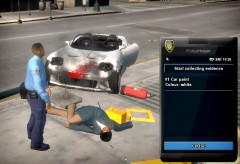 Can't wait to finally be able to use this later on todayYea, traffic pretty much freezes behind you for, I think, 25 seconds.Issue 1: There is a separate button to activate ELS lights. Default is: J - Primary; K - Secondary; L - Takedowns Issue 2: Disabling ELS for AI in ELS.ini in your GTA IV directory will slow down the crashing, but the AI will not use the lights; they will only use sirens.Well I started by watching some random videos of police stuff in GTA IV. Both PPM and LCPDFR. Eventually I came across NB and pretty much stuck with watching his videos. I didn't have a computer that could handle it, so I asked for a better computer for Christmas one year, and even that one couldn't handle. So then I got a new video card so it could. This was all back in 2011. I joined these forums but never really became active until recently. The reason I became more active, now. While watching NB's videos, I noticed he started playing on an SAMP server called FCRP. I then found out that the same people that started LCPDFR started FCRP, so naturally I had to get SA on PC and join that. I was much more active on those forums than these, helping people with things and stuff. As the FCRP community grew, the Staff Team there needed more moderators, so I applied. After a while, Sam brought me into the Staff Team as a Junior Server Moderator. When the server went down, Sam actually promoted me to a Server Moderator (not Junior anymore), but then never brought the server back. Anyway, since I enjoyed being a part of the community over there, I decided to start posting things over here, helping people and stuff.

