




Will
Management Team
-
Joined
-
Last visited
Everything posted by Will
-
Anyone else notice that those police cars are completely different from the ones shown previously? I think these ones look more Taurus based while the other ones were the same Vapids as GTA IV.
-
Glad to be of assistance.(The first pinned topic in this section)I think the LCPDFR installer runs with winrar for me for some reason (the winrar icon is next to it), try downloading and using that.Go to your GTA IV directory (either Rockstar Games or in the Steam folder - depending on how you purchased it) and right click the GTA IV folder. Click Properties and click the box next to "Read-only" so that it is empty.
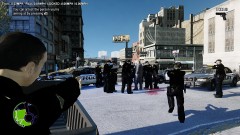 Did you catch him? lolTry changing the key bind in ELS.ini to something else. Instructions on how to change the keys are in the .ini file. This should be in GTA IV Support, as it isn't related to LCPDFR.Another thing you could try is going to your Scripts folder, opening "FirstResponse.ini" and setting "PreloadAllModels" to TRUE. I don't know if this helps here, but I've seen it suggested before.Try this .NET Framework and this C++ Be sure to "Quote" me if you reply so I know you did.Run the installer as an administrator (right click the installer -> click "Run as administrator"). If this doesn't work, post another reply and be sure to "Quote" me so I know you replied and I can try to offer further assistance.I highly doubt that LCPDFR is responsible for that. Have you done anything to deserve a ban on your GFWL account from Microsoft? Running GTA IV mods in multiplayer doesn't, to my knowledge, cause you to get banned. Also, pretty sure this is in the wrong section as this isn't really a problem with LCPDFR itself.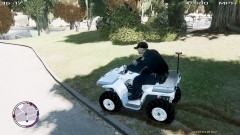
From the album: LCPDFR
Patrolling Middle Park on the with a custom NYPD skin made by myself.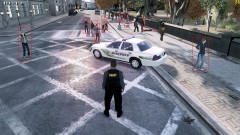 if I remember correctly.
From the album: LCPDFR
When they said "Fight in progress," I was expecting 2 people, not over 10!Go to ELS.ini in your GTA directory and set "Active = 1" to "Active = 0" on the non-els models. For '/' to work, you have to have LCPDFR running.Yeah...I was looking through some pictures on Google Maps when you zoom in all the way and saw an NYPD Prius.I don't know which setting caused it, but when I edited the Nvidia control panel setting things, textures and shadows started blinking in Arma 2. Just saying that editing these could cause problems in other games. Edit (didn't read the whole tutorial): Using just program settings should be fine. Editing global settings may cause problems.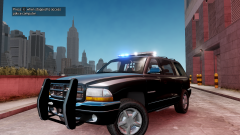 Meh, not a fan of the lightbar, but will definitely download if it's released!Just read the article. At least you guys are okay. "He saw a photo of a runner who had been knocked down by the blast, with two police officers helping him up and a third officer running toward the explosion with a gun drawn." It's amazing how the first responders run in there, regardless of how dangerous it is. It's times like these where you really have to thank the police, fire department, EMS, military - everyone who helps - for their service.Well the Patriot Act pretty much says that if you're even suspected of committing a terrorist act, you have virtually no rights (or something along those lines, I'm not a law major so don't chew me out because of this) Whoever did this will be caught. You can bet your ass on that. Putting that aside, condolences to all of those involved or affected by these terrible acts.NB - I recall you saying that you'll include files to change the light colors (Blue-Blue, Blue-Red, Red-Red). I just want to confirm that, since I prefer Red-Blue and can't be, how you say, "arsed" to change them myselfPut the music somewhere else and create a shortcut in the user music folder to each song. That's what I have to do.


