




Will
Management Team
-
Joined
-
Last visited
Everything posted by Will
-
Yes, but you don't have to keep the actual INSTALLATION FILES folder.
-
For ELS, all of the files in that "INSTALLATION FILES" folder need to go in the main GTA IV directory, where LaunchGTAIV.exe is. For LCPDFR, even though LCPDFR says to hold ~ to join pursuit, you need to hold E to join pursuit. I'm not sure why it shows the ~ for some people.
-
These are great, I particularly like the "what's an angel like you doing so far from heaven" at the end of the second video.
-
MODERATOR NOTICE Topic belongs in GTA IV Support, not GTA V Discussion. Moving.
-
The pop up is just for the configuration tool. You have to manually find LCPDFR.ini when using that tool. The game will work just fine, and there's nothing to worry about.
-
MODERATOR NOTICE Moving topic from Gaming to GTA IV Discussion & Media
-
Thanks everyone!
-
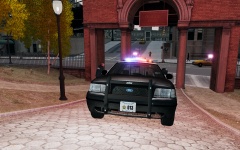 It's a rare sight.
 -
Olanov sitting in a modded car? Never.
-
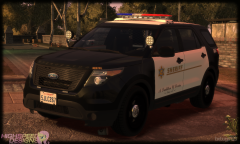 You're seriously bothered by that minor of a detail? Those caps look almost identical to me.
 -
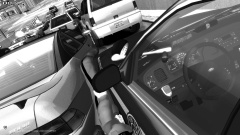
From the album: LCPDFR
This is why you MOVE OVER for stopped emergency vehicles. -
Adding police3 or police 4 to the cargrp file will not make them spawn in traffic (if they do, it's because they were loaded into the memory and glitch into traffic, without a driver, and not as police). As stated above, the game reads the file in slots. It will load the vehicles in the slots where police and police2 are by default.
-
Looks perfect to me.
-
Maybe someone more knowledgeable than me, like LMS, will know more about this:
-
What are the contents of asilog.txt, AdvancedHook.log, and ScriptHook.log?
-
The beacon will not work, as simple as that. Everything else does work because it is done by LCPDFR. The beacon is part of GTA IV, not any mod, and there are no files you can edit to change that. If you use an ELS vehicle, then I believe ELS will work on it, so along as you add it to _SLOTCONTROL.ini
-
That works, but it doesn't simulate a traffic stop that escalates to a felony stop. You wouldn't have the driver's information before approaching the vehicle (registered owner found by the license plate may not be the driver).
-
From the >LCPDFR 1.0 download page. But no, it doesn't solve that.
-
It is a part of LCPDFR...Enable ALPR in the police computer.
-
When ALPR gets a hit.
-
Only added vehicles called police3, police4, or policeb will have working non-ELS lights in GTA IV. It is hard coded this way, I believe. Those work because they are used in The Ballad of Gay Tony from EFLC. A vehicle called polcomet will not work. The cargrp.dat file is only used to determine what type of ped will spawn in the vehicle.
-
-
I beg to differ.... If you're going to say something you don't mean then don't say it. This man served his country, as well as the rest of his family. Now he's still trying to protect it's citizens by stopping police brutality. You would be ignorant to believe there is no police brutality in the NYPD. I will defend the police when it comes to justified violent actions, but what this man was talking about was unjustified violent actions. Beating people up in a peaceful protest is unjustified. Whether or not that actually happened, I don't know, I never kept up on the occupy Wall Street movement.
-
Bxbugs123 uses it on >this car, perhaps ask him.
-
So watch the new episodes.

