


OfficerJessica
Members
-
Joined
-
Last visited
Everything posted by OfficerJessica
-
You can unlock it and walk around the interior using this mod: https://www.gta5-mods.com/scripts/open-all-interiors Pretty much does what you asked, including working elevators and both versions (burned out and normal floors).
-
To be fair to the guy, he has somehow managed to found a company and get a budget of $12 million, so making a game could happen. No one's saying it'll be anything like the description he has on his website (or if it'll even get made at all), so we just don't know. Let's face it, we'd love a dedicated cop sim that wasn't total cr*p, but this guy is in too deep already. You'd need a studio of a hundred or more experienced developers to get this thing off the ground, not a new indie studio like he has. What I'd like to happen is that Bohemia Interactive (the developers of Arma) looks at the police gameplay of the Altis life mod and makes a game around that. Also, as some have already said, a game called 'Emergenyc' is being developed, and looks like a HD version of Emergency 4, so that's one to watch.
-
Look on the bright side - compared to GTA 4's driving AI, the LSPD has the gold standard in driving skills :P
-
 Yes, not even updating Ragehook or anything fixes it... I may remove this plugin and test it to see if it definitely is causing this.
- 542 comments
- 98 reviews
-
Holy cow, this looks like a huge advancement considering the development time. If I recall correctly, the default game's police response cars park up neatly when they see the player; does this use that system here?
-
One annoying issue with the ingame baton is that it's a one-hit kill melee weapon. Is there a way to edit the weapon info to make it less damaging, and more useful for LSPDFR non-lethal tactics? that would be brilliant.
-
Out of interest, how many peds can fit into the bus model? I tried using bodyguards to ride along with me, but only 3 or 4 can get in, much like any other car. Is this going to be a problem in the mod?
-
Yes. What I thought of was that you as a chopper pilot would press a key to have the chopper autopilot like the AI pursuit choppers, while you switch over to the LSPD chopper camera. With a spotlight that would be amazing.
-
 I know, I was just hyping it.
 -
Well well well, what could this mysterious new location be...
-
For some reason, when I have a partner and initiate a traffic stop, the car pulls over but none of the prompts appear and I can't proceed with the stop. This only happens when I have a partner with the mod- am I missing something?
- 542 comments
- 98 reviews
-
 It's a strange issue I can't track down (I'm not sure if its related to the plugin); when I initiate a traffic stop, the car pulls over, but when I get to the driver's window none of the traffic stop menus start, and the only thing I can do is cancel the stop. Is this related to the traffic stop part of the plugin?
- 3,646 comments
- 306 reviews
-
When I use this to pull people over, the usual 'press A to pull over this car' appears, the car comes to a stop, but the traffic stop menu doesn't come up, and the only thing i can do is cancel the stop. Am I missing something here?
- 3,646 comments
- 306 reviews
-
Expanding on this idea, I'd like to see a chopper camera that tracks a pursuit suspect; it's used in one of the missions so it's possible it could be implemented.
-
During some callouts, a nightstick comes in handy. Only problem is that the default game makes it a one-hit kill weapon. If this could be modded to be less lethal, could AI cops use these during pursuits for subduing and arresting? it would be more realistic than pulling guns on an unarmed speeder.
-
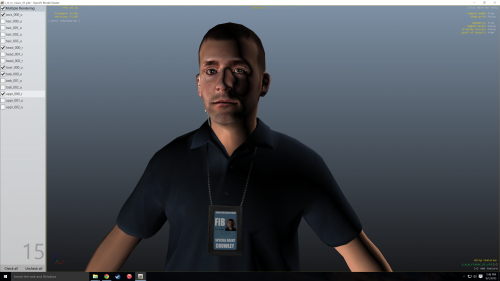 Cool- can you make a version with FIB instead of FBI? it would fit better with the default game FIB stuff.
- 4 comments
- 2 reviews
-
-

- 1
-
-
Similar to that, but firing the default tear gas.
-
I've had an idea for a weapon mod which could come in handy for crowd situations in Lspdfr (if any callouts are made like this). The grenade launcher could potentially be a useful dispersal weapon if it could be modded to fire the tear gas grenades. Seeing as these are both ingame already, could this be possible?
-
-
 I'm on the latest version of Ragehook, and I think alexguirre.common.dll is causing a crash when First Response activates. The Ragehook log says that it's causing an exception when I start a patrol.
- 302 comments
- 66 reviews
-
One thing I'd like to see, is when dealing with an armed enemy being able to aim + press E to yell at them to make them drop their weapon and arrest them. It would help to avoid the bloodbaths patrolling in Grove street causes.
-
Now that a map editor has been released, and people are making new world objects etc, I have an idea- eventually, could it be possible to create an extra floor for the police station? The stairwell has a few unused doors, so maybe a script could be used to load in extra objects (desks, doors etc.) to add more detail to the building.
-
Basically- it only seems to be affecting certain buildings/textures. It was perfectly fine before a 50+mb update installed, then things went down the crapper.
-
Great- since the update, the game doesn't even work correctly. All the LOD's are low-detail even when i'm up close. How the hell do thy manage that?
-
Haven't they got tired of trashing their own neighborhoods over a thug yet?

