



Bear82
Members
-
Joined
-
Last visited
Everything posted by Bear82
-
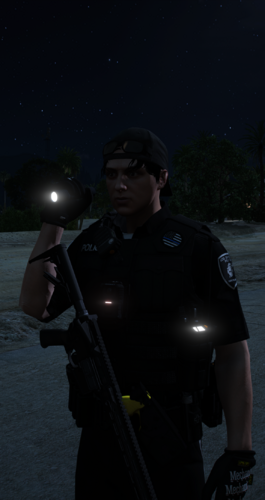
 Very well done, especially the way the flashlight in the left hand moves along with the character. Perhaps more animations could be added, for instance, for when a vehicle is being searched. Great work!
- 21 comments
- 4 reviews
-
 Great work, especially with the many customization options included in the game. Although I haven't managed to get my PXN V10 and pedals working properly yet, the interface looks good. I did notice, however, that the game stutters briefly every 20 seconds or so; as soon as I remove the .asi file, it runs smoothly again. Perhaps there’s some room for further optimization there. Thanks a lot for sharing!
 -
 It’s great to see that truly useful and well-made extensions aren't dying out. I’ve enjoyed using Rich’s Scene Manager so far, thanks again for that! One thing I did notice with the Scene Manager, though, was that if a driver was prevented from following their assigned path, they would suddenly vanish, leaving their vehicle behind empty. This created a knock-on effect for the traffic behind. Perhaps you’ve fixed that bug, too. Many thanks for your work!
- 15 comments
- 1 review
-
-

- 1
-
-
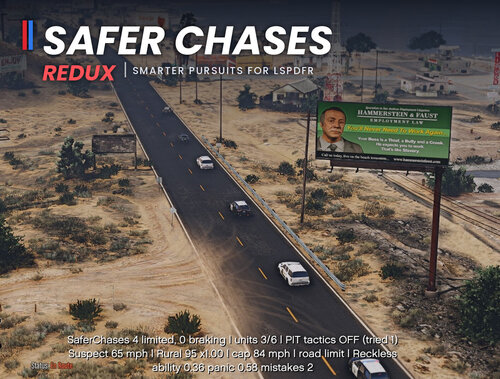 Perhaps you have a recommendation for what else should be installed to achieve this. I noticed in the video that your highway lanes are empty on one side, for instance, while the other isn't. In my game, traffic always uses both sides of the road. Naturally, this applies to city traffic as well; that’s where the cops reach their limits, as the vehicle being pursued is always better at maneuvering and dodging than the AI cops.
 -
-
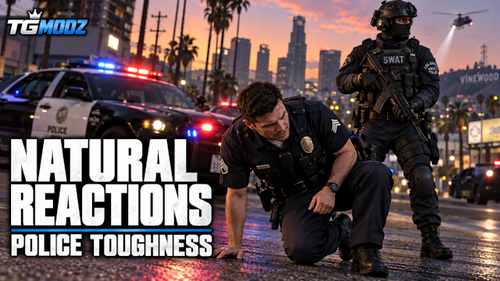 I need to figure out which mods to install next. Any ideas? Yeah :) If I could have one wish, it would be for the AI cops to drive and dodge at least as well as the person being chased during a pursuit. It’s common knowledge that the AI is generally poor in traffic, but I don't get why the person being chased is better at dodging than the cops. I’ve already tested a few mods for this, but none of them fix this issue.
 -
-
 I just wanted to quickly ask if you are going to try uploading your update to 2.0 here again?
- 12 comments
- 4 reviews
-
-
 Hi, thanks for the great plugin! I noticed a few small issues: I previously encountered an Rage.Exceptions.InvalidHandleableException in DrivingService.Patrol() / DriveToPosition() when an incident was being cleaned up and partners were automatically being released back to patrol. The error indicated that a Rage.Vehicle was no longer valid. Interestingly, manually sending the partners back to patrol individually works correctly, so it may be related to the automatic incident cleanup/release of the units. The documented default Ctrl+R (MenuKey=R + MenuRequiresControl=True) does not open the menu for me. Ctrl+Z also does not work. R by itself works, and F9 works correctly. A small configuration-related thing: after the plugin reloads/saves the INI, the translated/custom comments starting with ; are replaced by the original template comments again. Thanks for the great work and for considering these improvements! (Right, start GTA and go on duty --> Grand Theft Auto V\plugins\LSPDFR\LSPDFRPartners)
 -
-
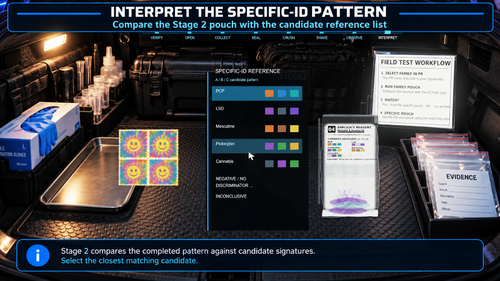 Wow, that sounds really good! Finally, you actually have to put in some effort to get a result - great work! Regarding the statement "only supports the evidence morphologies explicitly mapped for the supported Policing Redefined": does that mean it won't work with custom drug evidence setups regardless of how they are structured, or is there just a specific way they need to be set up? Thanks for sharing!
- 18 comments
- 1 review
-
-

- 1
-
-
-
I don't use STP, but rather PolicingRedefined, and for the weapon component, I use COMPONENT_AT_AR_FLSH (w_at_ar_flsh). I hope these are the answers you were looking for—otherwise, let me know :)
- 12 comments
- 4 reviews
-
Really great work, thanks! Finally, a small flashlight is being held over the shoulder. I know a few things can be tweaked in the .ini file, but could the circle of light be adjusted in a way similar to a weapon attachment?
- 12 comments
- 4 reviews
-
-
- 1
-
-
-
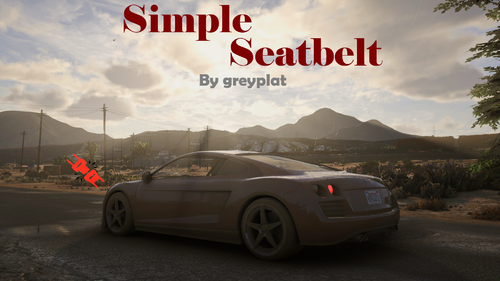 It seems to work with version 1.2.0, thanks a lot! Also, thanks for adding more WAV files, great stuff! Perhaps in the future, it could be adjusted so that the sound is automatically read from the vehicles.meta --entry --> <vehicleMakeName>FORD</vehicleMakeName>.
- 20 comments
- 2 reviews
-
-
- 1
-
-
I’d be happy to take a photo of it later. It happens as soon as I hit an obstacle at high speed. The physical injury aspect is correct, but I don't remain seated. I'm standing inside the vehicle. However, if I'm the only one experiencing this, it must be due to another mod.
- 20 comments
- 2 reviews
-
-
- 1
-
-
-
-
Great, finally a seatbelt mod that works for me. Thanks for that! The only issue is that upon impact, I end up standing in the middle of the vehicle instead of staying seated. Is this just happening to me, or has this already been identified and is a solution being worked on? Many thanks.
- 20 comments
- 2 reviews
-
-
- 1
-
-
 I just wanted to politely inquire whether work is still being done on the project regarding these two points? - It's great that the windows are automatically adjusted, but could there be a check to see if the windows were already down and if they should remain that way? - Even when a female driver is patrolling, a male voice still plays. Thank you!!!
- 39 comments
- 5 reviews
-
 2.121 I've now tested it with men and women, but nothing works "SavedTattoos.dat" = ´`` or in the "SavedTattoos.json" = { "Male": { "tattoos": [] }, "Female": { "tattoos": [] } } saved, is there a solution for this? RagePluginHook.log:
- 16 comments
- 2 reviews
-
.thumb.png.b9e18d9931090871b064059f2c315cf8.png) If that’s okay, I can look up the coordinates over the next few days and send them to Ricy via PM so this thread doesn't get cluttered.
If that’s okay, I can look up the coordinates over the next few days and send them to Ricy via PM so this thread doesn't get cluttered.- 707 comments
- 24 reviews
-
-

- 1
-
-


.thumb.png.b9e18d9931090871b064059f2c315cf8.png)


