
Bear82
Members
-
Joined
-
Last visited
Everything posted by Bear82
-
 Hey, ich bin gerade dabei dies ins deutsche zu übersetzen. Ist halt nur etwas komplexer aufgebaut, als die anderen Systeme.
- 392 comments
- 40 reviews
-
I don't think it will be really noticeable if I record it. For example, the mouse moves slower or the tabs open much later.
- 392 comments
- 40 reviews
-
Thank you for the update! I've just noticed that when I use the police computer or the tablet, everything is suddenly more jerky/stuttering - compared to the previous version.
- 392 comments
- 40 reviews
-
 Thank you so very much for the detailed response; I really appreciate it. If I’ve understood correctly, in addition to the stored file containing my specific terms, the system accesses AI via the internet to better align with and implement what I say. I just want to understand what’s happening in the background so I can make better use of your fantastic tool. ...so the surrounding area, then.
- 249 comments
- 7 reviews
-
Hi, just a quick question to clarify: what is the difference compared to Grammar Police? Since the instructions here also say: "Play for a while and let it mishear you for a bit. Then once you've used most commands a few times, open your plugins folder and find AIDispatch_customphrases.text..." — isn't it the same with Grammar Police, in that I can expand the text phrases and thereby use specific words?
- 249 comments
- 7 reviews
-
-
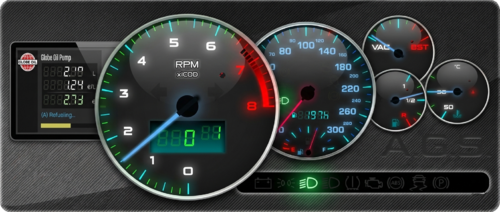 Strange, it works for me with the following steps: +plugins\A.G.S +plugins\AGS.dll and AGS.pdb +mods\update\x64\dlcpacks\ags +mods\update\update.rpf\common\data\dlclist.xml --> <Item>dlcpacks:/ags/</Item>
 -
It works for me with the latest version of ScriptHookVDotNet, too. The adaptive cruise control feature is great—though sometimes it's a bit too cautious, braking when there isn't a real obstacle or reacting to poorly parked vehicles; otherwise, though, it's a fantastic addition. Thanks for that!
-
It works for me with the latest update (though I tested it with an older ScriptHookVDotNet-v3.7.0-nightly version— I don't know if that makes a difference). I'll test it with the newest ScriptHookVDotNet version later.
-
-
 Thanks for the great update! The circle works really well for me. Now all I need is the window and female voice functionality, and it'll be perfect :) And if I've tested it correctly, the blue circle is for foot traffic stops when set up with "SavePositionKey=N". Otherwise, when I'm in the patrol car, I initiate/change/reposition everything using "RepositionKey=M".
- 39 comments
- 5 reviews
-
-

- 1
-
-
I'm not quite getting the hang of it. For example, when I use "RepositionKey," the car does move to the right, but as soon as I approach the vehicle, it drives around everything, including me, because it's trying to reposition itself. - It would also be great if I could choose where the driver should stop (like with the red marker in the Custom Pullover). - It's great that the windows are automatically adjusted, but could there be a check to see if the windows were already down and if they should stay that way? - Even when a female driver is patrolling, a male voice still plays. These are just a few ideas :)
- 39 comments
- 5 reviews
-
-

- 1
-
-
Silly question, but since the "pdComp.pdb" file is no longer included in the latest version, can I delete it from the hard drive?
- 392 comments
- 40 reviews
-
-
First of all, thank you very much to whoever brought Pullover into the year 2026. Unfortunately, however, I don't quite understand what the procedure is supposed to look like—or how it works—since I’m used to the "red circle" system. Specifically, when I press SHIFT+N or M, the driver either cuts right across traffic or stops and waits until I’m standing at the door, only to then drive a few meters further on. So, my question is: what exactly is supposed to happen, how is it done, and what controls should I be using?
- 39 comments
- 5 reviews
-
 Thank you so much for your efforts. I'll send you everything else via private message, and if anyone else has the same problem with the cops, please let me know.
 -
Thank you for the detailed feedback. But as I said, if this problem only occurs on my end, it could be due to my other scripts or additional plugins – I don't want to rule that out. If it helps, attached are my two settings, which I've mostly used for testing. AmbientEmergencyTraffic Setting.zip
-
Oh great, speaking of which :) - I can't get it to work with the standard .ini anymore. It crashes immediately after I join the police force (forceduty). I've attached both logs for you - one with my own settings and one with the standard one (>4 MB). The latest version, "Ambient Emergency Traffic AET 1.1.0", is installed. Only "CityPoliceVehicles" are spawned, regardless of whether "EnableZoneSystem" is set to true or false. Even if I disable everything (EnableZoneSystem & EnablePolice), the police vehicles still spawn - disabling the police vehicles worked in the previous version. I hope this helps. AmbientEmergencyTraffic.log AmbientEmergencyTraffic -with standard settings.zip
-
Unfortunately, it's not working properly for me. I've tried several variations with the settings via .ini. 1) Only "CityPoliceVehicles" spawn everywhere on the map. 2) I tried disabling only the police vehicles using "EnablePolice" and/or "EnableZoneSystem" and/or "Backup," but without success. If this problem only occurs for you, then there's certainly a conflict with another script. If not, I would appreciate any information. P.S. No errors are reported in the "AmbientEmergencyTraffic.log".
-
That update sounds really great! I'll give it a try later. I'm most excited about the direct units from the immediate vicinity finally getting involved, as well as the assigned zones. However, if I understood correctly, if I use backup units via PR, this won't be taken into account, since—by default—it is only triggered through LSPDFR?
-
-
-
Hey, I just wanted to quickly ask if future updates could include the option to translate the menu/interface into another language. Or have I overlooked a file? Thanks a lot for your work! I've noticed something: the first call always remains active, and all subsequent calls are routed through the first one. This means the callout name always remains the same as the first callout. It was determined that the problem lies with some callouts!
- 392 comments
- 40 reviews
-
-
 A question that might be related to this topic: Why should an old version of "ScriptHookVDotNet3.dll" be used? I have a feeling that this will cause some other scripts/addons to malfunction or generate errors. Thank you
- 47 comments
- 1 review
-
-
- 1
-