



Bear82
Members
-
Joined
-
Last visited
Everything posted by Bear82
-
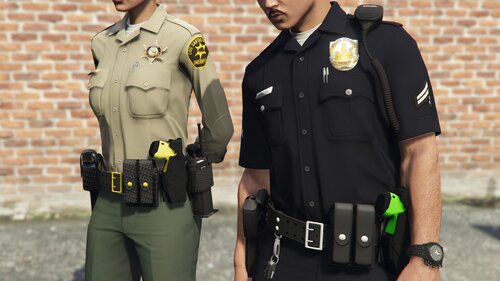 Looks really good, thanks for that!!! Is there a brief description of how the four variants (everything holstered, taser drawn, weapon drawn, baton drawn) are added to the CopHolster.xml? I found a great explanation here: My example: <Item WeaponSet="Stunguns"> <Component>8</Component> <Holstered>263</Holstered> <Unholstered>264</Unholstered> </Item> <Item WeaponSet="Nightsticks"> <Component>8</Component> <Holstered>263</Holstered> <Unholstered>265</Unholstered> </Item>
- 17 comments
- 4 reviews
-
.thumb.png.b9e18d9931090871b064059f2c315cf8.png) Yes, I also think it's the game/callout. Exactly, the vehicle that spawns for me via your plugin also disappears after a certain amount of time. But I use some mods, so that could also be the cause.
Yes, I also think it's the game/callout. Exactly, the vehicle that spawns for me via your plugin also disappears after a certain amount of time. But I use some mods, so that could also be the cause.- 706 comments
- 24 reviews
-
Quick update: Yesterday, the cell in your station worked great. I've been able to implement it successfully at various stations. Perhaps there was something wrong with the callouts the day before – for example, people are deleted after a certain time. Just like the vehicles – is there a way to prevent this? Since my private vehicle is always deleted after the end of my shift (of course, the vehicle is deleted during the shift). And it's good to hear if the feeling of hunger/thirst is prolonged; I've deactivated it for now. If you need me to send you coordinates for other drive-ins, let me know.
- 706 comments
- 24 reviews
-
-
Yes, they're packed with STP. I'll test it tomorrow at another station. Thanks for the quick reply.
- 706 comments
- 24 reviews
-
-

- 1
-
-
Yes, that's right, I'm using STP. So that's probably the problem? Yes, that's right, I'm using STP. So that's probably the problem?
- 706 comments
- 24 reviews
-
Very, very well developed! It's great to see what you're doing💪 A question about the jail system: If I take the prisoner to the red circle and thus enter the station as usual, the prisoner is gone and I can't take anyone to jail. Am I doing something wrong, or do I need to go somewhere else?
- 706 comments
- 24 reviews
-
-
-
 Hi everyone, is there a way to use "More More Radio Chatter" with the latest version of NAudio.dll (2.2.1.0), since GTA keeps crashing and I suspect it's related to the NAudio file? Or does anyone have another cause/solution for me?
- 22 comments
- 2 reviews
-
 Very good handling of the callouts, especially in conjunction with the audio tracks! Absolutely fantastic!
- 268 comments
- 25 reviews
-
-

- 1
-
-
 Thanks for the update / processing! Is there also a way to follow the news on a specific radio station? 🙂
- 42 comments
- 8 reviews
-
-
- 1
-
-
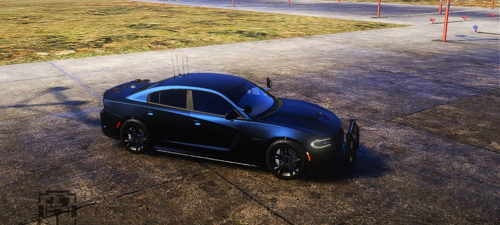 A very, very beautiful vehicle with attention to detail! Thanks to the modder who put a lot of work into it!
 -
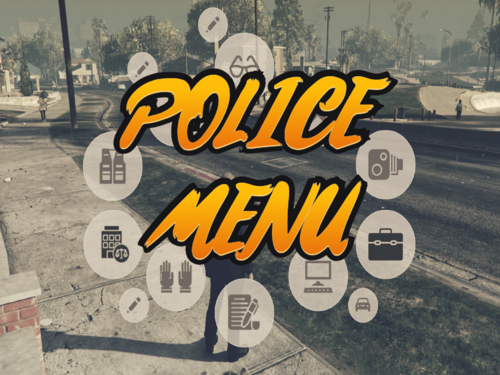 Hello, was there already a solution to this? I have the same problem, I can't write anything (Gloves Texture ID for use with jacket).
- 713 comments
- 33 reviews
-
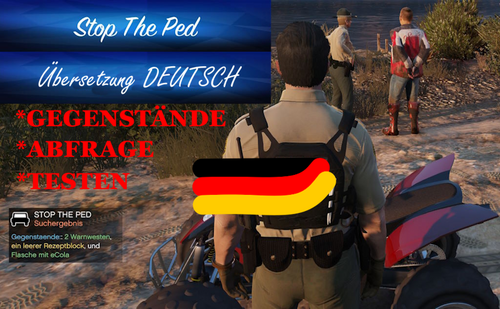 Optional: StopThePed.ini + zwei Bereiche müssen ersetzt werden, wenn deine ini Datei verwendet wird (siehe unten). PatDownItems: ca. 350 Gegenstände (ROT/GELB/GRÜN) VehicleItems: ca. 480 Gegenstände (ROT/GELB/GRÜN) + mit Differenzierung wie die Waffe getragen / transportiert wurde (weitere Details siehe unten). Installation (zip-Pfard folgen): Grand Theft Auto V\Plugins\LSPDFR und \StopThePed Hallo zusammen, dies ist eine deutsche Version für Gegenstände die beim abtasten oder durchsuchen eines Fahrzeugs gefunden werden können. Leider gab es Schwierigkeiten die gefundenen Substanzen zu ersetzen / übersetzten, daher werden diese in der Hinweisbox als original Text mit Übersetzung angezeigt. !!! Was UNBEDINGT übernommen werden muss ist entweder die „StopThePed.ini“ !!! !!! oder ein kleiner Bereich darin muss ersetzt werden, da mein Setting anders eingestellt sein kann als euers. !!! StopThePed.ini --> Grand Theft Auto V\Plugins\LSPDFR --> ERSETZEN: // WeaponForCheckStrings=handgun,revolver,pistol,smg,rifle,firearm,shotgun,Pistole,Schrotflinte,Jagdgewehr,Gewehr,Repetiergewehr,Großkalibergewehr,Waffe,Handfeuerwaffen,Gewehre // SuspiciousSubstancePowder=powder SuspiciousSubstancePill=pill SuspiciousSubstanceTablet=tablet SuspiciousSubstanceCapsule=capsule SuspiciousSubstanceCrystal=crystal SuspiciousSubstanceLiquid=liquid SuspiciousSubstanceBlotterPaper=blotter paper // Zusätzlich gibt es Abkürzungen, die etwas mehr Schwung in die Durchsuchung bzw. deren folgen beim finden der Gegenstände geben soll. Abkürzungen: Personendurchsuchung * verdecktes tragen/VERD, * offenes tragen/OFFEN, * gesichert/GES, * geladen/GEL, * ungeladen/UNG Fahrzeugdurchsuchung * gesichert/WTASCHE, * ungesichert/OFFEN, * ungeladen/UNG, * geladen/GEL Falls ein Bedarf an Änderungen / Anpassungen besteht, bitte mit mir absprechen! Alle Projekte von mir: https://www.lcpdfr.com/downloads/gta5mods/misc/54428-pdcomp-deutsche-%C3%BCbersetzung-und-california-textures/ https://www.lcpdfr.com/downloads/gta5mods/datafile/52602-policing-redefined-%C3%BCbersetzung-denglisch-suchergebnisse/ https://www.lcpdfr.com/downloads/gta5mods/misc/52603-compulite-%C3%BCbersetzung-deutsch-geb%C3%BChren-straftaten/ https://www.lcpdfr.com/downloads/gta5mods/datafile/50183-vehshare-license-plate-background-for-vehicles/ https://www.lcpdfr.com/downloads/gta5mods/datafile/50289-corpse-to-bag-deutsche-%C3%BCbersetzung/ https://www.lcpdfr.com/downloads/gta5mods/datafile/49506-reportsplus-deutsche-%C3%BCbersetzung/
 -
-
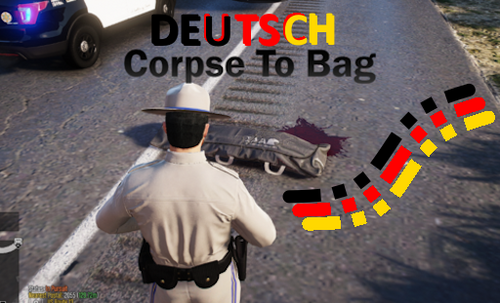 Hallo zusammen, dies ist eine deutsche Übersetzung für „Corpse To Bag“ in Version 1.0.3 und 1.0.4! +Für die Version 1.0.4 wurde auch eine Übersetzung erstellt - BITTE beachten beim herunterladen. Übersetzt: + Config.ini + German.json Installationsort: Grand Theft Auto V - plugins - Corpse To Bag und – Translation Benötigt wird das Original: Alle Projekte von mir: https://www.lcpdfr.com/downloads/gta5mods/misc/54428-pdcomp-deutsche-%C3%BCbersetzung-und-california-textures/ https://www.lcpdfr.com/downloads/gta5mods/datafile/52602-policing-redefined-%C3%BCbersetzung-denglisch-suchergebnisse/ https://www.lcpdfr.com/downloads/gta5mods/misc/52603-compulite-%C3%BCbersetzung-deutsch-geb%C3%BChren-straftaten/ https://www.lcpdfr.com/downloads/gta5mods/datafile/50183-vehshare-license-plate-background-for-vehicles/ https://www.lcpdfr.com/downloads/gta5mods/misc/50339-stop-the-ped-deutsch-gegenst%C3%A4nde-search-items/ https://www.lcpdfr.com/downloads/gta5mods/datafile/49506-reportsplus-deutsche-%C3%BCbersetzung/
 -
-
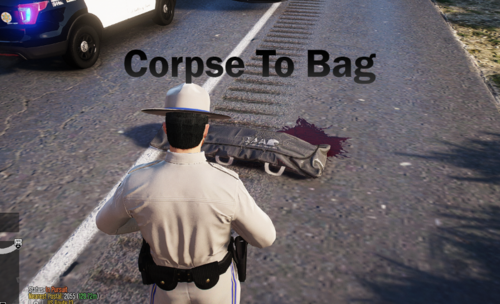 Very nice extension/implementation and how quickly the development is progressing - great and thank you! Perhaps in the future only a tarpaulin/cloth can be placed over the person until the forensic medicine department wraps them up completely.
- 26 comments
- 2 reviews
-
-
- 1
-
-
 Thank you for sharing!
 -
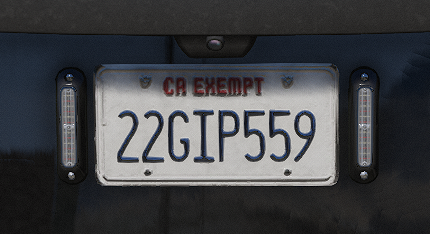 Ich dachte ich teil das einfach mal, nichts besonderes aber es macht das Spiel noch etwas realistischer. Bitte bescheid geben, falls es nicht angezeigt wird, da ich so viele Veränderungen habe, dass ich es in einem anderen Ordner verwende. Wer zudem "EMF" verwendet, dort ist auch vehshare.rpf enthalten. -Weitere änderungen folgen noch! Ort zum ersetzen: mods-x64e.rpf-Levels-gta5-vehicles.rpf !!!(Adjustments still in progress)!!! ------------------------------------------- I thought I'd share this, nothing special but it makes the game a little more realistic. Please let me know if it doesn't show up as I have so many changes that I use it in a different folder. If you also use "EMF", vehshare.rpf is also included there. -Further changes will follow! Location to replace: mods-x64e.rpf-Levels-gta5-vehicles.rpf Works well with - California Plates for Callout Interface: + And now also works with "Prowler Radar" ("https://www.lcpdfr.com/downloads/gta5mods/scripts/38133-prowler-radar/") Alle Projekte von mir: https://www.lcpdfr.com/downloads/gta5mods/misc/54428-pdcomp-deutsche-%C3%BCbersetzung-und-california-textures/ https://www.lcpdfr.com/downloads/gta5mods/datafile/52602-policing-redefined-%C3%BCbersetzung-denglisch-suchergebnisse/ https://www.lcpdfr.com/downloads/gta5mods/misc/52603-compulite-%C3%BCbersetzung-deutsch-geb%C3%BChren-straftaten/ https://www.lcpdfr.com/downloads/gta5mods/misc/50339-stop-the-ped-deutsch-gegenst%C3%A4nde-search-items/ https://www.lcpdfr.com/downloads/gta5mods/datafile/50289-corpse-to-bag-deutsche-%C3%BCbersetzung/ https://www.lcpdfr.com/downloads/gta5mods/datafile/49506-reportsplus-deutsche-%C3%BCbersetzung/
 -
#I hope this topic is in the right place. I would like to know whether individual listings can be removed from the Downloads -> my history section? Because they were downloaded, but I deleted them from my PC. Does it work now (2025)? Thanks
-
.thumb.png.5dc63bb71c4b3eb3c8f5dda1569962d8.png) Hi everyone, just so I understand correctly - the file from "Sandy Shores Updated [Nightz Development] [Outdated] 4.04" can be replaced with this one, right?
Hi everyone, just so I understand correctly - the file from "Sandy Shores Updated [Nightz Development] [Outdated] 4.04" can be replaced with this one, right? -
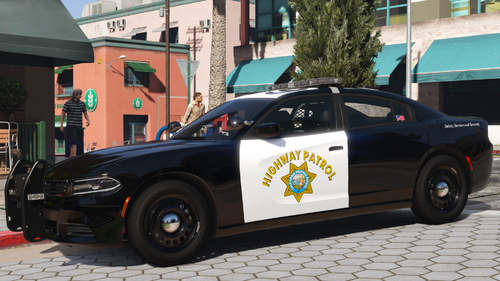 Yes, unfortunately for me without showing. So the dashboard is there, but the needle for speed and rpm is missing. I've now gone through all dashboard types in the vehicle meta, but none of them work. Or which meta do you mean?
 -
.thumb.png.b9e18d9931090871b064059f2c315cf8.png)
.thumb.png.5dc63bb71c4b3eb3c8f5dda1569962d8.png)
