


Creators: Due to background reprocessing of files, approvals and file security checks may be delayed. Thanks for your patience.


LukeD
Friends of LSPDFR
-
Joined
-
Last visited
Everything posted by LukeD
-
-
-
-
-
-
MODERATOR NOTICE Moved topic from Script Modifications to GTA IV Support Requests
-
-
-
MODERATOR NOTICE Moved topic from LCPDFR Support Requests to GTA IV Support Requests The LCPDFR Support Requests forum is for LCPDFR issues only
-
MODERATOR NOTICE Moved topic from GTA IV Discussion & Media to Computers & Technology
-
-
-
-
Update Released!!! Version 0.5 (beta release) is now available in the downloads section! New Callouts: Road Traffic Collision (RTC) The all new RTC's are bigger and better than have ever been done. Dynamic crashes can take place on any road, anywhere! Race to the crime scene, secure the area, clean up and get traffic moving again.* Officer Down Man down! A fellow Officer has been critically injured in the line of duty. Check the officer's condition, get the details, and go find that suspect vehicle. It wont be easy... New Features: Tow Truck The VDH Tow Truck mod by Abraxas has been stripped down and integrated into the LCPDFR API. It functions almost the same as it always has but now works fully with 1.0** Police Barriers VDH police helper brought you useful barriers, these too have been stripped and integrated into the LCPDFR API. But with a twist! The barriers will now affect pedestrians if placed on a pathway! Vehicle Checks Yes, now you have the full LCPD database of vehicles! Each vehicle you see has special data held about it which you can acquire via the radio. Watch out for stolen cars, uninsure drives and unregistered license plates amongst others... Changes: Total Overhaul The mod has been rewritten into a totally different format, with extra features added internally. This means things should run much more smoothly, and make things easier for me to improve. Paramedics Get Real Paramedics will now stay with the victim for a slightly longer duration to improve the realism before taking them away in the ambulance. Safety First Each of the police functions (police assistance, tow truck etc) have been disabled if off duty and have been given more safety checks to prevent them from causing issues. Probably some other little stuff I forgot about Notice: With these new additions taken from the VDH mods I expect people to angrily claim I "stole" those features. As a result I fully acknowledge that Abraxas created those mods, all I did was take his now outdated and abandoned mods and integrate them into the LCPDFR API. These features will remain in Callouts+ until I hear from Abraxas stating otherwise, at his request I will happily remove the features entirely. However, I do acknowledge that he himself stated he would not likely return to the modding scene. 0.5 is a special point, as I am no longer in alpha releases! This current release is a beta test of the features and changes in 0.5. Should everything go swimmingly (very little amount of bugs reported etc) it will be safe to say that all future releases will be full releases from then on. I would like to thank you all for your support over the development of Callouts+, I look forward to your feedback as always and of course, keep the ideas rolling in :D Download:
-
Uploads woo! I have quite a few random steam screenshots because F12 is my screenshot key (so most of them are of me calling for backup or in a traffic stop dialogue.) But here are my screenshots for the community to see. sorry they are not professionally edited, they are literally screenshots.
-
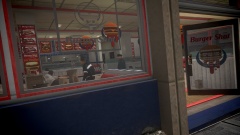 The Heart Stopper Claims Another Victim
-
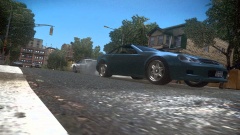 Pursuit in Progress
-
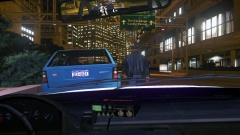 Routine Traffic Stop
-
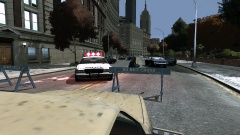 Road Closed!
-
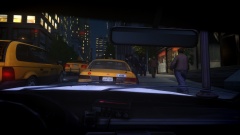 A Shortcut Too Many
-
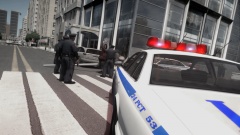 LCPD Take Down Uninsured Driver
-
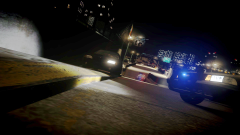 He'll Do Anything to Escape
-
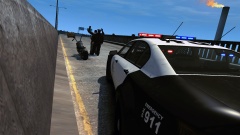 Safety First!
-
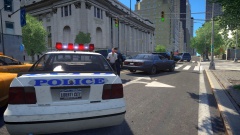 It's only 11AM !?
-
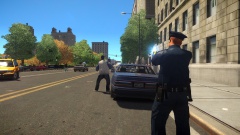 A Bad Day For...Both?
-
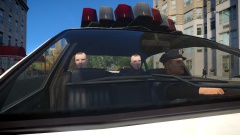 Another Lucky Day For this Cop
-
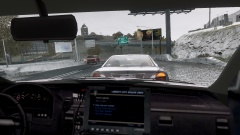 Operation Safer Roads
-
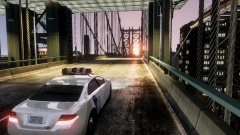 The Morning Shift Begins
-
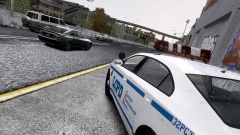 Operation: Safer Roads
-
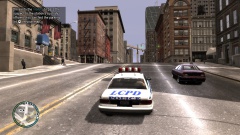 "Catch of the Day"
-
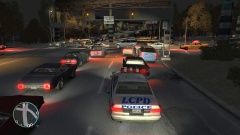 I don't think the sign is big enough...
-
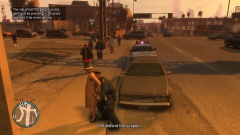 A Routine Traffic Stop
-
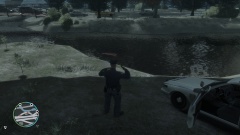 Aftermath of a Pursuit
-
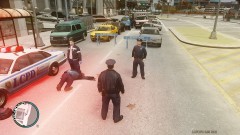 Road closure 2
-
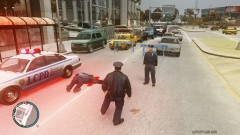 Road Closure
-
-
From the album: My Experiences in the LCPD
Devastation for yet another Burger Shot customer in northern Algonquin this afternoon, a foot patrol officer was approached by concerned members of the public after witnessing an elderly man show signs of an onsetting heart attack, the officer performed CPR on the man while awaiting for the paramedics to arrive. He was rushed to hospital and is said to be in a stable condition. -
MODERATOR NOTICE Moved topic from LCPDFR Support Requests to GTA IV Support Requests as it has nothing to do with the functionality of LCPDFR itself.
-
MODERATOR NOTICE Moved topic from Entertainment, Television & Sport to LCPD First Response Media
-
MODERATOR NOTICE Moved topic from Development Tutorials and Questions to GTA IV Support Requests, the OP is not clear as to what mod is causing the issue. Without you further clarifying it is unclear as to what mod is causing this issue. Please can you post any error logs you have. I can't help but notice you are using a laptop with no dedicated graphics chip. My advice would be to drop your GTA IV settings to the lowest possible and remove ALL of your mods to ensure your laptop can actually handle GTA IV on it's own. If it can, then try installing 1 mod at a time starting with LCPDFR. I would also highly recommend not using ELS or any ELS enabled vehicle mods as these require more resources, especially those that are typically provided by dedicated graphics.
-
As far as I am aware you can only have 1 partner through the version 1.0 system. I have tried recruiting cops as my partner using the aim+G mechanism but this never seems to work for me unless the cop has just finished arresting someone. Which then causes an aiming manager crash :3 I've also tried using the console to do "spawn M_Y_COP" and then tried recruiting them, again this did not work.
-
-
Seems like a nice idea. The only issue with the yellow circle is that, you can't really limit an AI driver to an area so the yellow circle would have to be huge, and having a small one track the suspect every few seconds is the same as having a red blip above their car. But, I think I might be able to make a work around where the player really has to do some searching. ;)
-
Your videos are still on 1 track it's just been sub split. I found this just by googling your issue: The most common way people inadvertently get in to A/B roll editing is to double click on the edge of an event (when trying to resize.) Getting out of A/B is just as easy. Double click the edge of an event again. http://forums.creativecow.net/thread/24/955010 Google is your friend :)
-
Yes but on low settings. The GT 610 is a low end graphics card for everyday computing not gaming. It's got 1GB of memory so it will run an ENB but not a super powerful one (for example if you use CryENB you will need the lowest settings files that come with the download)
-
I personally like sharks. but by far the most fascinating sea creature to me is the Mantis Shrimp. For those who don't know about the mantis shrimp, the oatmeal summed it up nicely here: http://theoatmeal.com/comics/mantis_shrimp EDIT: Here is a nice video for you to watch too on this beautiful little death machine :)


