




LukeD
Friends of LSPDFR
-
Joined
-
Last visited
Everything posted by LukeD
-
-
You might be able to play the game in it's lowest possible settings. But to be completely honest a laptop with an intel HD 4000 isn't really one designed for games in mind. My advice would be to go to Can You Run It on the laptop (google it) and get it to check your specs. But my guess is it will score badly. Also, your CPU is a dual core. You don't have 4 CPU's. You have 1 CPU with 2 cores.
-
Can you post your most recent LCPDFR log with that error please. Just taking a screenshot of half of it in the console isn't much help.
-
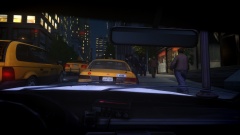
From the album: My Experiences in the LCPD
This taxi driver decided to cut across traffic, jumping a red light right in front of a police cruiser. He was flagged by the officer to pull over. A quick vehicle check showed the yellow cab to be uninsured and untaxed. The driver was issued with a fixed penalty for driving without insurance and tax and for reckless driving. He has not yet retrieved his taxi from the impound lot, and so it will be crushed. -
If it isn't images taken during active duty, then I put them here.
-
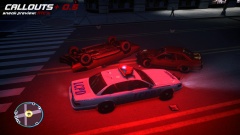 Callouts+ 0.5 Sneak Preview
-
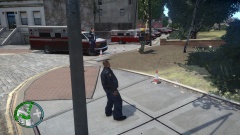 World Ambulance Convention
-
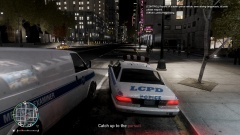 Oh just another pursu...wait....a stolen WHAT?!
-
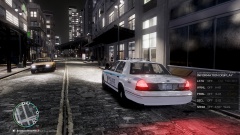 Texture Attempt 2
-
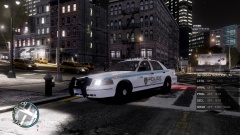 Texture Attempt 1
-
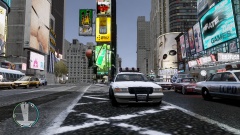 ENB Test 7
-
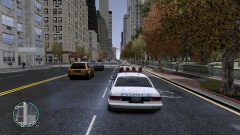 ENB Test 6
-
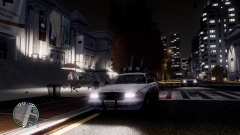 ENB Test 5
-
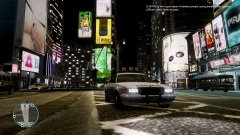 ENB Test 4
-
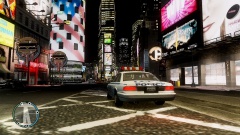 ENB Test 3
-
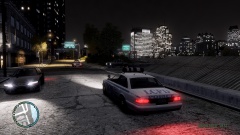 ENB Test 2
-
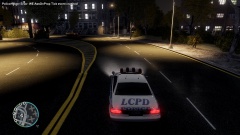 ENB Test 1
-
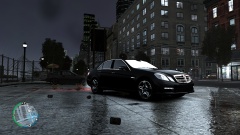 Messing with ENB Settings 6
-
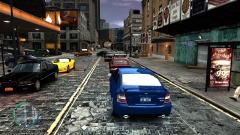 Messing with ENB Settings 5
-
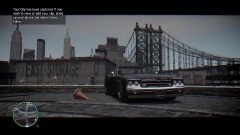 Messing with ENB Settings 4
-
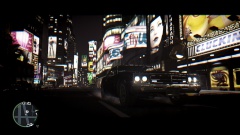 Possibly my Favourite Attempt at Using ENB
-
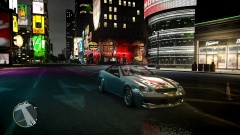 Messing with ENB Settings 3
-
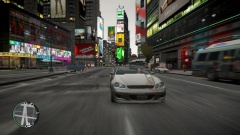 Messing with ENB Settings 2
-
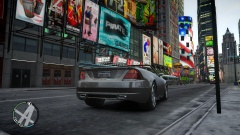 Messing with ENB Settings 1
-
-
From the album: Other Uploads
A teaser image of the development progress of a highly requested feature coming to the future releases of Callouts+. Yes.... ...they spawn like that. -
Bare in mind the LCPDFR devs are all programmers not modellers or mapmakers. Yes there are people out there capable of making fantastic looking maps. But the LCPDFR dev's themselves I don't think are. There is a huge difference between "adding land in the ocean" and making a fully functional police station with mapped paths for the peds to walk around/stand in etc. There Is also the fact that producing something so detailed takes a lot of time which the dev's have expressed a lack of in previous posts. I'm not saying that nobody would pick this up. You might get some talented map maker come along and make it for you. But from what I know it's unlikely the LCPDFR dev's will pick it up. I put that bit on bold text for a reason, this is only speculation from what I know and I am fully I aware that I don't speak for the LCPDFR development team.
-
The closest you will get is the police station mod by Abraxas '?do=embed' frameborder='0' data-embedContent>> This particular mod was selected by the LCPDFR dev team as well, so you can set a value in the config file for LCPDFr if you are using these new interiors. [Main] ... ... ... UsingPoliceStationMod=False ... ...
-
I linked 2 of them to you in my first reply to this thread, did you not bother to read that at all? Hey look I managed to find a 3rd one: '?do=embed' frameborder='0' data-embedContent>>
-
Java is easy, and if you find C# easy you'll have no issue with java really. No I don't speak it. Generally speaking though humans don't speak computer languages :P On a serious note no I've never used ECMA.Sweet jesus stop using processing. Not only is it Java for 4 year olds, but it has the worlds worst IDE ever. Try saving that shit to a different file location. Oh it deleted all of your code? Fun. Try telling it to "Save As" in the same folder. Nope can't overwrite because saving it in the same folder is a stupid idea. I had to do a university project in Processing. I don't ever want to touch that again, ever. I respect people are completely new to coding. But don't start with Processing. Pick up a full language like Java directly, or C# or hell even VB if you feel like it.The auto installer does that for some stupid reason, seems to prefer EFLC over GTA IV and then when you tell it otherwise it disagrees. When you go to select where to install, just remove the "/LCPD First Response" from the end, will install properly then.Generally speaking the high poly vehicles have larger file sizes, so if you compare 2 different models of CVPI's for example, the one with the larger file size will be a higher poly model (more details etc) The other way is to load the .WTF file for the model into OpenIV. In the top left corner you can see the number of polygons. For example the default police cruiser is 13,094 polygons. But a model CVPI I have in my folder is 171,187 polygons. Default Vapid Cruiser CVPI Hope this helpsYou've got this issue: AmbientScenarioManager: Object reference not set to an instance of an object. This could be for a whole host of reasons. I would advise you remove all your other mods and see if LCPDFR still spits out this error for you.
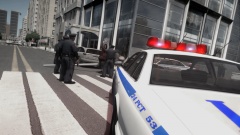 Your tinfoil hat won't protect you......... Fun fact for you though, this image was taken just moments before the gallery one: '> Enjoy :P
From the album: My Experiences in the LCPD
Officers from the LCPD in Algonquin took down this driver after his vehicle was flagged as uninsured. The suspect took off from the traffic stop, but couldn't take the corner striking a lamp post. He quickly gave up when he was swarmed by Liberty City's finest.What I would try is uninstalling LCPDFR completely and then only install 1.0c (no need to do 1.0b then 1.0c etc) it may be that which is conflicting.Hey, please take the time to actually read this thread rather than post a suggestion just because you were told to come here. I did read your suggestion thread before you posted here. Your question about a murder callout was answered because I have already made that callout. That is why you were directed here. You would also have seen that I aim to improve this particular callout to be as involved as possible, like you're suggesting. I appreciate all suggestions, but please for future sake read first then post? Thank youNo problem, glad I could help :)Yes but be sure to only get the 86x version (32 bit) and not the 64x version.Ahh. Right, when you open the diagnostics tool in the bottom left is a tick box "Advanced Mode" tick that. Then when you go to "check installation" it will ask you to find your GTA IV.exe (which is obviously in your GTA IV directory). It will then check that installation rather than EFLC.Right well you've probably made an error during installation then. My advice at this point would be to uninstall LCPDFR and install it following the manual instructions very very carefully. (Or use the automatic installer) I'm not so sure about a colourless bar, would have to find out.


