




brenden.iannetta
Members
-
Joined
-
Last visited
Everything posted by brenden.iannetta
-
Known issue in Radio Realism FR; The author is working on a fix.
-
No, the reason d8 is making you crash is because it is an API for loading scripts, and it allows the game to use your ASI's. If you have anything in your scripts folder, delete it. Also, if you are using ScriptHookDOTNET delete that. Make sure to put the d8input.dll that comes with ScriptHookV back into your GTAV root.
-
Not that I know of. This is all that comes to my mind.
-
Try using this save. https://www.gta5-mods.com/misc/100-save-game Also if your game loads up, go on duty, then close the game. After the game closes, send the RAGEPluginHook.log file from your main GTAV folder here.
-
Try renaming your mods folder to "_mods".
-
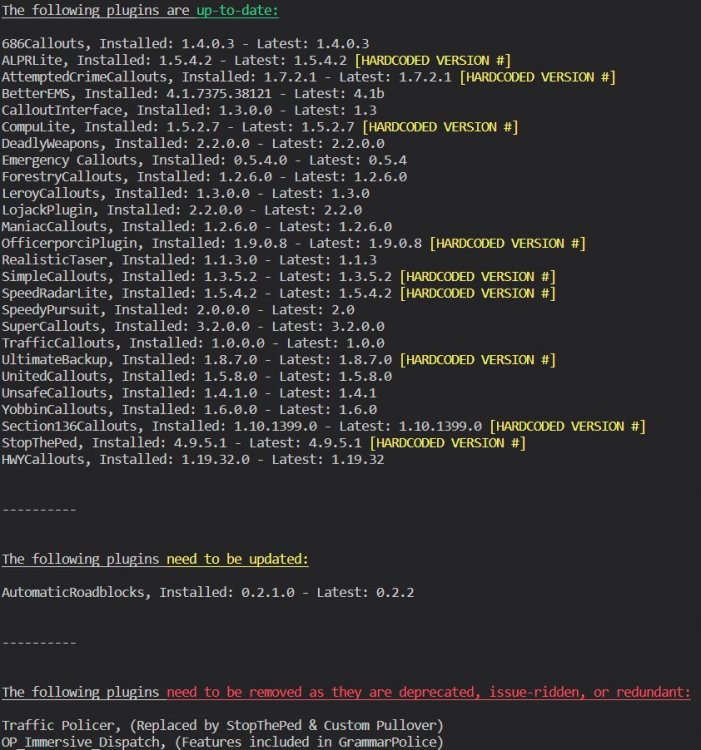
I've actually also noticed this, and I don't think it can be avoided. I find this happens pretty rarely too. I'd suggest using the following: Download Stop The Ped from this link: https://www.bejoijo.com/ I'd highly recommend this plugin, and all of the others by Bejoijo because they really help in terms of realism. His plugins replace the native LSPDFR functions and such with much better, and more detailed ones. Also, as the above states, this is not a dodgy site. Just ignore that. Lastly:
-
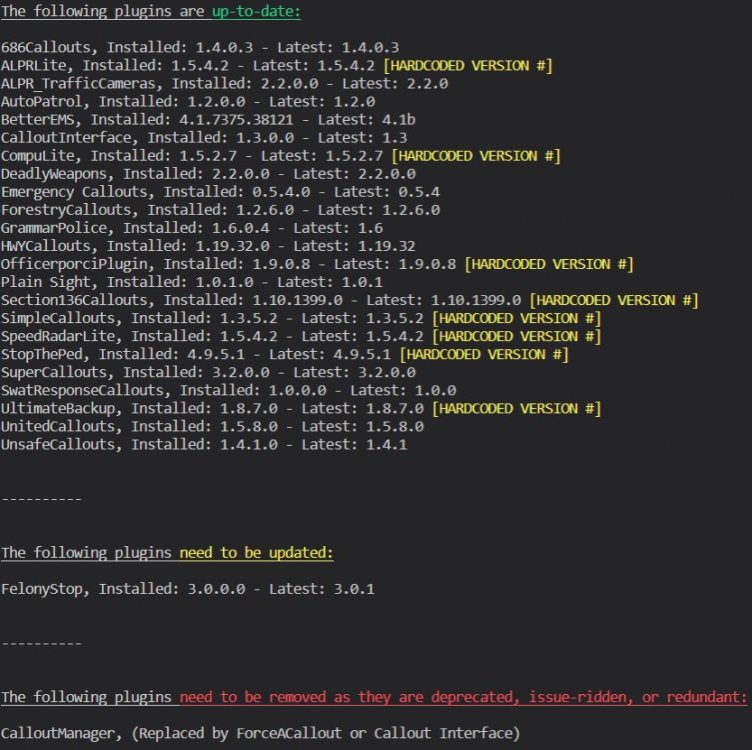
Probably one-timers, but do this anyways:
-
That means that you have a bad ASI script. Try removing all of them and slowly adding them back 1 by 1.
-
What happens if you remove the addon?
-
Send the RAGE log from your main GTA folder, not your logs folder.
-
Broken link.
-
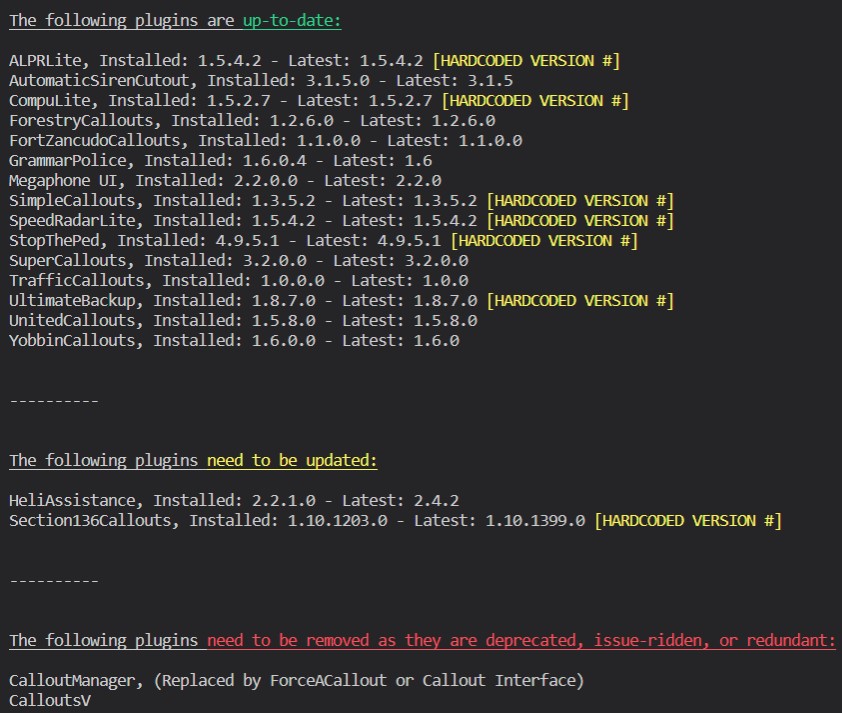
@thatmaxplayle Anything you can decipher here? EDIT: (Just saw his version was outdated) Also @GLFJericho:
-
From your root folder, not your logs folder. There is only one in your root.
-
Which police car did you install, and did it modify any of the metas?
-
Try using these: https://www.gta5-mods.com/misc/gta-5-gameconfig-300-cars https://www.gta5-mods.com/tools/packfile-limit-adjuster https://www.gta5-mods.com/tools/heapadjuster
-
I saw that you installed this, but this error indicates otherwise. Please follow the instructions I have provided.
-
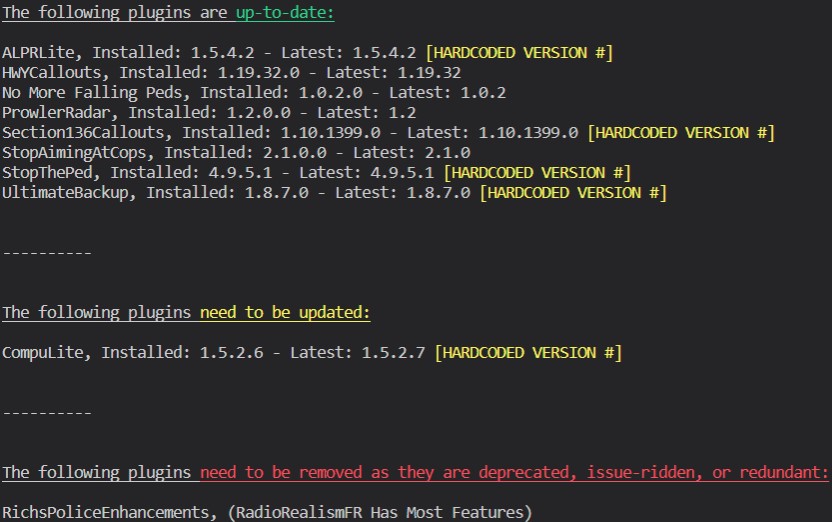
Try downloading the UltimateBackup .zip file then dragging Localization.ini into Grand Theft Auto V\plugins\LSPDFR\UltimateBackup. I'd recommend installing this: https://www.gta5-mods.com/misc/gta-5-gameconfig-300-cars Also, please make sure to update these: To update RAGE: https://i.darkvypr.com/update-rph.mp4 To update RNUI: Download this zip, then drag RAGENativeUI.dll from it into your GTA root: https://github.com/alexguirre/RAGENativeUI/releases/download/1.9/RAGENativeUI.zip Lastly, follow this:

-
It wouldn't be telling you this if this was true Go to your GTA folder, then: > Right click on RAGEPluginHook.exe > Click "Properties" > Click "Details" on the popup > Send a screenshot of the popup
-
Trainer is fine and working for me. Try moving d8input.dll from your GTAV root onto your desktop.
-
-
Well I'm terrible on my French but that's what Google Translate is for... Anyways, you need to update your LSPDFR. Your installs are extremely old.
-
Can you send the ELS.log file from your GTAV root. Also please explain a bit more.
-
Just butting in here to say that this issue was resolved a while ago with the new Packfile Limit Adjuster. https://www.gta5-mods.com/tools/packfile-limit-adjuster Honestly you are probably right too considering this issue was present lol.
-
Try moving the files from your scripts folder onto your desktop. They might still be loading.
-
What ASI scripts are you using? Please try removing SHVDOTNET, clearing out your scripts folder, and move d8input.dll from your GTA root to your desktop.



