




brenden.iannetta
Members
-
Joined
-
Last visited
Everything posted by brenden.iannetta
-
I just use UltimateBackup so not really.
-
Just reinstall EUP Menu. Make sure to delete all of its files first.
-
Please send the RAGEPluginHook.log file from your GTAV root. These logs are unusable. Also it's kind of a skill you just develop. There's no one master class on how to diagnose them unfortunately. 🙃
-
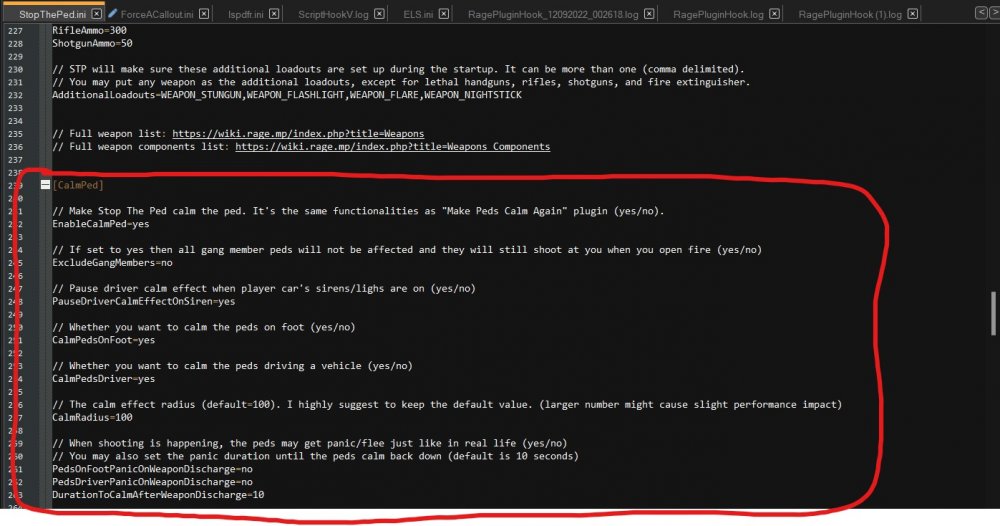
Right in StopThePed:
-
You have a bad config in EUP menu. Specifically, I believe this is an issue in your wardrobe.ini. One of the values is too big.
-
Rename your mods folder to "_mods". Also please don't use these crash reports as they don't serve much good. Use the RAGEPluginHook.log from your GTAV root.
-
Sounds good.
-
We've fixed this issue.
-
Install this: https://www.gta5-mods.com/misc/gta-5-gameconfig-300-cars Also make sure that your population settings in-game are turned to medium.
-
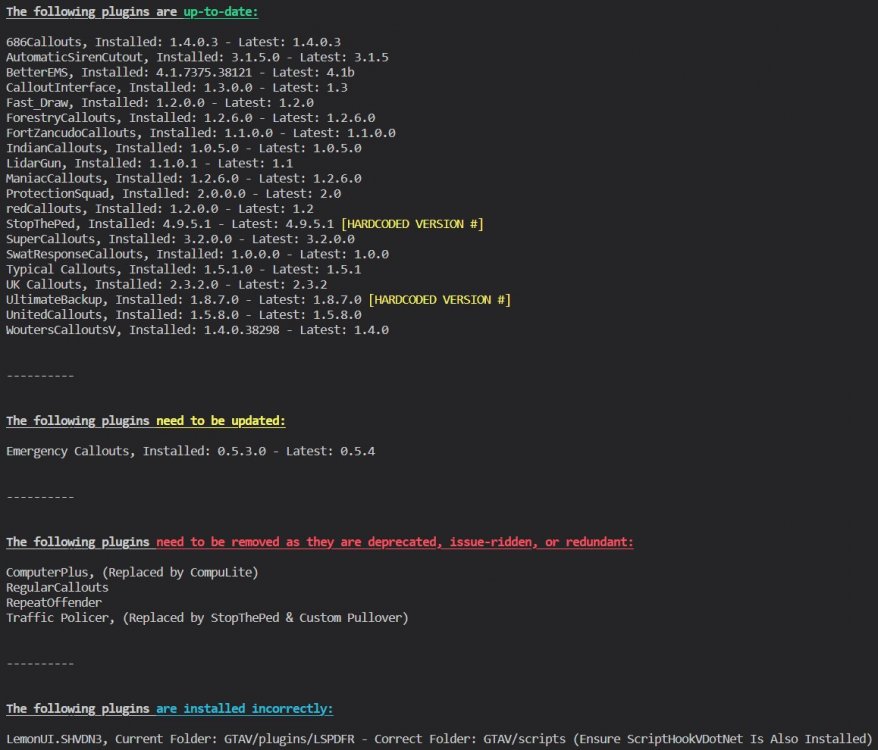
I agree with Charlie. There are some old plugins that you are using, to be specific, follow this: Also just a note, you have installed LemonUI wrong, it isn't supposed to be in your plugins folder.
-
This displays for virtually every different crash. Please send the RAGEPluginHook.log file from your GTAV root.
-
Nothing of issue in the log. Might want to play around with some mod stuff to find the issue.
-
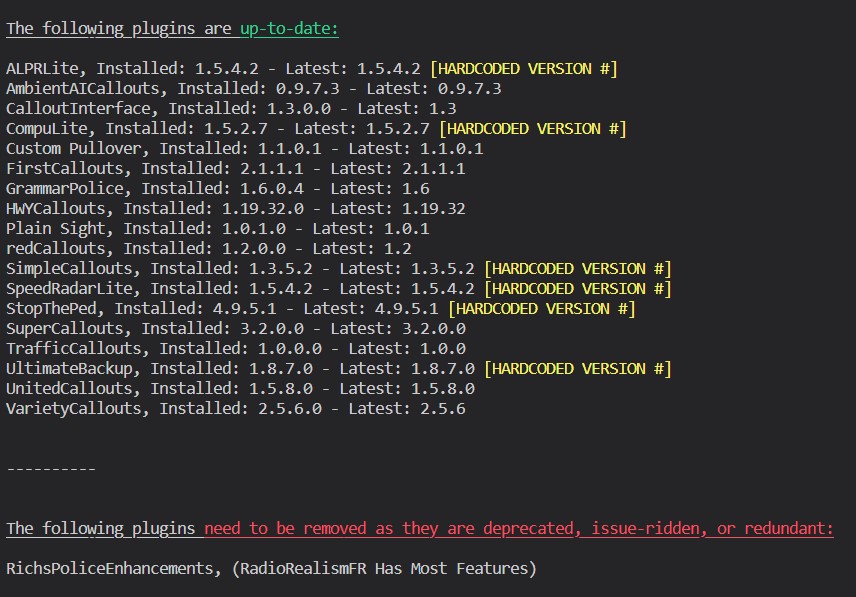
Have you tried using the "End" key? This should be the callout end key. Silly question. Also:
-
LMS & Cyan do the LSPD First Response.dll fixing for now... Follow what @OfficerChris1 stated.
-
I don't know of a fix, this might be user error... Make sure the plugin is loaded by typing "ReloadAllPlugins" in game.
-
Same issue...

-
Try renaming your mods folder to "_mods". Also please describe how you ran into this crash. 2 words doesn't really help...
-
Please send the RAGEPluginHook.log file from your GTAV root.
-
I'd like to change what I said, try this first: https://darkvypr.com/irls If that doesn't work, you need to completely remake your mods folder.
-
Known issue. All you can do is wait. There might be something in here of use to you though:
-
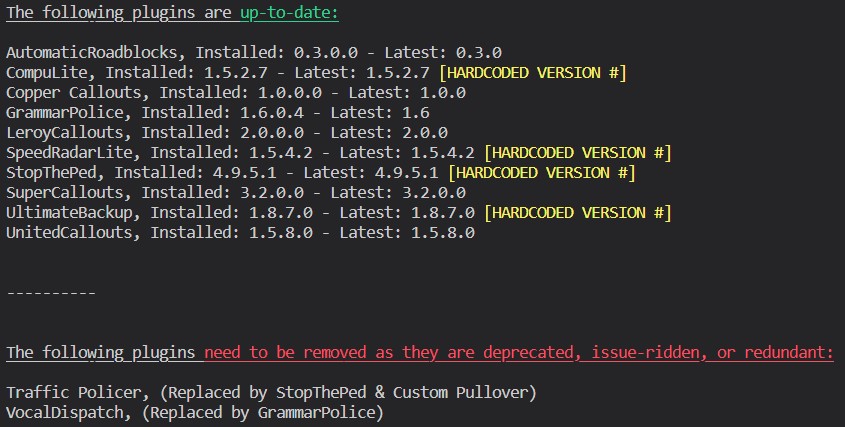
You need to go into ELS.ini, change "ElsTrafCtrlOn" to "false". After this, download this plugin: Also please follow this:
-
Make sure your mic is on in Windows, is unmuted, and the default device is set to your mic.
-
I thought this was showing up in-game, my bad. This just looks like GrammarPolice not recognizing your request. You need to speak very clearly.
-
Yea that's one of the more weird issues... Are you sure that your GTAV headphone/inputs are set correctly under the audio settings tab?
-
Could you take a screenshot?





