




brenden.iannetta
Members
-
Joined
-
Last visited
Everything posted by brenden.iannetta
-
Have you modified your policeB slot?
-
Try updating RAGENativeUI. Download this zip, then drag the RAGENativeUI.dll file into your root GTA folder. https://github.com/alexguirre/RAGENativeUI/releases/download/1.9/RAGENativeUI.zip

-
Try removing the d8input.dll from your GTA root.
-
Are you using ScriptHookVDOTNET? Also, are you using ENB or any ENB utilising graphical mod?
-
I am asking about this one: https://www.gta5-mods.com/tools/scripthookv-net Please make sure that there are no files in your GTAV folder named "ScriptHookVDotNet".
-
Are you using ScriptHookVDOTNET?
-
Send the RAGEPluginHook.log from your root folder please.
-
Which ASI mods are you using? This would explain this:
-
NVE interferes with how RAGE loads. You need to boot normal GTA, then 15 seconds later launch RAGE. Alternatively, you can use the .bat file included with NVE. Should be called like GTAV & RAGE Launch Fix.bat or something, and will be in your root GTAV folder. Link me the gun sounds mod please. I think I know why.
-
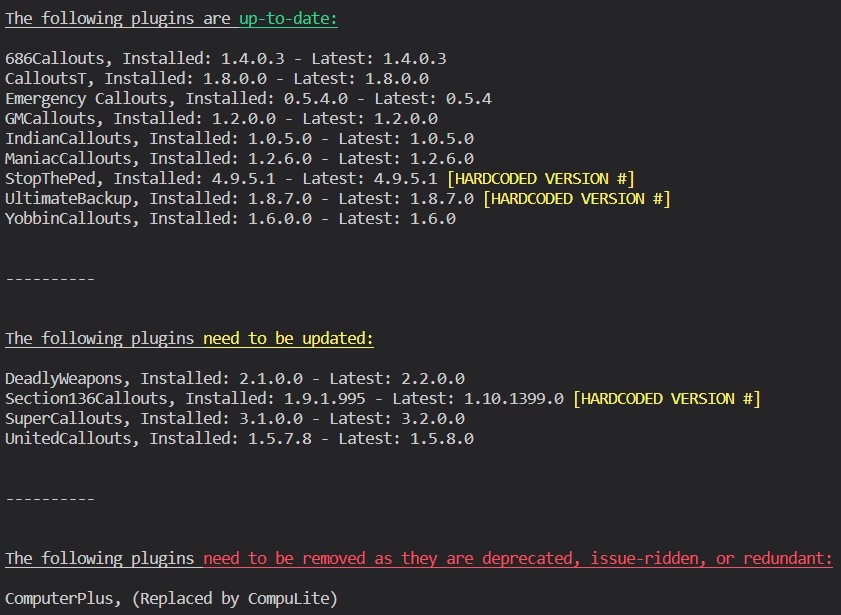
You are on a old version of GTAV/RAGE/LSPDFR. Please update those: Have to give you credit for the NativeUI though... 😛 Also:

-
Do you use SHVDOTNET?
-
This is pretty unsolvable. Crashes like this happen when you try to interact with a ped that has been dismissed or despawned. For example, calling a taxi for a ped while there is still dialog left with that ped in the callout.
-
Yep. Makes sense, I've just switched over the note. Thanks 🙂
-
Oh interesting, never really used it so I assumed it was just like status and yada-yada. Welp, either way it's outdated, so I guess it should be removed. May as well replaced it with those plugins too cause of the features 🤷♂️
-
GrammarPolice has a status manager and everything. Opus added menus and a radio so it also replaces PoliceSmartRadio 😛 I realize where the confusion might be tho looool... Yep. Forgot to Google the hash. Try checking your police2 files @opolskipl.
-
Known issue, there is a temp fix in comments:
-
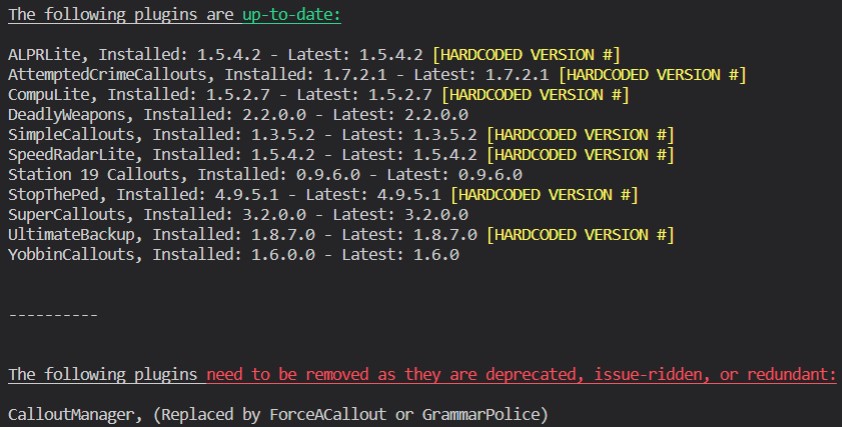
Try verifying your game files, and renaming your mods folder to "_mods" if you have one. There is an invalid model. Also:
-
Switched up real quick 😭
-
You have a bad keybind. This has nothing to do with mods. Please look through some of the INI files you've modded and check to see that all of the keybinds are correct.
-
-
Well 90% of people don't even read that in the first place so you're already winning the race lol.
-
Try re-installing SHVDOTNET, use this if needed: Link: https://www.gta5-mods.com/tools/scripthookv-net
-
Hey that'll do it I guess..
-
Well now that you mention SHVDOTNET, remove that completely. That is known to cause issues for some.
-
Well in hopes that you aren't playing on a pirated copy of GTA, please update your game:




