




brenden.iannetta
Members
-
Joined
-
Last visited
Everything posted by brenden.iannetta
-
No problem 🙂
-
Hmm. Try installing these: https://www.gta5-mods.com/tools/heapadjuster https://www.gta5-mods.com/tools/packfile-limit-adjuster https://www.gta5-mods.com/misc/gta-5-gameconfig-300-cars As well as making sure that your RNUI is up-to-date. Download this zip, then drag RAGENativeUI.dll into your root GTAV folder. https://github.com/alexguirre/RAGENativeUI/releases/download/1.9/RAGENativeUI.zip
-
Looks like you have some remains of Siren Setting Limit Adjuster. Make sure you've removed all of the changes it made/files.

-
Send a new log please.
-
Interesting. I found this to work well for me. Have you tried looking for any handling mods or stuff of the like?
-
Have you tried any sort of basic troubleshooting like verifying game files and such?
-
Try removing Siren Setting Limit Adjuster.
-
Look in the INI.

-
StopThePed has a feature for this, along with many others. Take a browse through here: https://www.bejoijo.com/
-
Try renaming your mods folder to "_mods".
-
No problem.
-
Try deleting that file that it's erroring out on.
-
Have you tried this? There is an option for "Increased Vehicle Deformation" and it should also make the cars much more fragile: https://www.gta5-mods.com/vehicles/realistic-driving-v Bit of an old mod so make backups.
-
Have you modified any UltimateBackup transport units in any of the xml's?
-
Other topic.
-
Are you testing this with the stock vehicles that come with GTA?
-
No problem 🙂
-
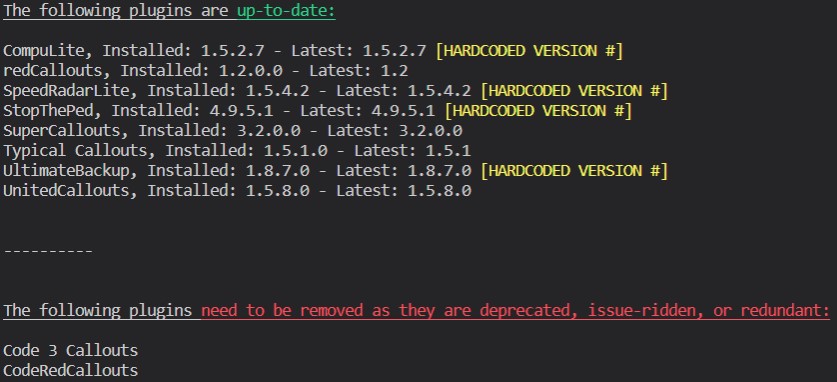
Although I doubt this will work, try this first:
-
Yea i'm not sure... Maybe i'm missing something but someone else might be able to help out. Good luck!
-
Damn I'm kinda confused then lol. I noticed you are using no GTAV launcher. Try deleting that as I was having issues with it.
-
Try moving d8input.dll and d8input.dll.mui out of your GTA folder.
-
Have you modified your sheriff slot?
-
Please remove ScriptHookVDOTNET as it causes issues for some; Even though you don't have any scripts.
-
Are you using ScriptHookDOTNET or any ASI scripts?
-
Are you using any ASI scripts or ScriptHookVDOTNET?


