




brenden.iannetta
Members
-
Joined
-
Last visited
Everything posted by brenden.iannetta
-
Are you using ScriptHookVDOTNET?
-
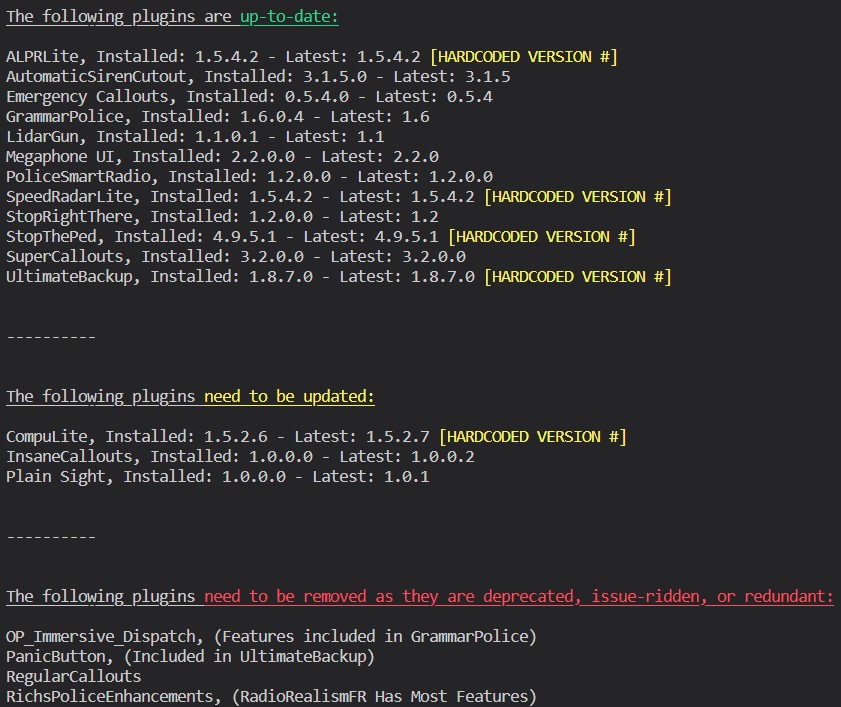
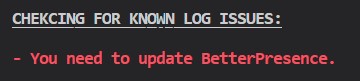
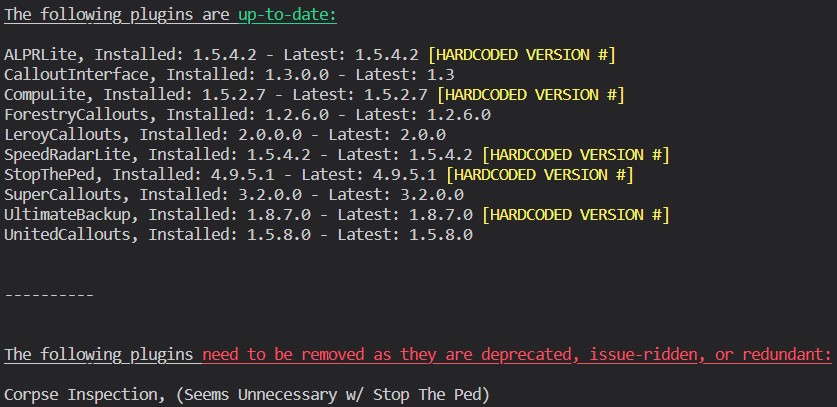
Yep, Update BP, and uninstall Corpse
-
Does this happen consistently? Also:
-
Also:
-
Aye Aye can capitan. Make sure your PostFX is turned up to at least "Very High". Also make sure that there is no window tint on the car. This can be done through a trainer.
-
Try renaming your mods folder to "_mods".
-
Download this .zip, open it, then drag RAGENativeUI.dll into your root GTAV folder. https://github.com/alexguirre/RAGENativeUI/releases/download/1.9/RAGENativeUI.zip

-
Looks like you are missing a framework. Download this, then run the installer. Let me know if this works. https://dotnet.microsoft.com/en-us/download/dotnet-framework/net48
-
Download this zip, open it, then drag RAGENativeUI.dll into your root GTAV folder. https://github.com/alexguirre/RAGENativeUI/releases/download/1.9/RAGENativeUI.zip
-
Yep unfortunately this log indicates that this was just a random one. "Processing cache while it's still in use - one or more subcalls may have caused the thread to yield" means that a plugin tried to access a despawned/no longer available asset and failed most likely.
-
Honestly I might do the video tutorial. I feel like this program isn't too user friendly though so there's that lol. Unfortunately I don't know much about coding installers and such so I won't be able to do that (yet™).
-
Looks like a handling.meta/vehicles.meta issue. Some cars dive more/less (sports cars/SUV's), and you may just have the wrong handling line in. Try following this and experimenting:
-
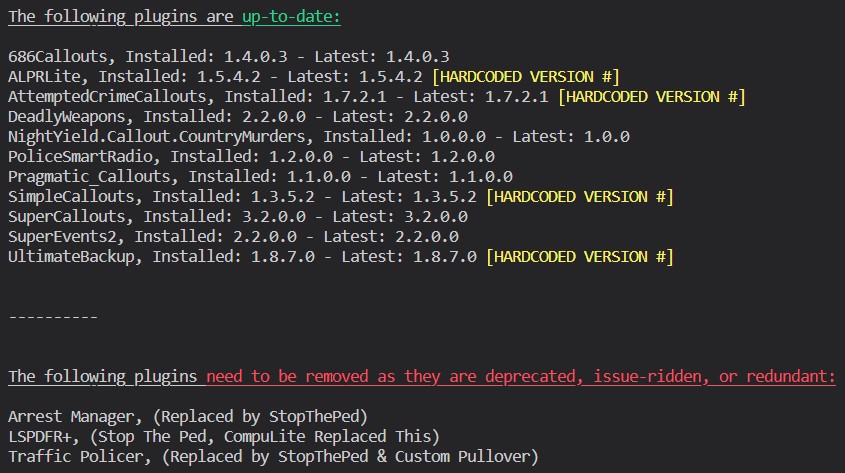
Looks like you have a bad plugin keybind. My educated guess would be that you tried to bind PoliceSmartRadio to "/". This is not the correct key name. Please refer to this when changing keybinds for most plugins: https://docs.microsoft.com/en-us/dotnet/api/system.windows.forms.keys?view=windowsdesktop-6.0 In this case, you should use "OemQuestion" instead of "/". Also please follow this:
-
Have a peek at this @RangerG. I made it myself. Info can be found here: https://darkvypr.com/checker
-
Looks like you incorrectly installed outfitToggler. Try removing all those files:

-
What plugins are you using? Also please download this .zip, then drag RAGENativeUI.dll from it into your root GTAV folder. https://github.com/alexguirre/RAGENativeUI/releases/download/1.9/RAGENativeUI.zip
-
Looks like a random crash to me. No fix here.
-
Send a new log please.
-
Yep, and for some reason it's like a 50/50 shot. Some people's games will still crash in the same way. Could be user error on their part on installing RNUI, but I doubt it. 🤷♂️
-
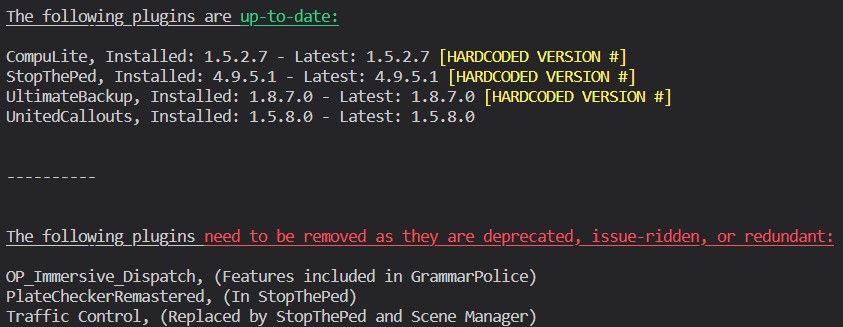
Go to your lspdfr.ini and change Main.DisableGameBlipHiding to true. Also:
-
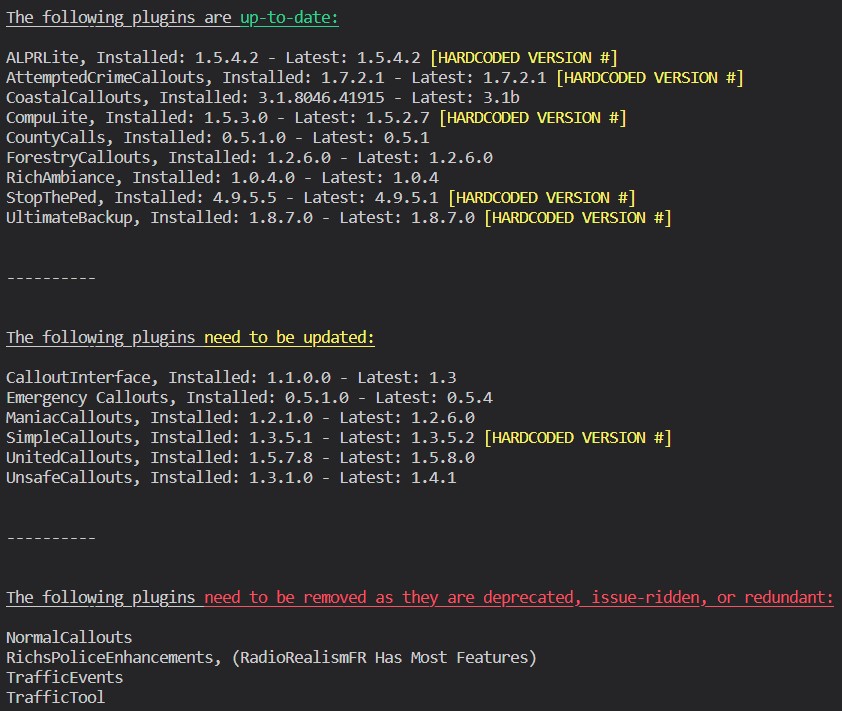
You have an invalid helicopter model. Can you take a peek @PNWParksFan? Also please follow this:
-
If it doesn't happen consistently, then you don't need to worry.
-
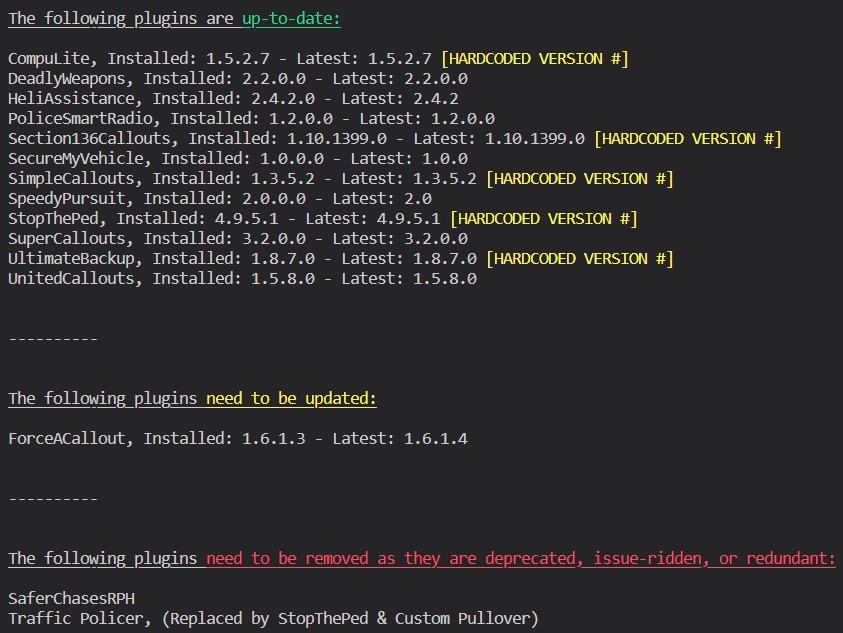
I'm gonna take a guess and say you changed your ForceACallout Available For Calls key to ","? To use the comma as a keybind, you need to refer to this: https://docs.microsoft.com/en-us/dotnet/api/system.windows.forms.keys?view=windowsdesktop-6.0 In which chase, the correct key name for comma would be "Oemcomma". Make the keybind you want in your ForceACallout.ini look like this: Also:

-
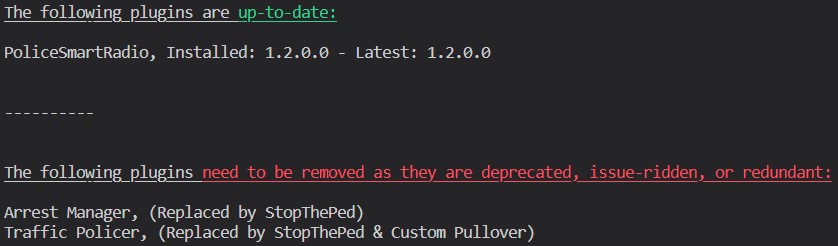
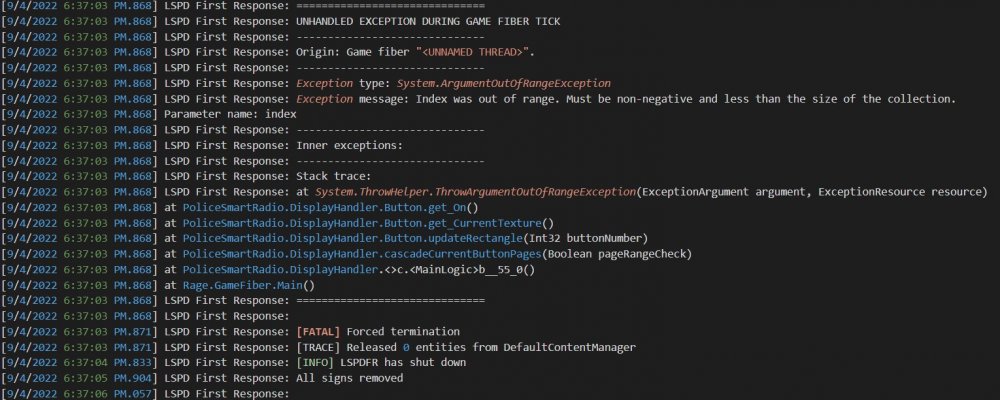
I agree with just removing the outdated plugins. May as well boot them so they don't cause any issues. It looks like the only plugins you are using are well... all outdated. Regarding this error: This was caused by PoliceSmartRadio, and unfortunately, you'll probably run into it again. I was, and couldn't be assed to fix it. I'd remove it and use the functions from the GrammarPolice radio. It works similarly to the PSR one.
-
Not trying to jinx myself but sometimes it's just RAGENativeUI. Worth a shot. Download this .zip, then drag RAGENativeUI.dll from it into your root GTAV folder. https://github.com/alexguirre/RAGENativeUI/releases/download/1.9/RAGENativeUI.zip



