




brenden.iannetta
Members
-
Joined
-
Last visited
Everything posted by brenden.iannetta
-
Looks like you fixed your own problem. You have a bad mods folder. You need to rebuild it.
-
Well this original crash was because of UltimateBackup. You made an error inside of DefaultRegions.xml, or the file is missing. Send a new log please.

-
As long as they dont cause crashes, and aren't too old (Pre 2019).
-
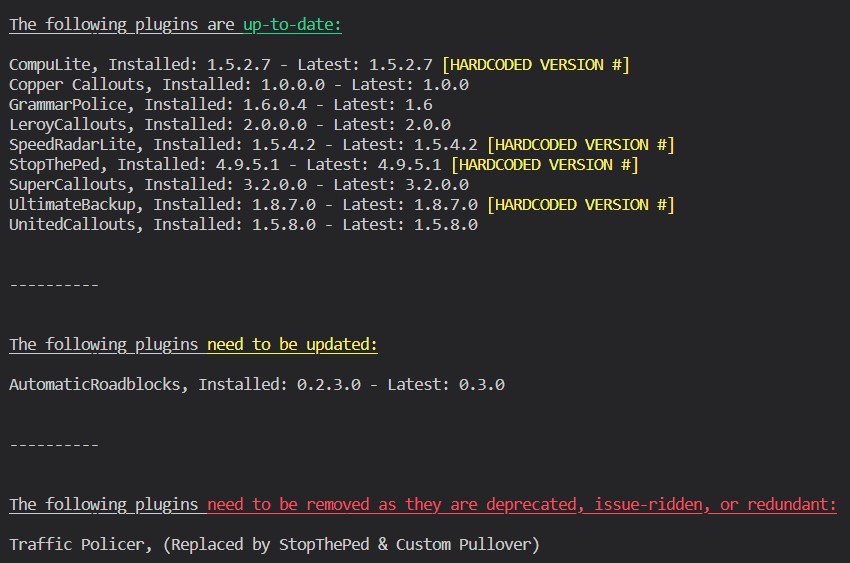
Download this zip, open it, then drag RAGENativeUI.dll into your root GTAV folder. https://github.com/alexguirre/RAGENativeUI/releases/download/1.9/RAGENativeUI.zip Also:

-
Exactlyyy lol xD
-
Do you have a GameBackups.rph in your GTA root?
-
Yep. You need to remove any meta changes you made. If that doesn't help, also remove all the model files.
-
You do you I guess. I could put my life earnings on saying that this is false.
-
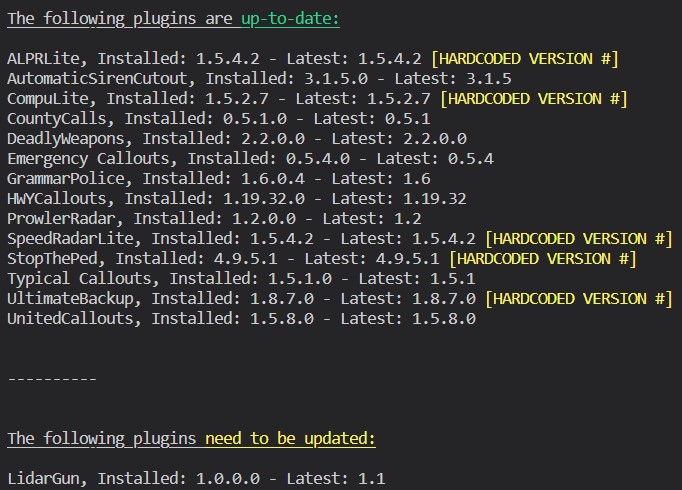
Also, this looks like an issue with ProwlerRadar. Try reinstalling it, making sure to back up your files. Also, please install this: https://github.com/alexguirre/RAGENativeUI/releases/download/1.9/RAGENativeUI.zip Open the zip, then drag RAGENativeUI.dll into your root.
-
Yep unfortunately there's no fix.
-
Send your RAGEPluginHook.log file from your GTAV root. Also this is an old plugin, and its use is not suggested. An alternative would be GrammarPolice.
-
That isn't the issue right now. If this fixes the problem, then you can worry about those. Just move your scripts folder onto your desktop for now.
-
Download this .zip, open it, then drag RAGENativeUI.dll into your root GTAV folder. https://github.com/alexguirre/RAGENativeUI/releases/download/1.9/RAGENativeUI.zip

-
Have you modified your policeB files?
-
Try deleting all of its files.
-
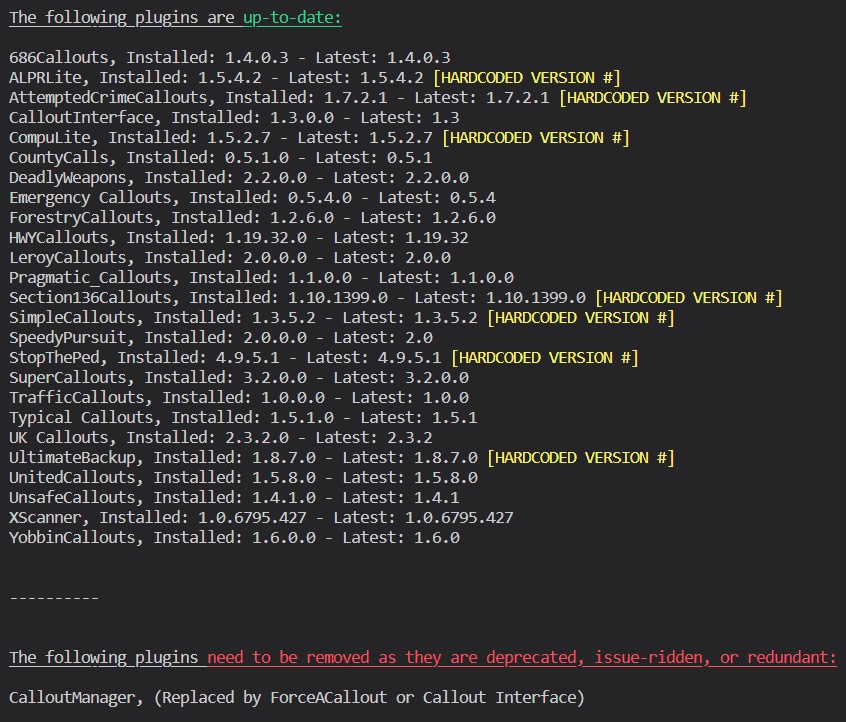
You need to install SHVDOTNET. https://www.gta5-mods.com/tools/scripthookv-net Also:
-
Doesn't look like there is anything in this log. Might just be an issue with one of your mods. Try renaming your mods folder to "_mods".
-
Yes. It says that in the screenshot.
-
Thats your ScriptHookV log. Please send your RPH one from your root
-
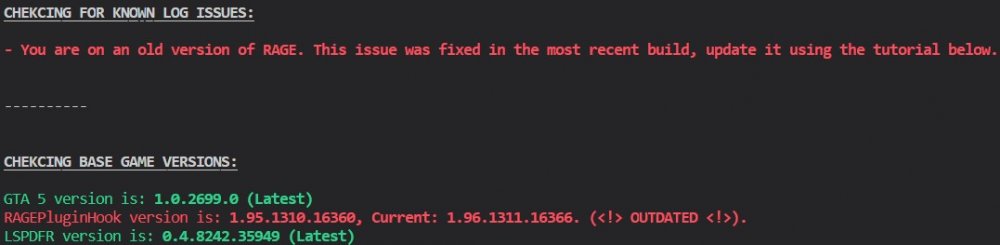
https://i.darkvypr.com/update-rph.mp4
-
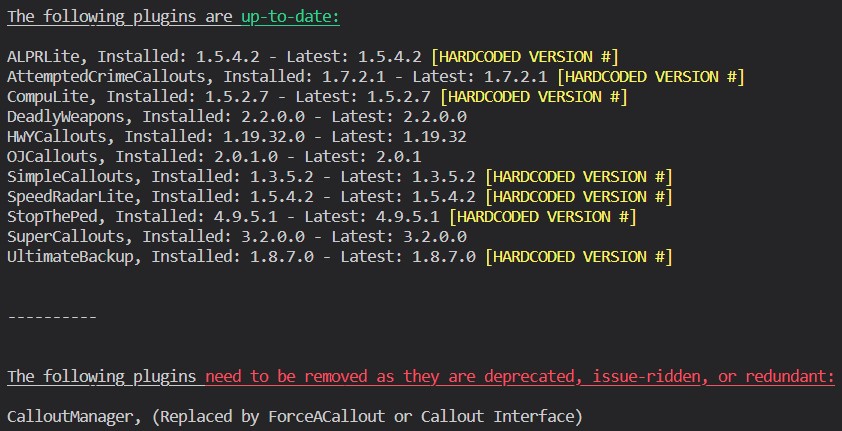
Butting in here to say that this is a random crash. Might want to follow this though:
-
No problem! I edited that reply so just check it out.
-
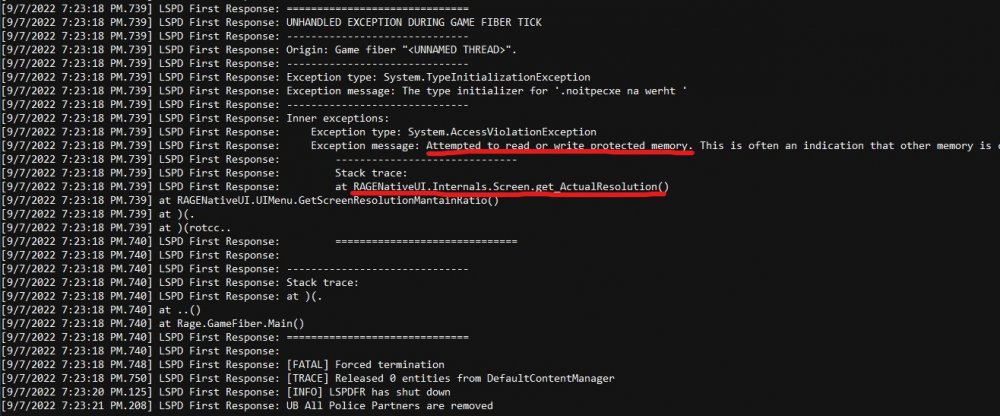
There is no explicit message in the log that says you need to update this. Unfortunately it comes down to experience and knowledge. If you scroll to the bottom of your log, you'll see this: This is the error stating that RNUI was old.
-
Send the RAGEPluginHook.log from your GTAV root.
-
Dude... Exactly 💀


