




brenden.iannetta
Members
-
Joined
-
Last visited
Everything posted by brenden.iannetta
-
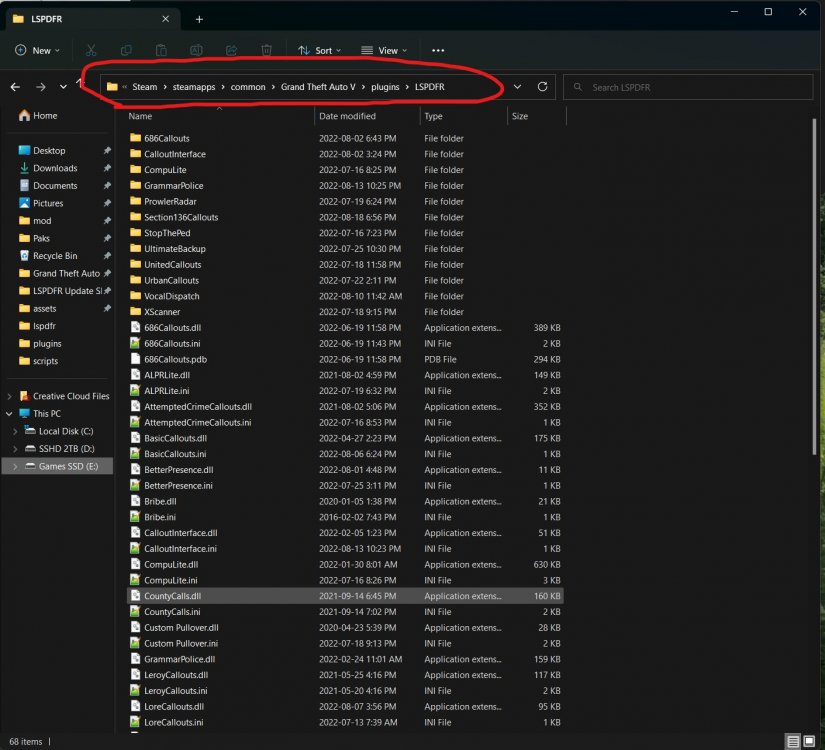
Can you send a screenshot making sure to include this: I'm curious as to which directories you've installed all of the plugins in, as it looks like they may have been misplaced. Ensure to send photos of both of these directories: Grand Theft Auto V\plugins Grand Theft Auto V\plugins\LSPDFR
-
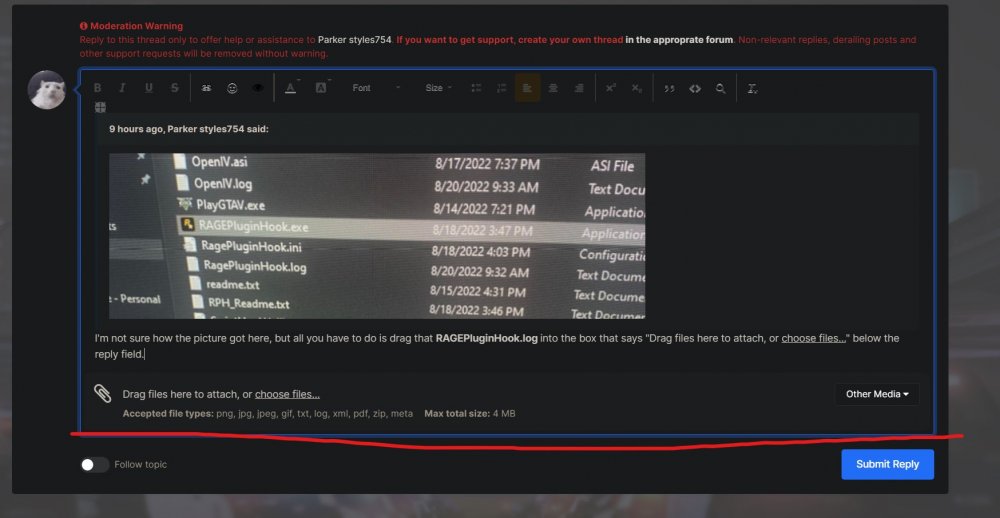
I'm not sure how the picture got here, but all you have to do is drag that RAGEPluginHook.log into the box that says "Drag files here to attach, or choose files..." below the reply field.
-
You need to place Newtonsoft.Json.dll into your root GTAV folder. Download it here: https://files.darkvypr.com/Newtonsoft.Json.dll Also I realize that Chrome marks this as unsafe, just click "Keep". I pinky-promise it's the file lol. I wouldn't do that to you.
-
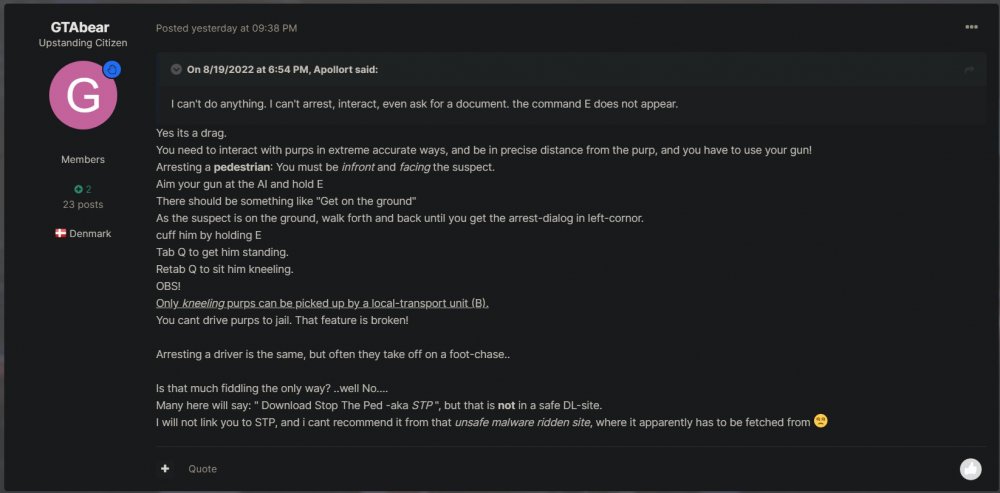
Just read his post history. It all checks out lol 💀 Just going to centralize all this, the reason being is because you don't have StopThePed. I'm actually not too sure on how the native implementations for ped management work in LSPDFR, but I can recommend using these plugins: https://www.bejoijo.com/ They offer much more realism and immersion and it really helps out gameplay. They should also solve your problem. Have a browse! One last thing, make sure to download this: https://github.com/alexguirre/RAGENativeUI/releases/download/1.9/RAGENativeUI.zip Open the .zip and place RAGENativeUI.dll into your root GTAV folder. Also disregard this massive wall of text...
-
Also make sure to rename your scripts folder to "_scripts".
-
Hmm. Try comma-separating it. If that doesn't work, then I don't think it is possible.
-
Just making sure you've removed all of the SVH.NET files?
-
Delete that.
-
Have you modified your UltimateBackup installation at all?
-
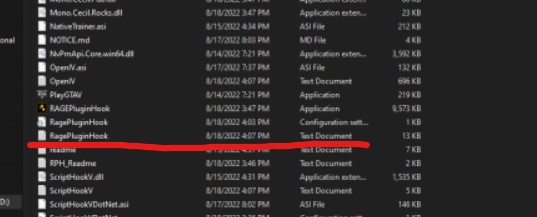
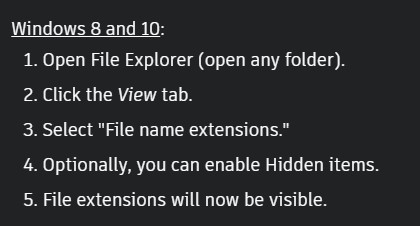
I need you to upload the file called RAGEPluginHook.log from there. (I suggest enabling file extensions):
-
Yep ^ .. Still a SHVDOTNET issue. You probably aren't installing it correctly. Did you watch the video?
-
No problem! Just make sure you are careful modding that file because your cars may be a bit wonky if you do something wrong lol.
-
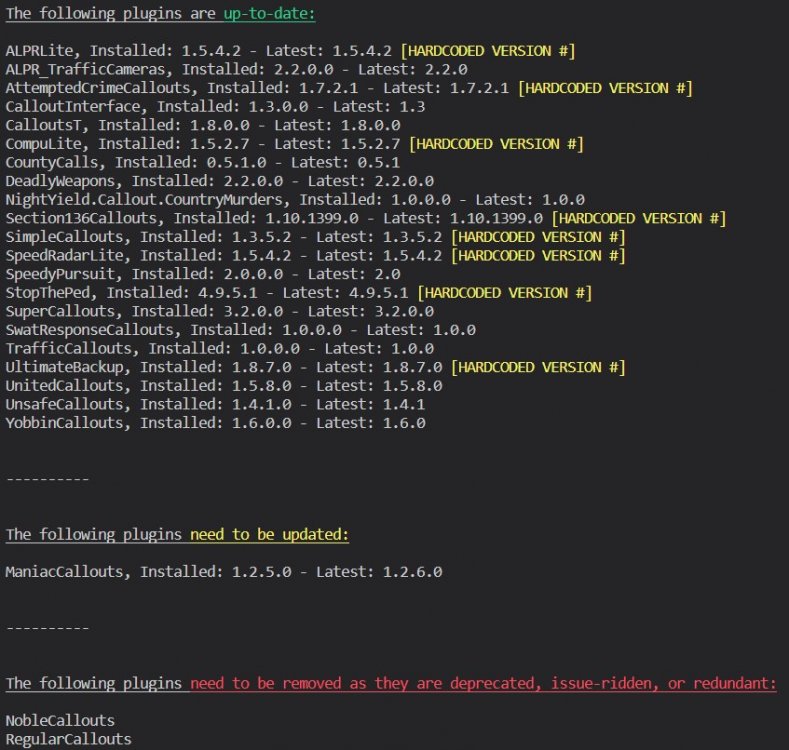
For future reference, please send the RAGEPluginHook.log file in your root GTAV directory, not your logs folder. It shouldn't have numbers. -- You need to install ScriptHookVDotNET. https://www.gta5-mods.com/tools/scripthookv-net Also:
-
Can you send me a photo of all of GTA > mods > update > x64 > dlcpacks. The pack is probably in there. Also you might have a bad vehicles.meta. Try backing up your current one and using a fresh one.
-
No can do. Just play the latest version. Sharing old game files is against the rules, not to mention there is no one on God's green earth playing on that old of a game...
-
Try renaming your mods folder to "_mods".
-
Send a photo of your dlclist.xml.
-
Are you using ScriptHookVDotNET? Also, try renaming your mods folder to "_mods".
-
I'm afraid i'm kinda out of ideas... Usually a few of these would help but I guess not. You can try one last thing, which is booting into safe mode which ensures no programs will open at startup. Try launching LSPDFR in safe mode. https://support.microsoft.com/en-us/windows/start-your-pc-in-safe-mode-in-windows-92c27cff-db89-8644-1ce4-b3e5e56fe234 Safe mode will automatically disable itself upon the next PC restart.
-
Touché, I was wrong. Sorry 🙃
-
Send your RAGEPluginHook.log file located in your GTAV root folder.
-
You need to use the one located in the LSPDFR installer. It clearly states this in many places. The one on the RPH site is deprecated.
-
Try installing these: https://www.gta5-mods.com/misc/gta-5-gameconfig-300-cars https://www.gta5-mods.com/tools/heapadjuster https://www.gta5-mods.com/tools/packfile-limit-adjuster
-
Do you have any open applications on your computer that would interfere with RPH? Overlays sometimes are the culprit of this.
-
Interesting. Are you sure it was installed correctly? And also make sure that there are no errors in the INI file.



