



GTAIV 2013 CONSTABLE UPDATE 2

By Deactivated Member
- 852 views
- View Deactivated Member's images

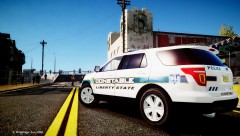
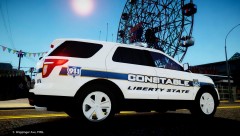
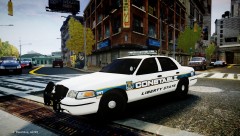
Hay guys just a update and some more info.....the first 3 cars have been elected they are a CVPI,Ford Utility Interceptor and a Chevy caprice. all cars will have Crome Rims Specially made for each car. light-bars might been changed and no ram bars will be used Except perhaps on a Future elected Highway Patrol cruse.
regard guys keep yourself updated with this special Mike Oscar Gaming Pack.
special than x to Trewq34 for helping me with the modeling.
(if u want a unlocked version of the explorer, send Trewq34 or me a message and be prepared to negotiate for any unlocked cars or parts you may have)
Recommended Comments
Join the conversation
You can post now and register later. If you have an account, sign in now to post with your account.