




Everything posted by Yasd
-
Pls post the ragepluginhook.log as a file, thx.
-
make sure the listed dlcs are in your mods folder and dlclist
-
Install RageNativeUI in the main gta folder.
-
Command line option "nodx" is specified Pls unhook the setting in the rph settings.
-
shvdn loads files in the scripts folder. to continue: first you have to know shvdn can cause problems itself: first rename the scripts folder to _scripts and try again. if still crashes, install a nightly build: https://github.com/scripthookvdotnet/scripthookvdotnet-nightly/releases if it still crashes, there is no other option than removing shvdn.

-
Rename the mods folder to _mods if you use lennysmodloader rename vfs.dll to _vfs.dll or verify your game files
-
You liked my comment a year later? 🤣
-
theres no log that helps in this case, so i cant help you with that.
-
you do not need to download rph extra, its included in the lspdfr download: https://www.lcpdfr.com/downloads/gta5mods/g17media/7792-lspd-first-response/
-
Hello! Post the Ragepluginhook.log from the main gta folder.
-
renaming the mods folder means disabling from loading. now you know that sth in there is causing the crash. ensure you have a Heap Adjuster, Packfile Limit Adjuster & custom gameconfig. otherwise revert the latest changes or start a new mods folder
-
-
Do NOT delete UnitedCallouts. Instead update RagenativeUI in the main gta folder: https://github.com/alexguirre/RAGENativeUI/releases/download/1.9.2/RAGENativeUI.zip
-
Rename mods folder to _mods
-
ManiacEvents crashed because it requires StopThePed to work: https://www.bejoijo.com/post/stop-the-ped Section136Callouts should work though. You can reinstall and post the log again, if crashing. 🙂
-
-
-
Im sorry, I cannot help you further. You can try a new mods folder, f.e., but thats on you 😉
-
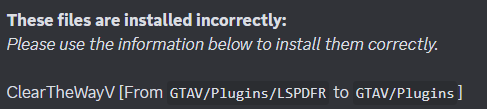
no thats ok, unfortunately SHVDN is unstable and some users cannot use it, im sorry. You have to remove it and callouts based on it too -> Fast Draw, LemonUI.SHVDN3
-
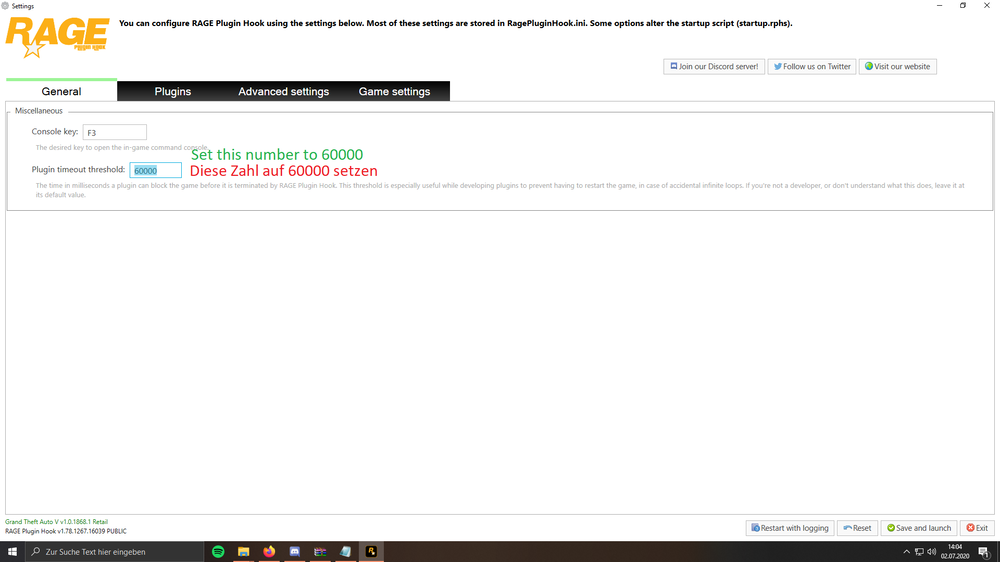
pls rename the scripts folder to _scripts and install the nightly ScripthookVDotNet again and see if the game crashes or not. For the issue with game freeze set the rph loading time to 60000.
-
about what are we talking about when saying manual or lml, gameconfig or one of the vehicle packs? 😄
-
try one by one what is causing it: - rename mods folder to _mods - remove every .asi file and check if its one of them, then readd them one by one.
-
https://www.lcpdfr.com/downloads/gta5mods/misc/24718-gameconfigxml-for-lml-or-manual-install-by-rde-team/
-
depends. one folder is located at: gtav/plugins/lspdfr (plugins and callouts inside) the other one: gtav/lspdfr (different settings files for lspdfr) i recommend to reinstall lspdfr
-
I have installed the first vehicle pack and it works fine for me. then just restart it instead of writing an answer in here 😄





