




Yasd
Community Team
-
Joined
-
Last visited
Everything posted by Yasd
-
Set your ragepluginhook loading time to 60000. it appears that the mods folder is causing the issue.
-
That’s normal. rph and lspdfr require some resources to the cost of performance. nothing you can do therefore
-
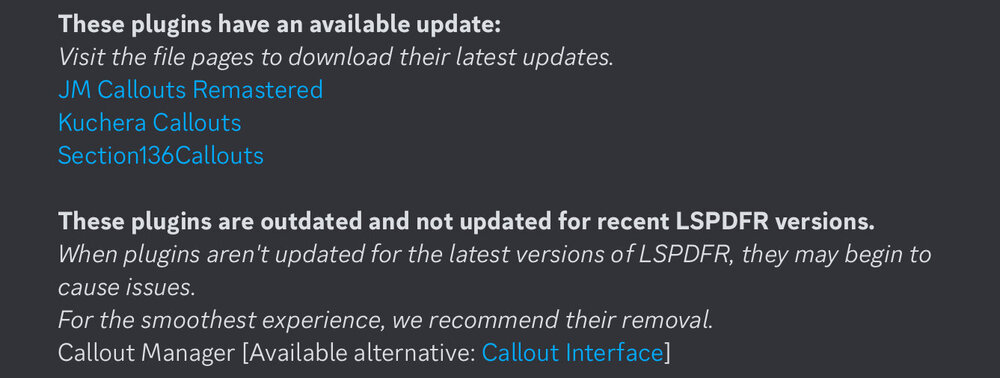
In this case the crash was caused by lorecallouts. You have the possibility to remove that and check if it runs smoother. secondary:
-
Pls post a screenshot of the gta folder
-
Post the ragepluginhook.log, a text fil from the main gta folder, NOT the logs folder.
-
Post the ragepluginhook.log, a text file in the main gta folder, NOT the logs folder. Your topic has been moved to LSPDFR 0.4 Support. Please post in the correct location in the future.
-
Post the ragepluginhook.log from the main gta folder
-
Hello! The crash is caused by police2 vehicle. Check the vehicles.meta for it. If you still have problems, AssortedCallouts and Emercency Vehicle Theft Callouts can be removed cause of being outdated/ unstable.
-
If you're using the Rage version it needs to be in the plugins folder and loaded through Rage
-
The error is either within the mods folder or the files you have installed in lml revert your latest changes or start a new folder if you haven’t installed those already,first try updating gameconfig and install heap adjuster
-
post the ragepluginhook.log from the main gta folder, a text file.
-
1st: you maybe installed sth wrong or the installation failed. for that rename the mods folder to _mods maybe reinstall (with a clean mods folder) and check that beautiful tutorial: 2nd: SimpleHUD is wrong installed. from the website: To install this script, the .dll file must be placed in a "scripts" folder. also check the requirements!
-
as you may have guessed, pls post the ragepluginhook.log for that, otherwise i cannot help 😉
-
if you still have problems, post the ragepluginhook.log from the main gta folder.
-
Move PoliceMenu, JMCalloutsRemastered, RiskierTrafficStops from gtav/plugins to gtav/plugins/lspdfr for the future be aware that standalone plugins are installed in gtav/plugins and stuff like callouts belong in gtav/plugins/lspdfr
-
Could not load file or assembly 'LemonUI.SHVDN3 remove the ragepluginhook version and install the shvdn version of LemonUI
-
Can you play gta on its own?
-
install the file "dinput8.dll" from the scripthookv download in the main gta folder. start the game and check if it works. if not post the scripthookv.log, the asiloader.log and the scripthookvdotnet.log 😉
-
this means the problem is in the mods folder. renaming the folder means disabling it from loading. what you can do is revert the latest changes or start a new folder. good luck!
-
Im not sure what you mean, but i guess you want the plugins loaded automatically when starting the game?
-
the newest gta version is compatible to the newest lspdfr and rph version. post your ragepluginhook.log from the main gta folder
-
add the gta folder as an exception in your antivirus
-
do you have installed: scripthookvdotnet and scripthookv? post a screenshot of the gta folder and the folder of gtav/scripts
-
rename mods folder to _mods
-
that are many problems in a row 😄 post the ragepluginhook.log from the main gta folder, to see if everything is correclty installed.



