




Yasd
Community Team
-
Joined
-
Last visited
-
Currently
Viewing Topic: Working on a new MDT plugin, quick question before I go all in
Everything posted by Yasd
-
Hallo! 🙂 Gehe zu GTAV/lspdfr/keys.ini hier kannst du BACKUP_MENU_Key=None setzen, um das Standard LSPDFR Backup Menü zu deaktivieren. Um bei Traffic Stops nur das StopThePed Menü zu benutzen, setze in der gleichen Datei: TRAFFICSTOP_INTERACT_Key=None Ich hoffe, das hilft! LG Chris
-
Hi! Post the Ragepluginhook.log from the main gta folder.
-
Pls remove Arrest Manager, Highway Callouts & Traffic Control temporarily, those plugins are outdated and known to cause problems.
-
Hey! Bitte poste dein Ragepluginhook.log als Datei Anhang, nicht als Text 🙂
-
Hey 😄, pls rename the mods folder to _mods if it works, make sure to have a gameconfig, a heap adjuster and packfile limit adjuster 👍🏽
-
Pls post the Ragepluginhook.log from the main gta folder.
-
Hey! Pls navigate to GTAV/lspdfr/lspdfr.ini and set AmbientSpawn.DisableRandomUnits = true
-
Rename mods folder to _mods
-
Rename mods folder to _mods
-
There is a plugin called OpenInteriors, it loads some indoor rooms.
-
Ok, bitte Ein screenshot von rph unter advanced settings
-
Hello! I have a hard time understanding what you mean, if you can speak german or french, feel free to go to the german or french section, otherwise maybe try to describe what you mean. Do you mean your callouts are not coming in automatically?
-
Wenn Du Avira deinstalliert hast, füge deinen GTA Ordner als Ausnahme in Windows Defender hinzu. Hast du ein aktuelles Ragepluginhook.log? Poste ein Screenshot von den RPH Settings:
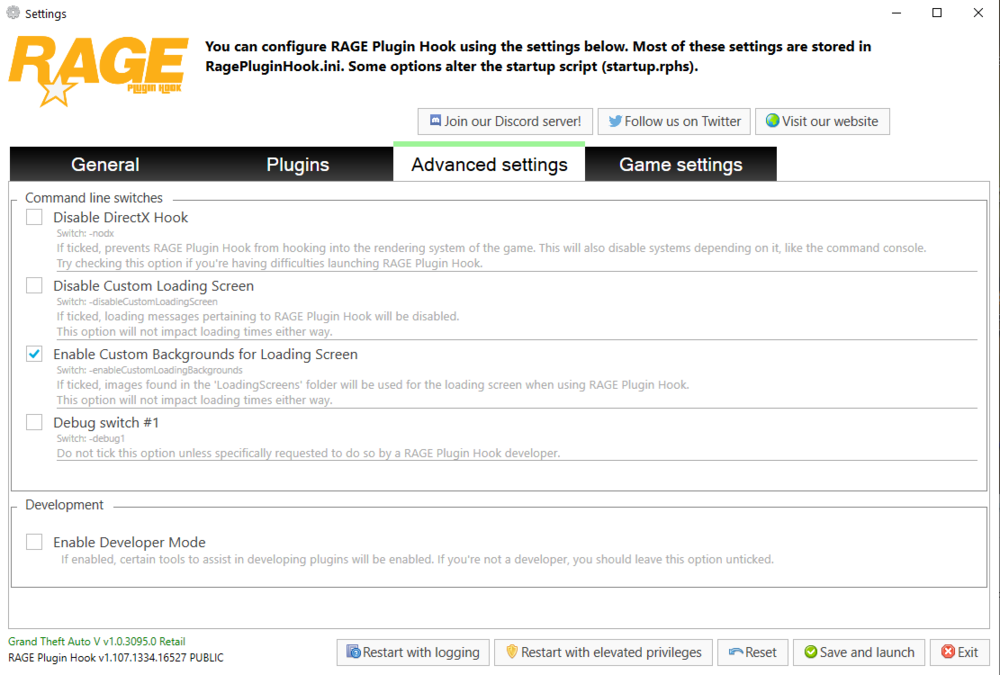
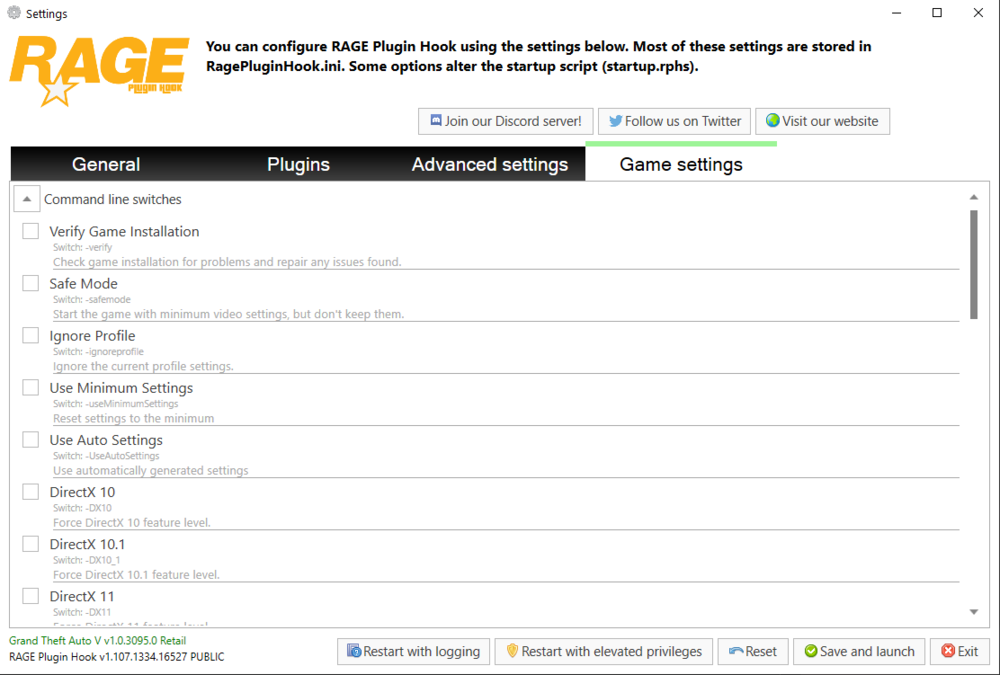
-
Go to your GTAV/lspdfr/lspdfr.ini and set: AmbientSpawn.DisableRandomUnits = true
-
Hi! Can you check your sectence? You stopped in the middle of it 🙂 Pls post the Ragepluginhook.log from the main gta folder
-
Langsam wirds eng… 😄 Vll noch probieren, Avira mal kurz ganz auszuschalten was ist in dem SDK Ordner drin? evtl mal entfernen was auch gern funktioniert, ist erst gta zu starten, und sobald du ingame bist, ragepluginhook starten
-
rename the mods folder to _mods
-
Post the Ragepluginhook.log from the main gta folder.
-
Poste einen Screenshot von deinem GTA Ordner 🙂 Benutzt du Overlays für Discord oder von GeForceExperience?
-
This topic has been moved to the appropriate forum. Please post in the correct location in the future.
-
Welches Antivirensoftware hast du? Oder nur Windows defender? installiere lspdfr manuell neu. starte deinen pc neu und probiere es erneut
-
Are you talking about gta 5 or gta 4? your title says gta 4, but you have posted in GTA V Support. I can move it to gta 4, just tell me what you mean 🙂
-
This is the French forum, I need to tell you that its not that active.
-
Hallöchen! - Funktioniert GTA alleine? - Füge deinen kompletten GTA Ordner als Ausnahme in deinem Antivirenporgramm hinzu. - Rechtsklick auf deinen GTA Ordner -> Eigenschaften -> Sicherheit -> stelle sicher, dass SYSTEM, Benutzer und Admin alle Haken, also alle Berechtigungen haben - Starte RPH als Admin
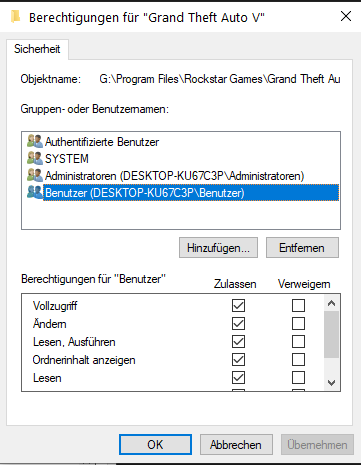
-
Hello! post the ragepluginhook.log from the main gta folder 📂




